Step 1. If you are not already grounded, properly ground yourself.
Step 2. Unplug the controller module power supplies from the source.
Step 3. Release the power cable retainers, and then unplug the cables from the power supplies.
Step 4. Remove the storage and networking cables.
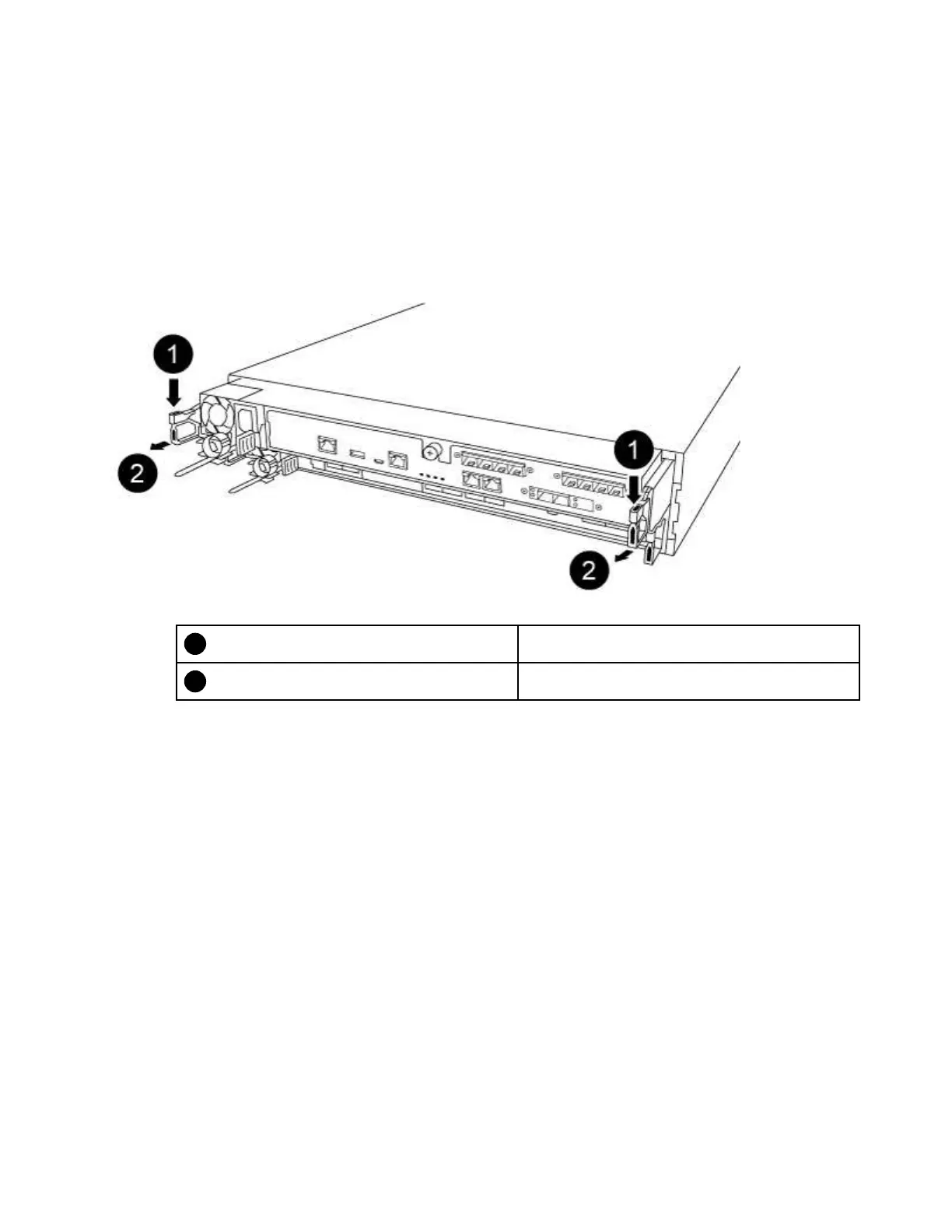
Step 5. Insert your forefinger into the latching mechanism on either side of the controller module, press the
lever with your thumb, and gently pull the controller a few inches out of the chassis.
Note: If you have difficulty removing the controller module, place your index fingers through the
finger holes from the inside (by crossing your arms)
Lever
Latching mechanism
Step 6. Using both hands, grasp the controller module sides and gently pull it out of the chassis and set it
on a flat, stable surface.
Chapter 4. Hardware replacement procedures 61










 To Next Page