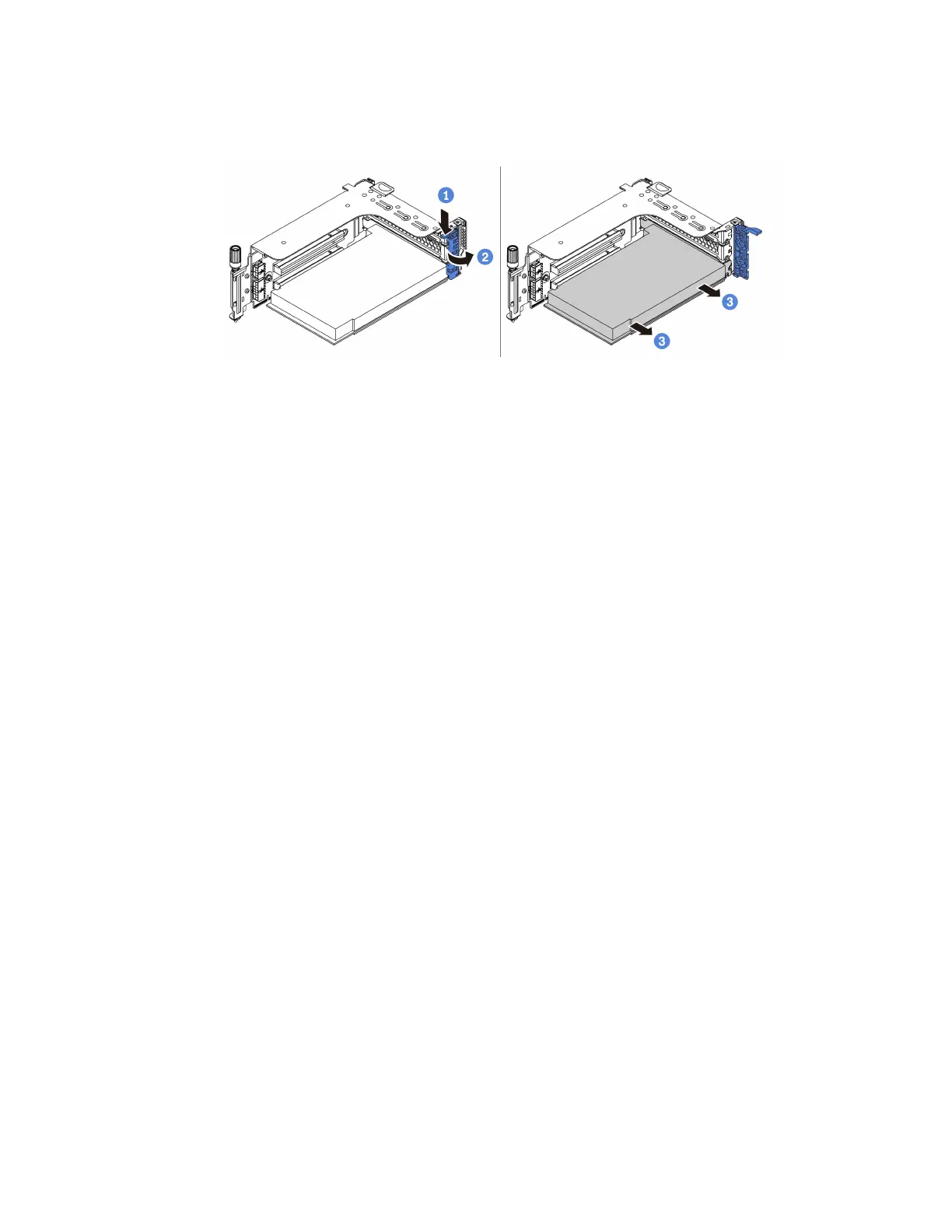
Step 5. Remove any PCIe adapters from the riser assembly. The illustration shows how to remove a PCIe
adapter from a riser 1/2 assembly, the method is the same for removing other PCIe adapters.
Figure 162. PCIe adapter removal
1. Press the retainer clip downward.
2. Rotate the PCIe adapter retention latch to the open position.
3. Grasp the PCIe adapter by its edges and carefully pull it out of the PCIe slot.
Note: The PCIe adapter might fit tightly into the PCIe slot. If necessary, alternatively move each
side of the PCIe adapter a small and equal amount until it is removed from the slot.
348
ThinkSystem SR665 Maintenance Manual












 To Next Page