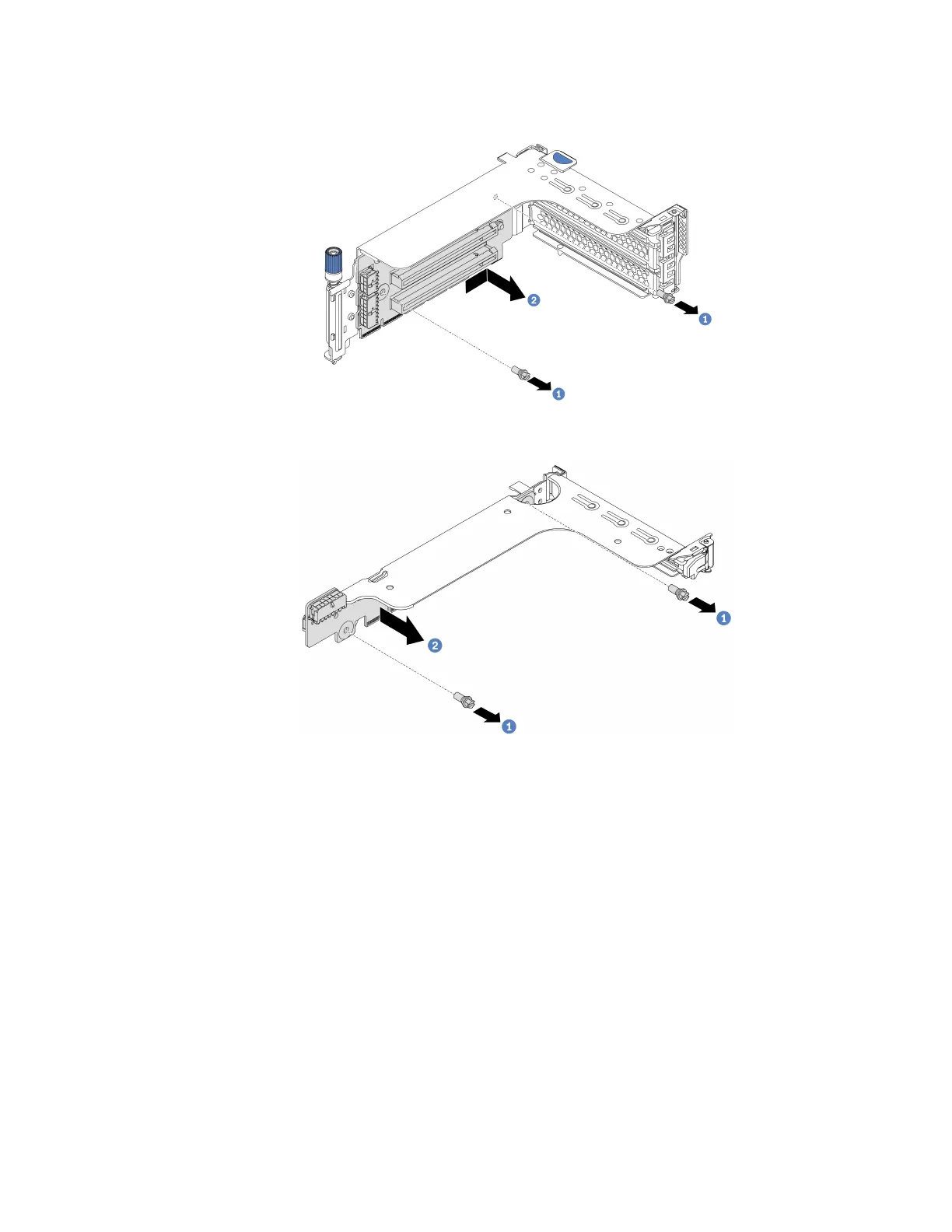
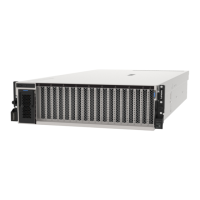
Step 6. Remove a riser card in a riser cage.
Figure 163. Riser card removal (three-slot riser bracket)
Figure 164. Riser card removal (one-slot or two-slot riser bracket)
1. Remove the two screws.
2. Remove the riser card from the bracket in the direction as shown.
After you finish
1. Refer to Chapter 3 “Internal cable routing” on page 57 if you need reconnect any cables to the removed
PCIe adapters or riser cards.
2. Reinstall the PCIe adapters and riser assembly. See “Install a PCIe adapter and riser 1/2 assembly” on
page 350.
3. Complete the parts replacement. See “Complete the parts replacement” on page 397.
Chapter 4. Hardware replacement procedures 349












 To Next Page