EasyManua.ls Logo

LevelOne WHG-1000 - Page 11

LevelOne WHG-1000
162 pages
Print Icon
To Next Page IconTo Next Page
To Previous Page IconTo Previous Page
Loading...
7
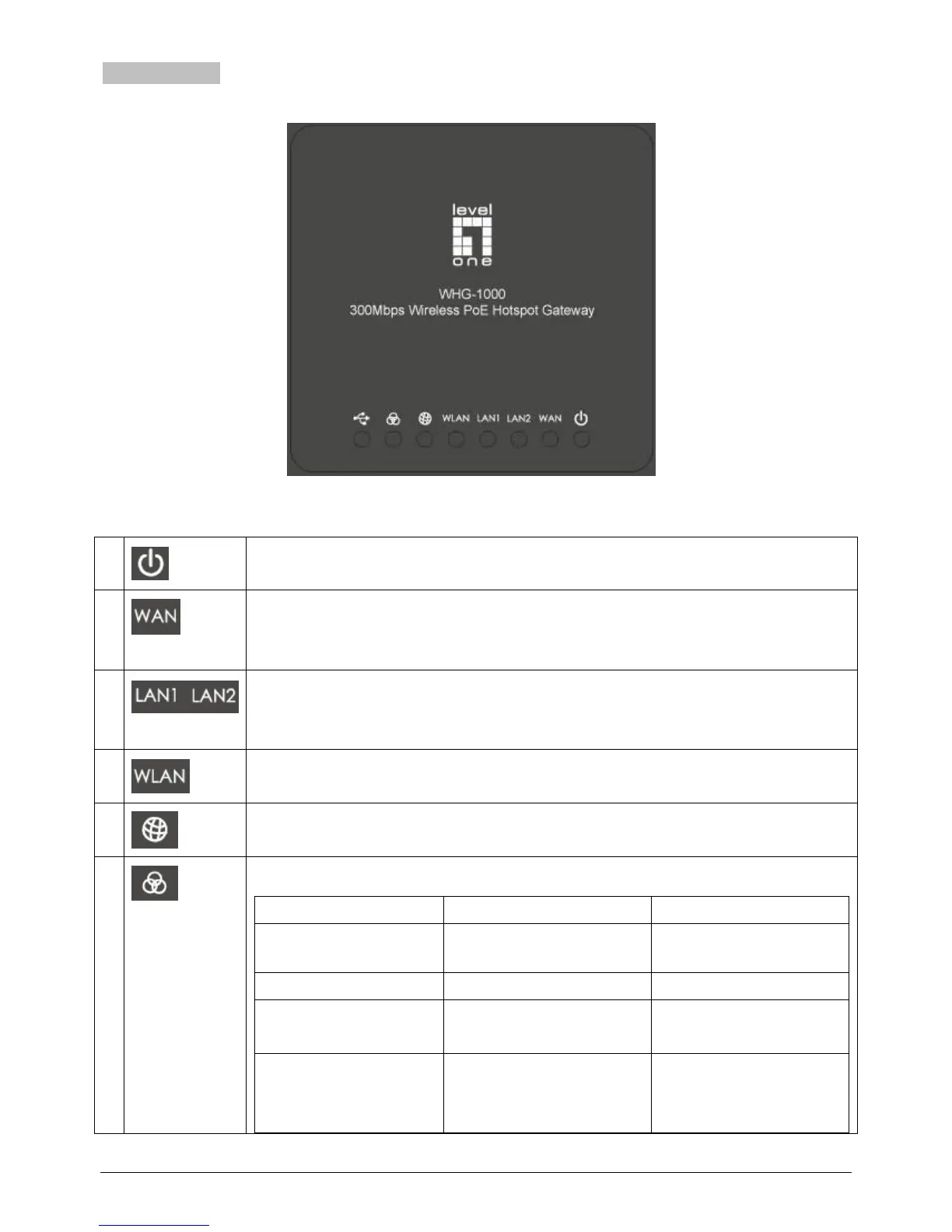
Top LED Panel
1
LED ON indicates power on; OFF indicates power off.
2
LED ON indicates WAN connection; OFF indicates no
connection; BLINKING indicates transmitting data.
3
LED ON indicates LAN1/LAN2 connection; OFF indicates no
connection; BLINKING indicates transmitting data.
4
LED ON indicates wireless ready.
5
LED ON indicates WAN port is connected to the internet.
6
For indicating WES status during WES setup:
Master
Slave
WES Start
LED BLINKING SLOWLY
LED BLINKING QUICKLY
WES Negotiate
LED BLINKING SLOWLY
LED BLINKING QUICKLY
WES Fail (Negotiate
Timeout)
LED OFF
LED OFF
WES Success
LED ON for over 5 seconds
(after Master displays WES
Success)

Table of Contents

Other manuals for LevelOne WHG-1000

Related product manuals