3.3 Internet Connection Detection
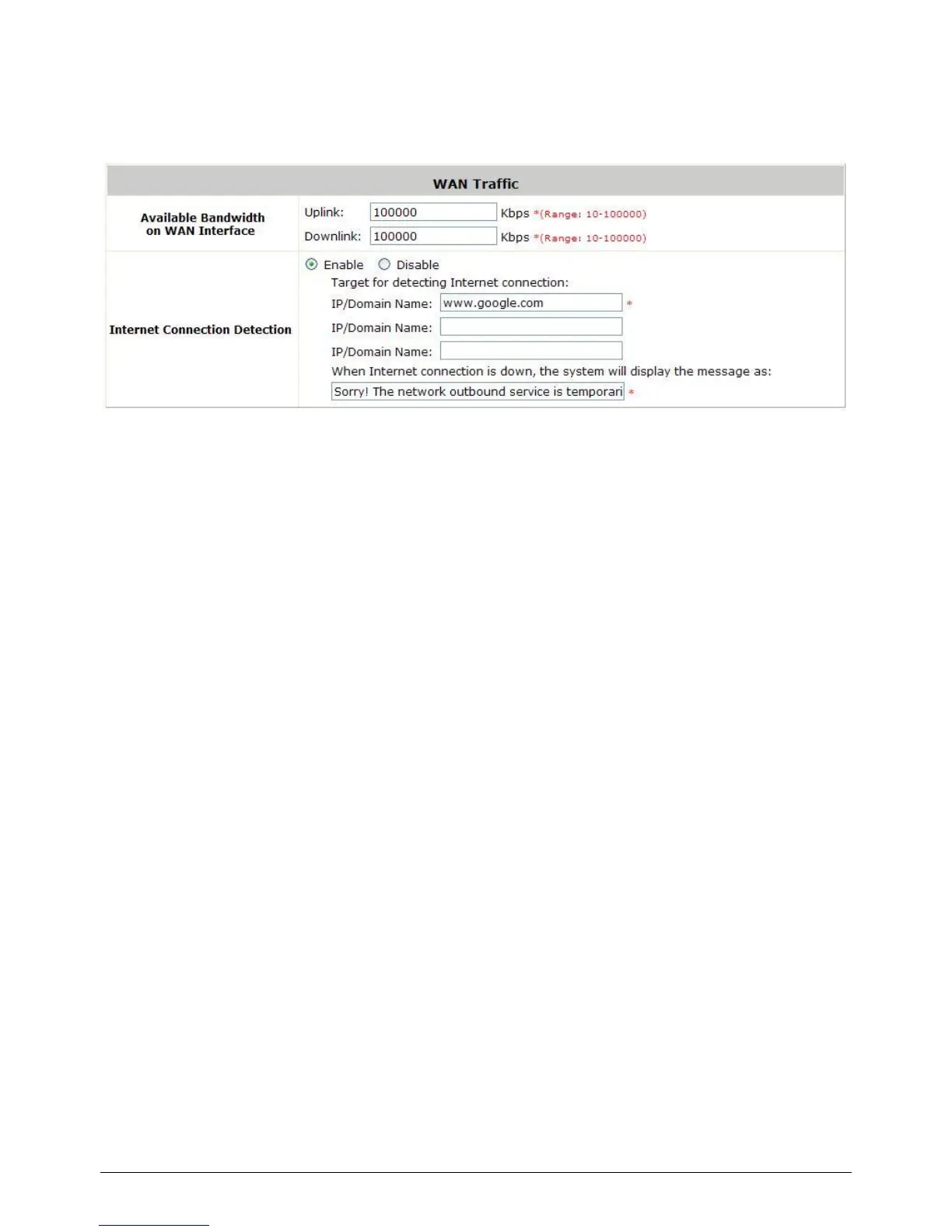
Configure Internet Connection Detection, go to: System >> WAN Traffic.
Internet Connection Detection: When enabled, system will try to access these IP/Domain
addresses, if system can reach these IP/Domain address, it means that the outbound Internet
connection is in normal state. On the other hand, there is a text box available for the administrator
to enter a reminding message. This reminding message will appear on clients‟ screens when
Internet connection is down.



 To Next Page