12 Advanced Applications
12.1 Upload/Download Local Users Accounts
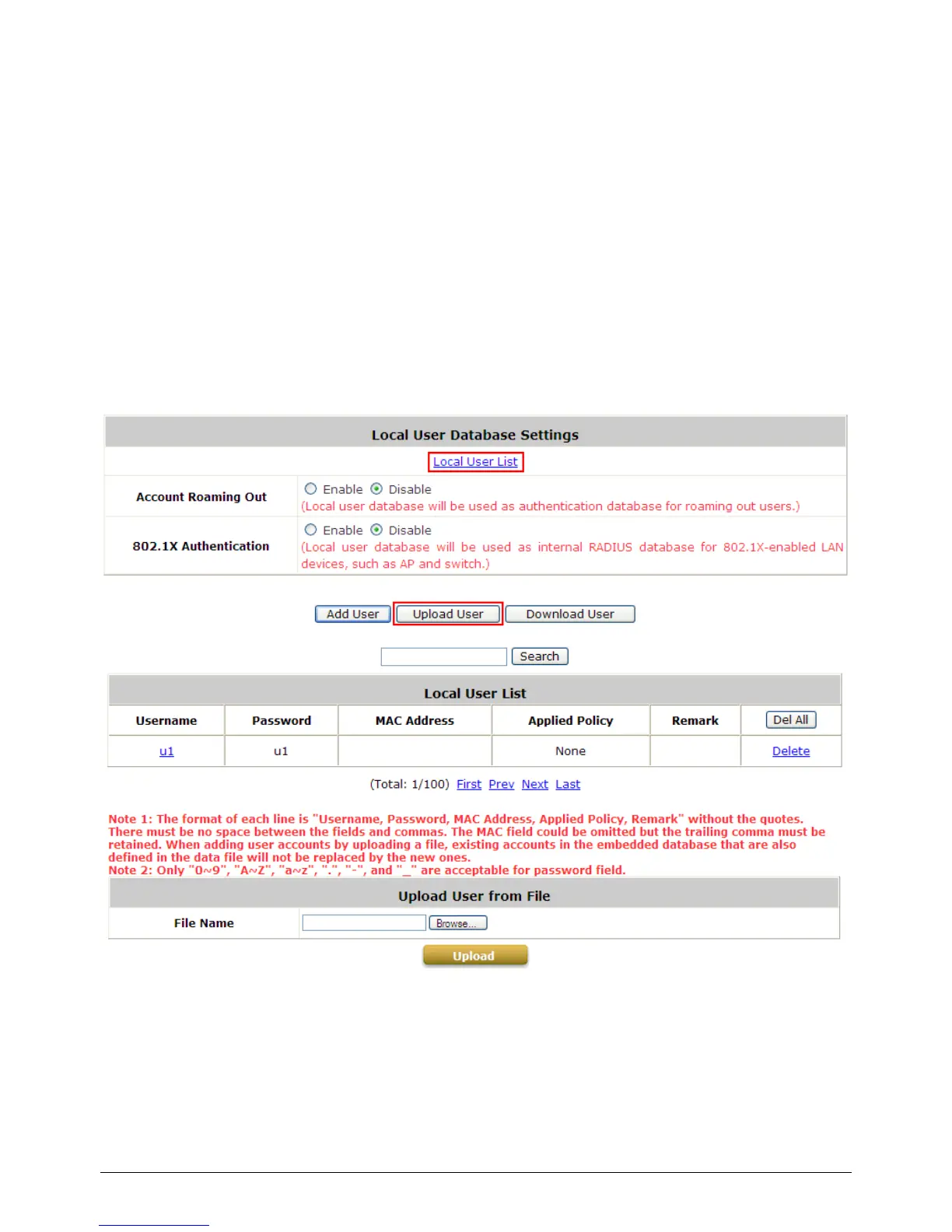
To Upload / Download Local Users Accounts, go to: Users >> Authentication, click Configure
button of Local. Or click Quick Links >> Local User Management from system Home page.
Upload User: Click Upload User to enter the Upload User from File interface. Click the
Browse button to select the text file for uploading user accounts, then click Upload to complete
the upload process.
When uploading a file, any format error or duplicated username will terminate the uploading process
and no account will be uploaded. Please correct the format in the uploading file or delete the
duplicated user account in the database, and then, try again.
Download User: Use this function to create a .txt file with all Local user account information and



 To Next Page