10.2 Management IP
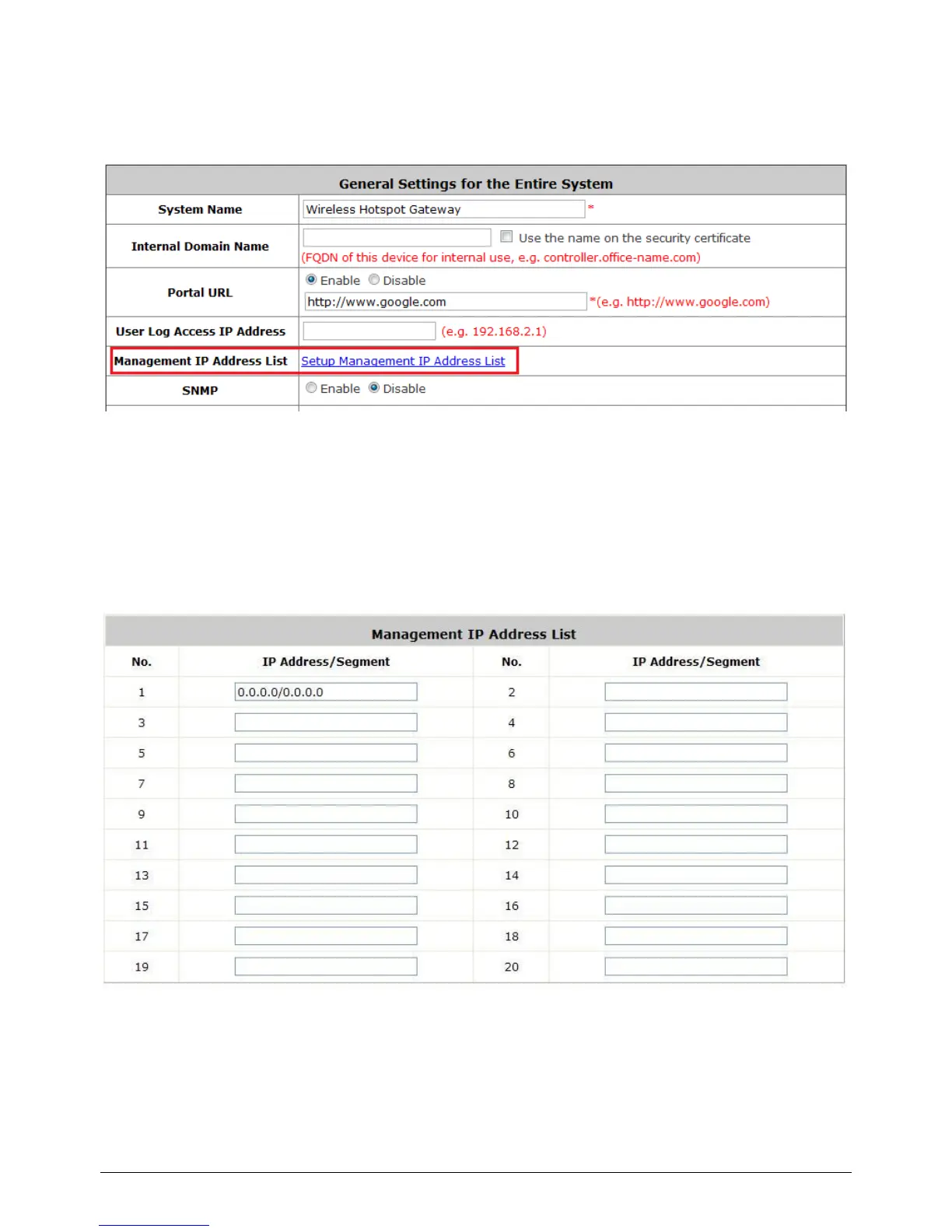
Configure Management IP, go to: System >> General.
Only PCs within the Management IP range on the list are allowed to access the system's web
management interface. For example, 10.2.3.0/24 means that as long as an administrator is using a
computer with the IP address range of 10.2.3.0/24, he or she can access the web management page.
Another example is 10.0.0.3: if an administrator is using a computer with the IP address of 10.0.0.3,
he or she can access the web management page.
The default value is “0.0.0.0/0.0.0.0”. It means that the WMI can be accessed by any IP address, for
security consideration; please change this value before the system provides service.



 To Next Page