10.11 Monitor IP Link
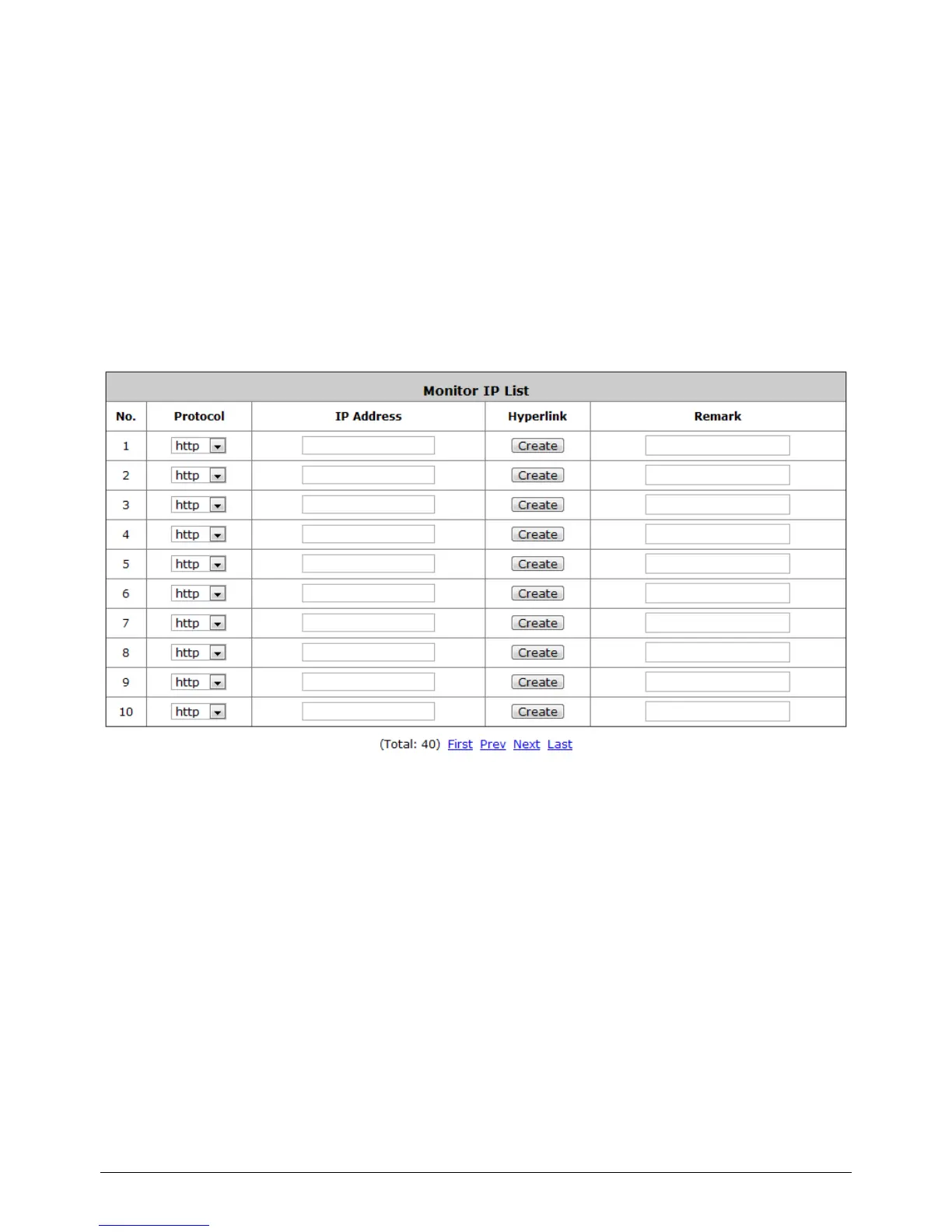
Configure Monitor IP Link, go to: Network >> Monitor IP.
WHG-1000 will send out a packet periodically to monitor the connection status of the IP addresses on
the list. On each monitored item with a WEB server running, administrators may add a link for the
easy access by entering the IP, select the Protocol to http or https and then click Create. After
clicking Create button, the IP address will become a hyperlink, and administrators can easily access
the host by clicking the hyperlink remotely. Click the Delete button to remove the hyperlink if desired.



 To Next Page