2. Payments via PayPal
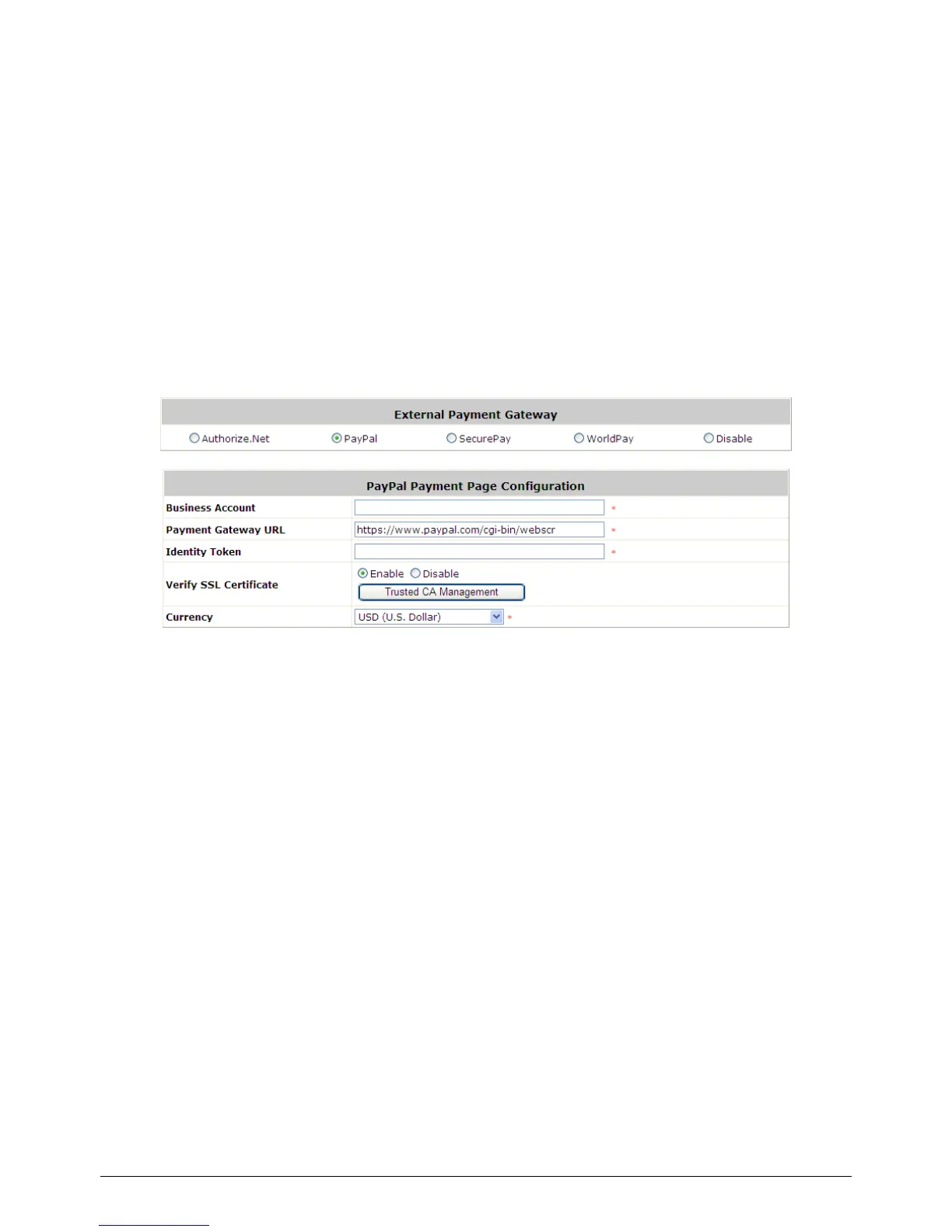
Configure Payments via PayPal, go to:
User >> Authentication >> On-demand User >> External Payment Gateway >> PayPal.
Before setting up “PayPal”, it is required that the hotspot owners have a valid PayPal “Business
Account”.
After opening a PayPal Business Account, the hotspot owners should find the “Identity Token” of
this PayPal account to continue “PayPal Payment Page Configuration”.
External Payment Gateway / PayPal Payment Page Configuration
o Business Account: The “Login ID” (an email address) that is associated with the PayPal
Business Account.
o Payment Gateway URL: The default website address to post all transaction data.
o Identity Token: This is the key used by PayPal to validate all the transactions.
o Verify SSL Certificate: This is to help protect the system from accessing a website other
than PayPal
o Currency: The currency to be used for the payment transactions.



 To Next Page