2.3 Hardware Descriptions
Front Panel
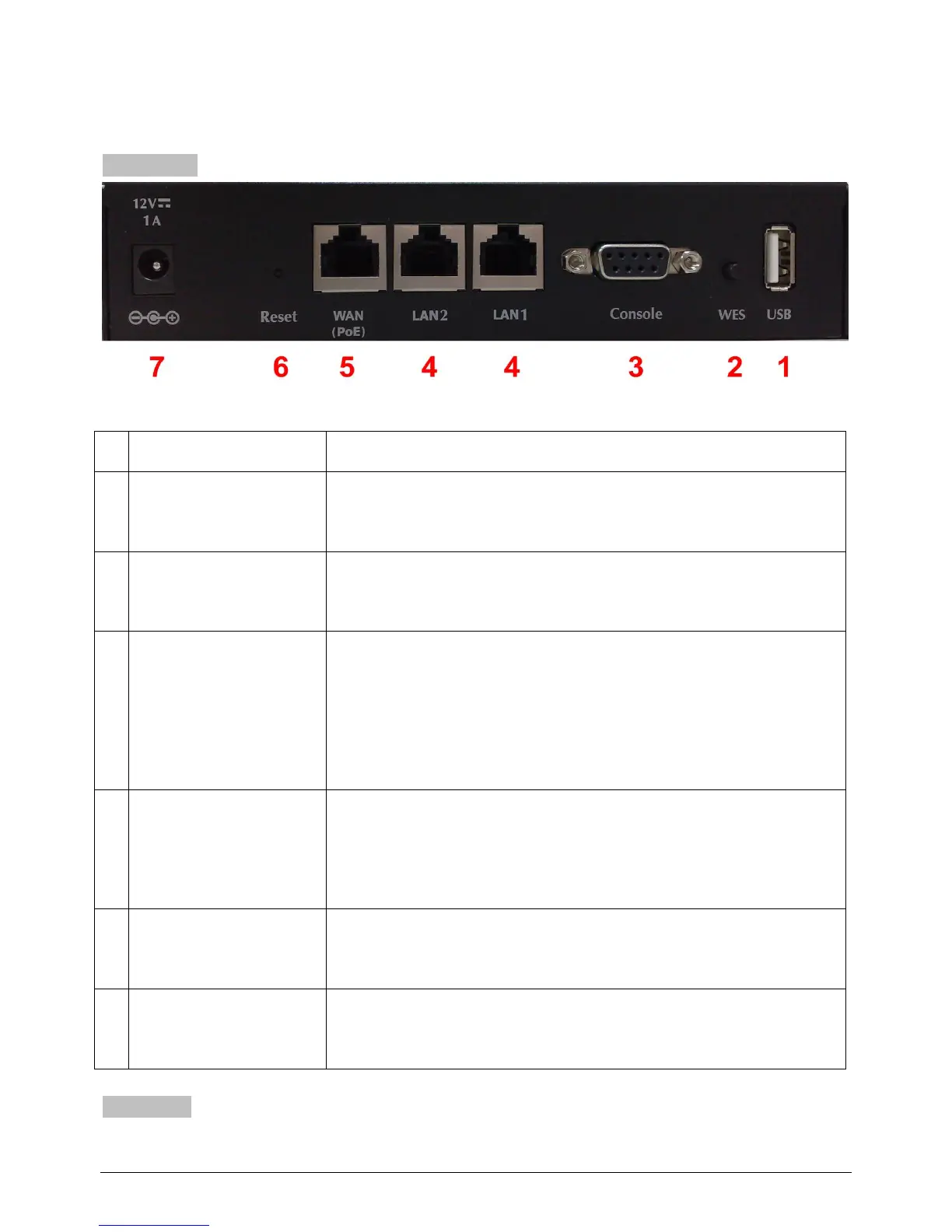
Press to start running WES (WDS Easy Setup)
process.
Attach the RS-232 console cable here, for
management use only.
Attach Ethernet cables here for connecting to the
wired local network. LAN1 maps to Private Zone and
requires no user authentication, LAN2 maps to Public
Zone and by default requires user authentication.
Attach the wired external network here. This port
supports Power over Ethernet (PoE) for flexible
installation.
This is hardware reset button. Press once to restart
the system.
For connecting to external power supply via the
power adapter.



 To Next Page