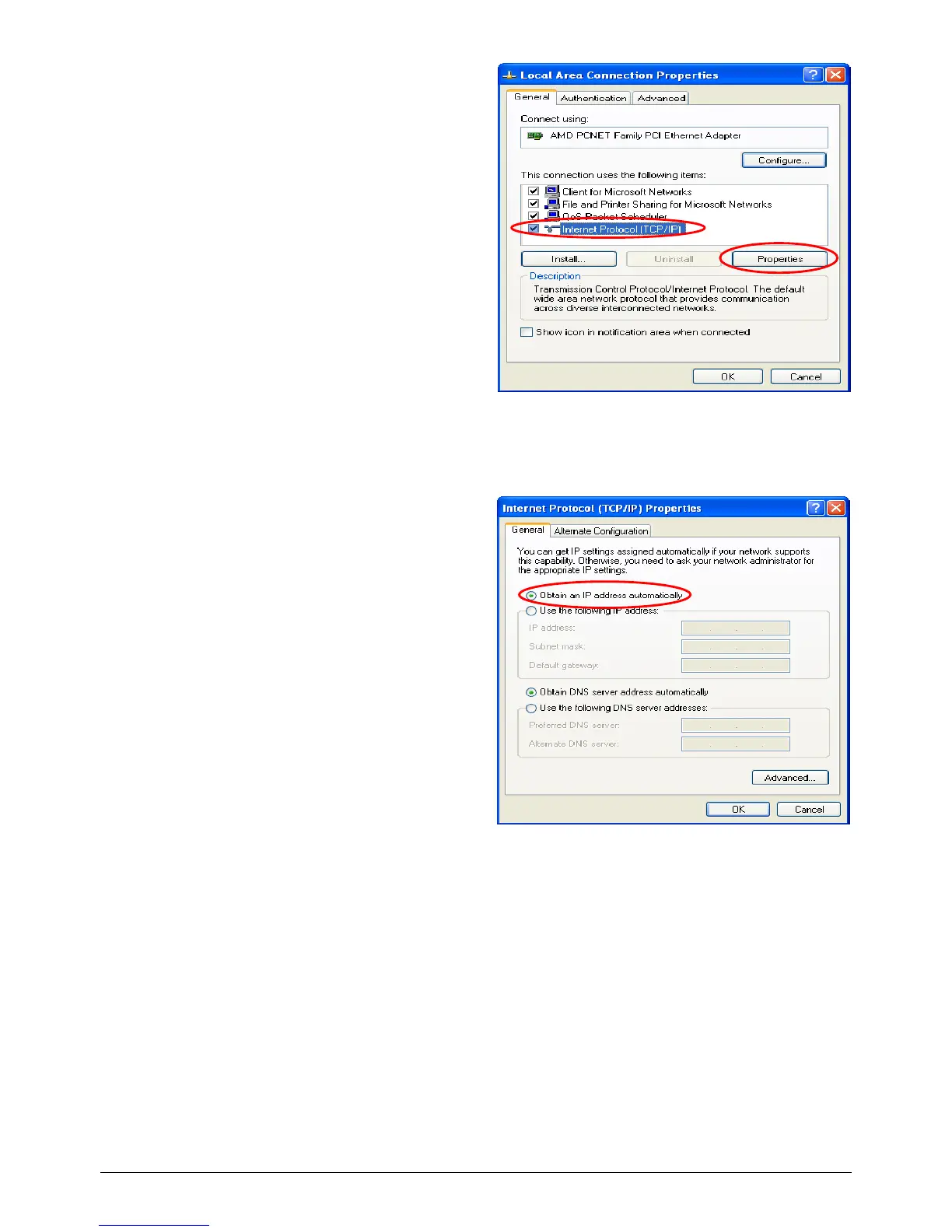
3) Click on the General tab and choose
“Internet Protocol (TCP/IP)”, and
then click Properties. Now, you can
choose to use DHCP or a specific IP
address.
4) Using DHCP: If you want to use DHCP,
choose “Obtain an IP address
automatically” and click OK. This is also
the default setting of Windows. Then,
reboot the PC to make sure an IP address
is obtained from WHG-1000.
5) Using Specific IP Address: If you want
to use a specific IP address, acquire the
following information from the network
administrator: the IP Address, Subnet
Mask and DNS Server address provided by
your ISP and the Gateway address of WHG-1000.



 To Next Page