Fragment Threshold: Enter a value between 256 and 2346. The default is 2346. A
packet size larger than this threshold will be fragmented (sent with several pieces
instead of one chunk) before transmission. A smaller value results in smaller frames but
allows a larger number of frames in transmission. A lower Fragment Threshold setting
can be useful in areas where communication is poor or disturbed by a serious amount
of radio interference.
Station Isolation: By enabling this function, all stations wirelessly associated to this
zone are isolated from each other and can only communicate with the system.
WMM: The default is Disable. Wi-Fi Multimedia (WMM) is a Quality of Service (QoS)
feature that prioritizes wireless data packets based on four access categories: voice,
video, best effort, and background. Applications without WMM and applications that do
not require QoS are assigned to the best-effort category, which receives a lower priority
than that of voice and video. Therefore, WMM decides which data streams are more
important and assigns them a higher traffic priority. This option works with
WMM-capable clients only.
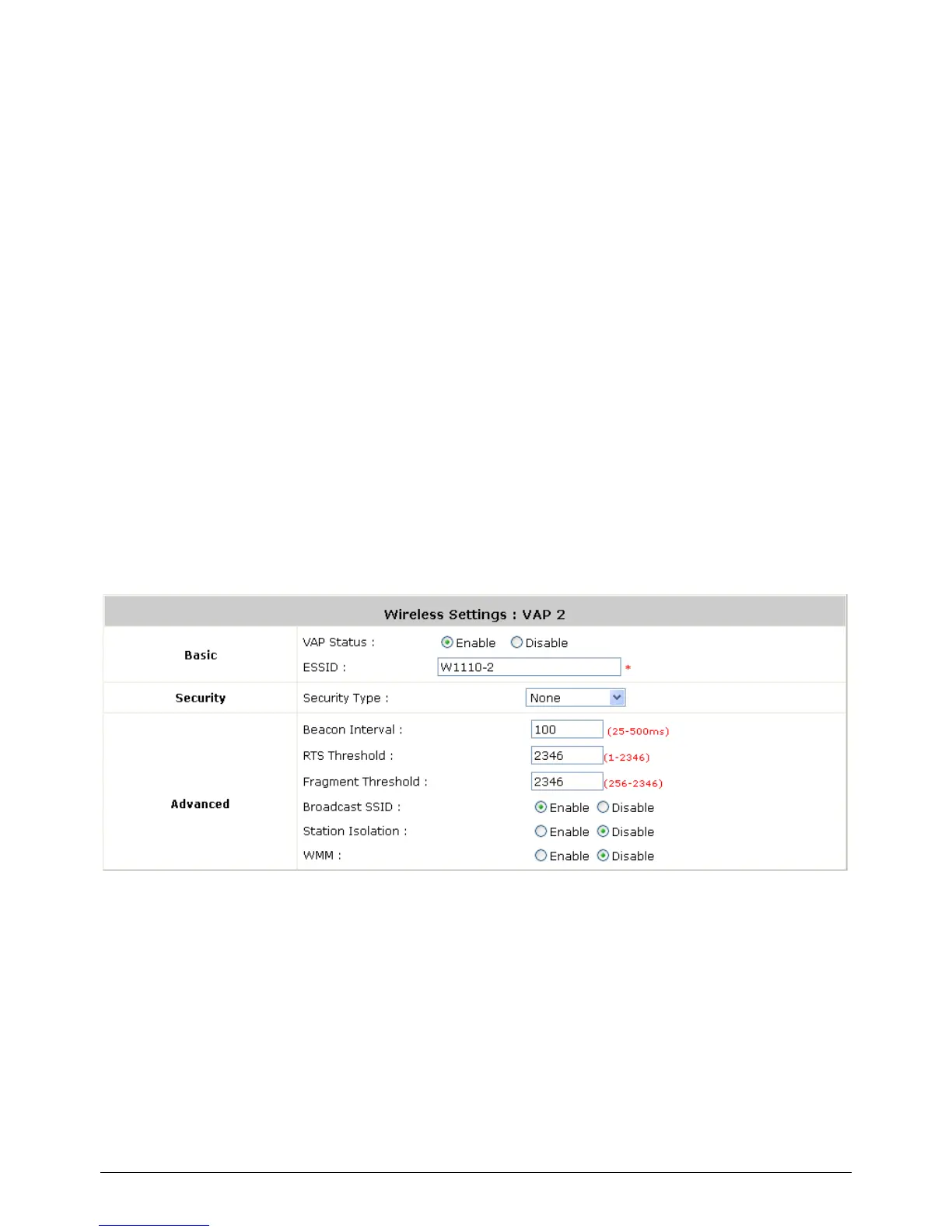
Normally we use VAP2, the VAP under Public Zone to provide wireless service to public clients in a
hotspot environment. To configure Public Zone‟s Wireless Settings, go to: System >> Zone
Configuration, click Configure of Public zone
Wireless Settings: VAP2 (Wireless Settings for Public Zone)
Basic: Enable the VAP Status if you wish to provide wireless service under this zone.
Assign an ESSID for VAP2 under Private Zone or use default “W1110-2”, the ESSID of
Private Zone will be broadcasted in default settings to allow it to be scanned in the air.
Security: Configure the wireless network under Public Zone with security encryption to
prevent unauthorized wireless association if necessary. The encryption standards
supported are WEP, 802.1X, WPA-PSK and WPA-RADIUS.
Advanced: The parameters in advanced are wireless settings that allow customization
of data transmission, enhanced security and wireless roaming.
Beacon Interval: The entered amount of time indicates how often the beacon signal



 To Next Page