43
USER SETTING
ENGLISH
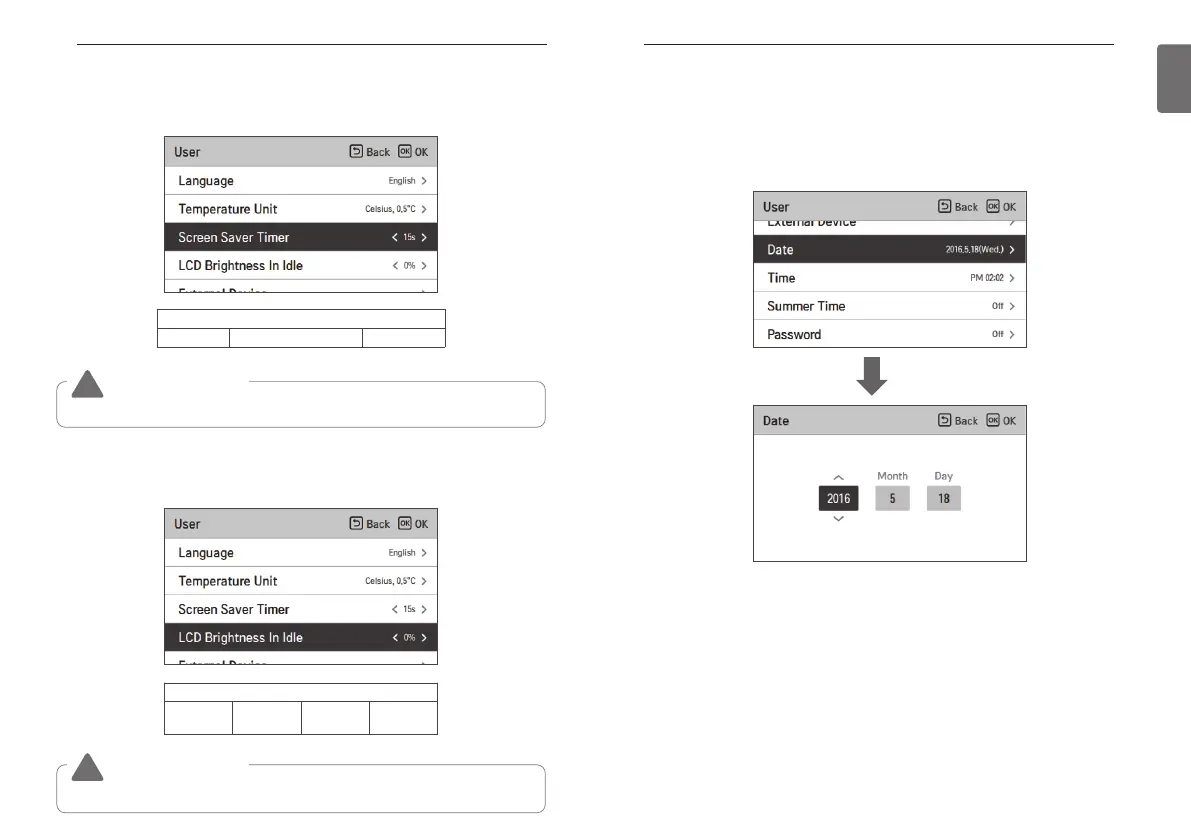
Date
Set the date displayed on the remote controller.
• In the user setting list, select the date category, and press [OK] button to move to the detail
screen.
• After the setting, if you press [OK] button, the setting is saved and moves to the previous
screen.
OK
42
USER SETTING
Screen Saver Timer
Adjust the screen Off time of the remote controller.
• Select the following setting values using [<,>(left/right)] button.
LCD Brightness In Idle
Adjust the remote controller’s screen brightness.
• Select the following setting values using [<,>(left/right)] button.
Value
0 %
10 %
(default)
20 % 30 %
Value
15 seconds 30 seconds (default) 1 min
CAUTION
!
Selecting longer stand by screen will decrease LCD lifespan.
CAUTION
!
Selecting brighter stand by screen will decrease LCD lifespan.



 To Next Page