125
INSTALLER SETTING
ENGLISH
124
INSTALLER SETTING
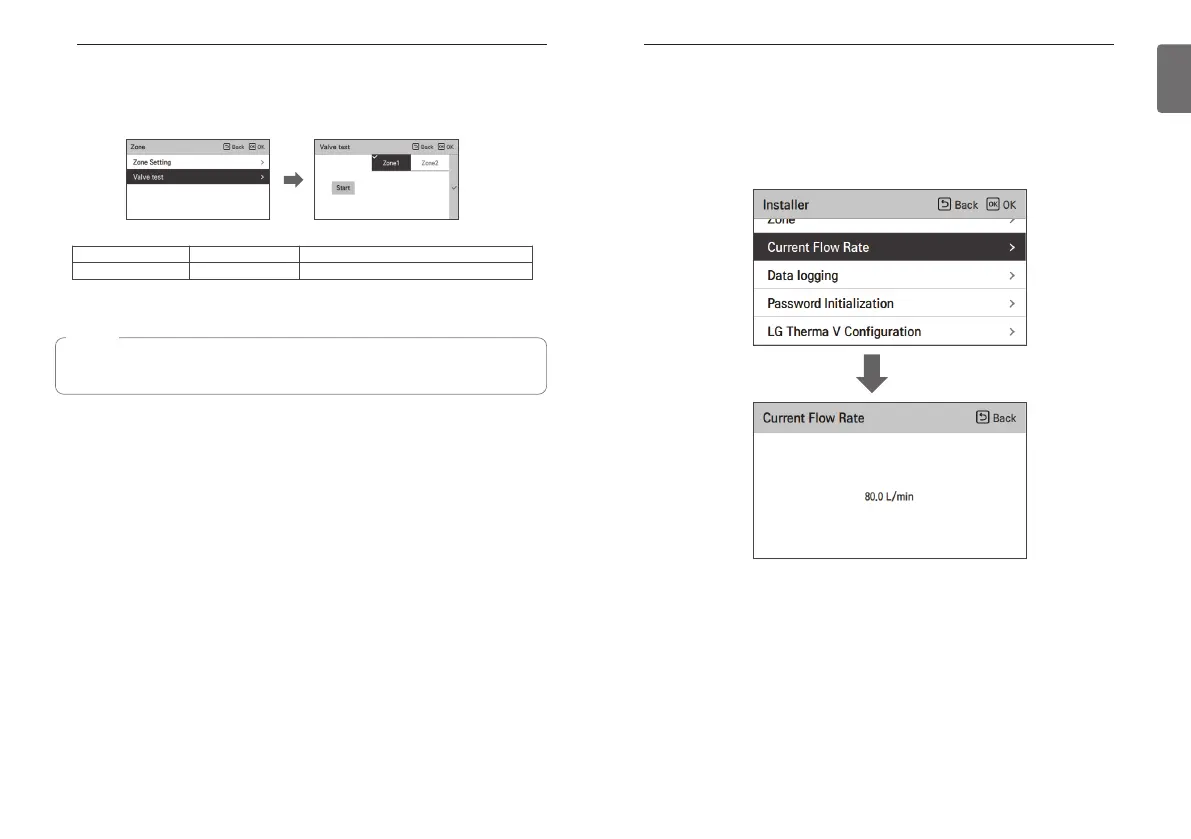
Current flow rate
It is the function to check the current flow rate.
• In the installer setting list, select Current Flow Rate category, and press [OK] button to move to
the detail screen. The current flow rate can be checked. (Range : 7 ~ 80 L/min)
• The function is not available for some products.
OK
<Valve test>
This function is provided to check if each valve works properly after installing / setting the zone
module.
Value1 Value2 Description
Start / Stop Open / Close When selecting zone, the status is “OPEN”
NOTE
If the test is not stopped after the start of valve test, the test is automatically terminated
after 60 minutes.



 To Next Page