51
SERVICE SETTING
50
SERVICE SETTING
ENGLISH
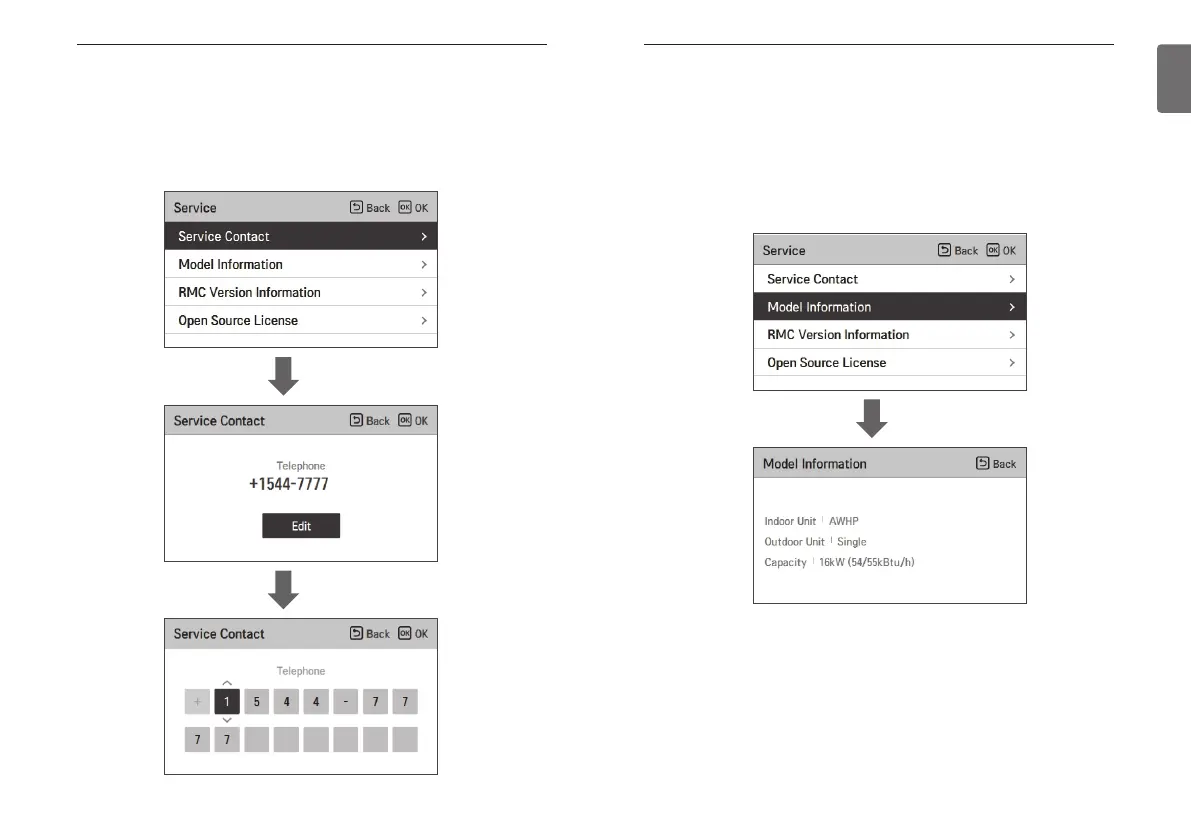
Service Contact
Check and input the service center phone number that you can call when there is service issue.
• In the service setting list, select the service contact point and press [OK] button to move to the
detail screen.
• While “edit” button is selected, press [OK] button to move to the edit screen, change it, and
press [OK] button to change the service contact point.
OK
OK
Model Information
Check product and capacity information to which the remote controller is connected.
• In the service setting list, select model information category, and press [OK] button to move to
the detail screen.
• The unit capacity
- 1 kWh = 1 kBtu * 0.29307
kWh is the result calculated based on Btu, There may be a small difference between
calculated and actual capacity.
Ex) If the unit capacity is 18 kBtu, it is displayed as 5 kWh.
OK



 To Next Page