111
INSTALLER SETTING
ENGLISH
110
INSTALLER SETTING
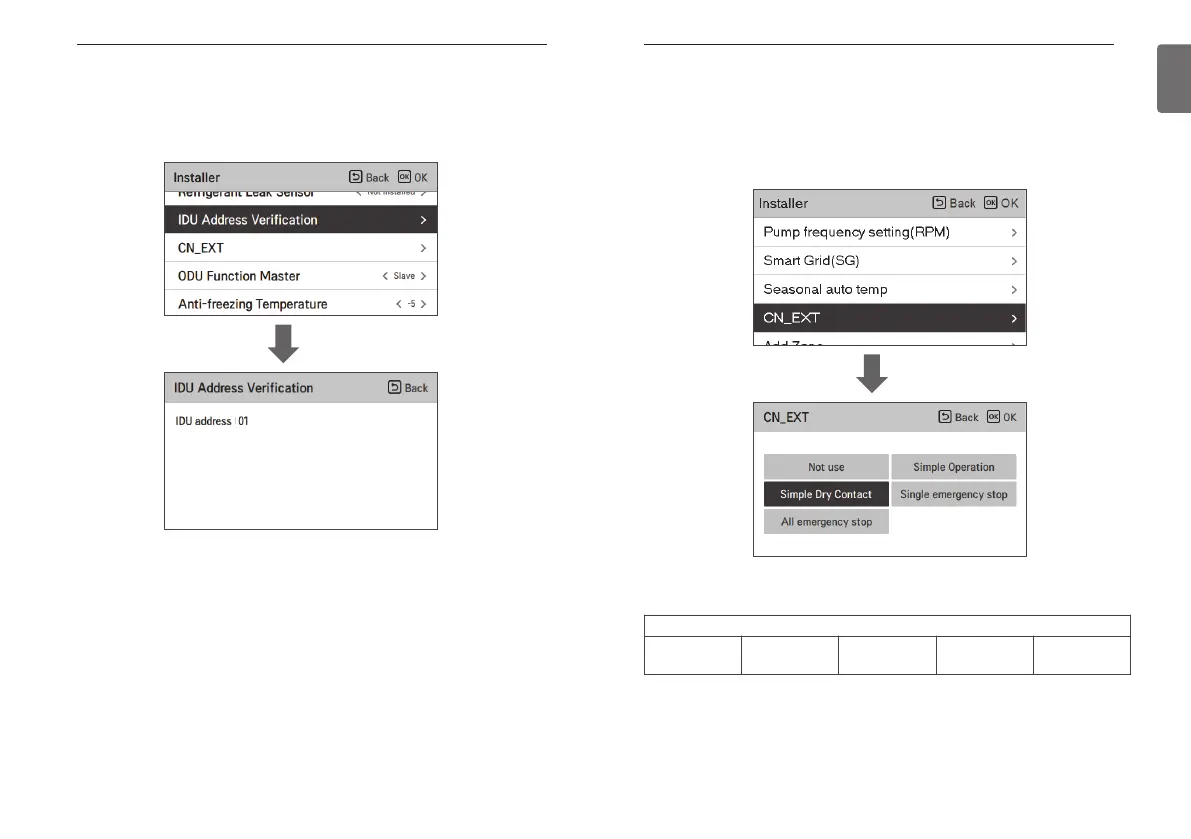
CN_EXT
It is a function to control external input and output according to DI type set by customer using
CN-EXT Port.
• In the installer setting list, select CN-EXT Port category, and press [OK] button to move to the
detail screen.
Value
Not use Simple Operation
Simple Dry
Contact
Single emergency
stop
All emergency
stop
OK
IDU Address Verification
Check the result of Auto Addressing of outdoor unit with remote control.
• In the installer setting list, select the indoor unit address check category, and press [OK] button
to move to the detail screen.
OK



 To Next Page