127
INSTALLER SETTING
ENGLISH
126
INSTALLER SETTING
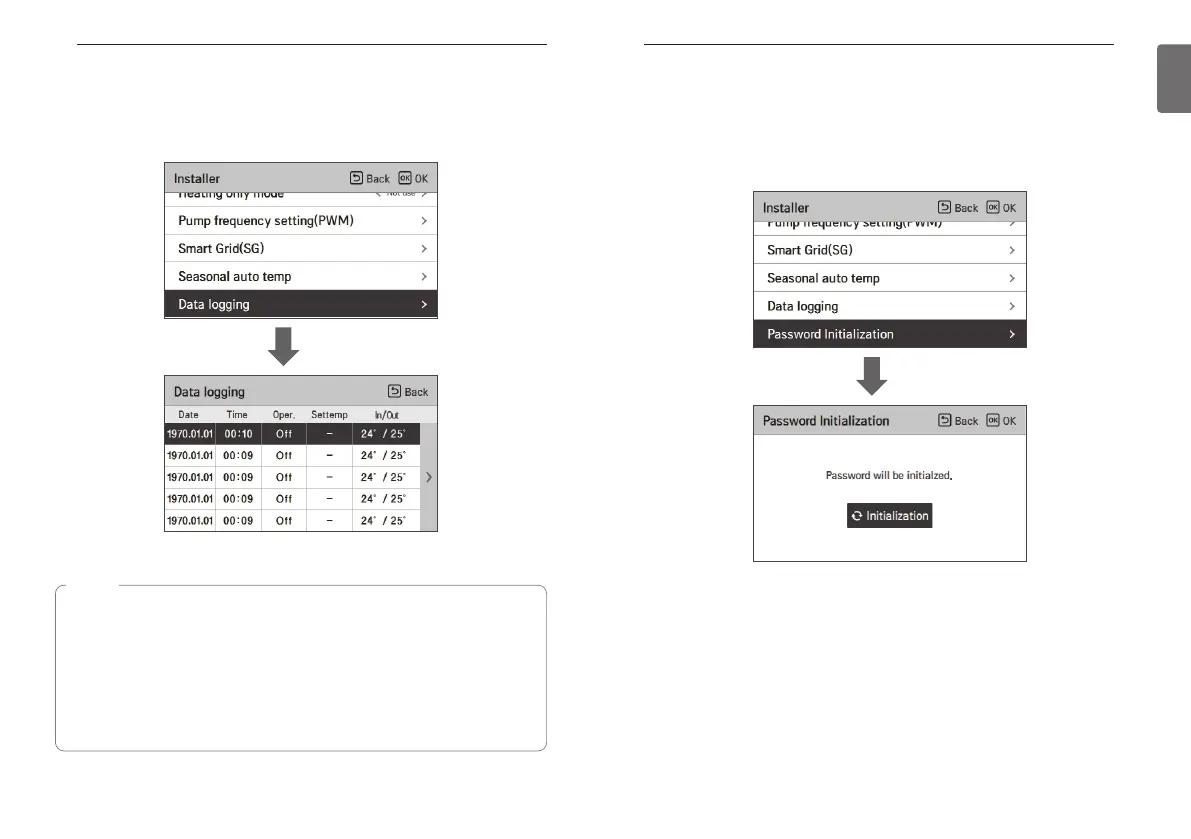
Data logging
It is the function to set the operation reference value in Seasonal Auto mode.
• In the installer setting list, select Data logging category, and press [OK] button to move to the
detail screen.
OK
Password Initialization
It is the function to initialize (0000) when you forgot the password set in the remote controller.
• In the installer setting list, select the password initialization setting category, and press [OK]
button to move to the detail screen.
• When you press “initialization” button, a popup screen appears, and when you press “check”
button, password initialization starts, and the user password is changed to 0000.
OK
NOTE
Error history lookup range: 50
Error history information
Item: date, time, mode (including Off), set temperature, incoming temperature, outgoing
temperature, room temperature, Hot water operation / stop, Hot water set
temperature, Hot water temperature, Outdoor unit On / Off, Error code
Number of Display: Within 50
- Save criteria ν
ν Error occurred, released
ON / OFF of outdoor unit operation



 To Next Page