63
INSTALLER SETTING
ENGLISH
62
INSTALLER SETTING
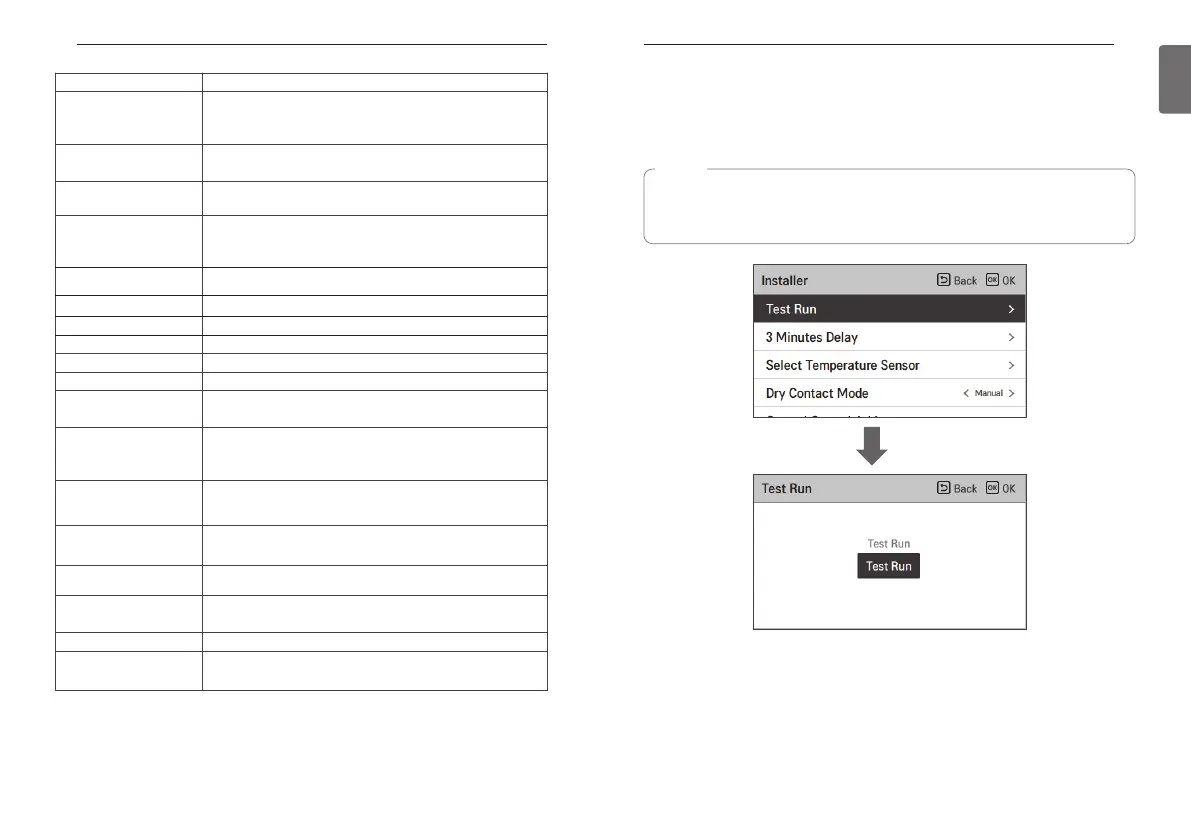
Test Run
Test run should be performed when charging the additional refrigerant is required. The unit must
be operated in Cooling mode when the refrigerant is being charged. Test run instantly makes the
unit operate in Cooling mode for 18 minutes.
OK
Function Description
Modbus Address
It is function to set the address of the Modbus device that is
externally linked to the product. Modbus address setting function is
available from indoor unit.
Refrigerant Leak Sensor
The installation of the flare coupling part and the welding part leakage
sensor of the indoor unit is set.
IDU Address Verification
Check the result of Auto Addressing of outdoor unit with remote
control.
CN_EXT
Function to set external input and output control according to DI / DO
set by customer using dry contact port of indoor unit. Determine the
use of the contact port (CN_EXT) mounted on the indoor unit PCB
ODU Function Master Setting of outdoor function Setting function of Master / Slave.
Low Noise Mode Priority Function to set low noise mode control subject.
Anti-freezing Temperature This function prevents the product from freezing.
Add Zone Install additional valve in product to control additional operation area
Use External Pump Set up to control an external water pump
3rd Party Boiler Configuration to control 3rd party boiler
Meter Interface
When installing the meter interface to measure energy / calorie in the
product, set unit spec for each port
Pump Prerun/Overrun
Set to reach the optimum flow rate by circulating the heating water
with the water pump before heat exchange. After the operation stop,
additional water pump is activated to circulate the heating water.
Estimated energy display
This function can set to display energy data which outdoor unit
estimated power consumption data without wattmeterd.
Zone Setting
When using the zone module, it is the function to set the environment
necessary for control such as the number of use and address setting.
Current flow rate Function to check the current flow rate.
RMC master/slave
This function is to set master / slvae to use two remote controllers in
one indoor unit.
Data logging setting Display error history of connected unit
Password Initialization setting
It is the function to initialize (0000) the password when you forgot the
password set in the remote controller.
NOTE
If you press any kind of button during this mode, Test Run mode will be finished.
• After the unit operates under Test run mode for 18 minutes, it will be turned off
automatically



 To Next Page