65
INSTALLER SETTING
ENGLISH
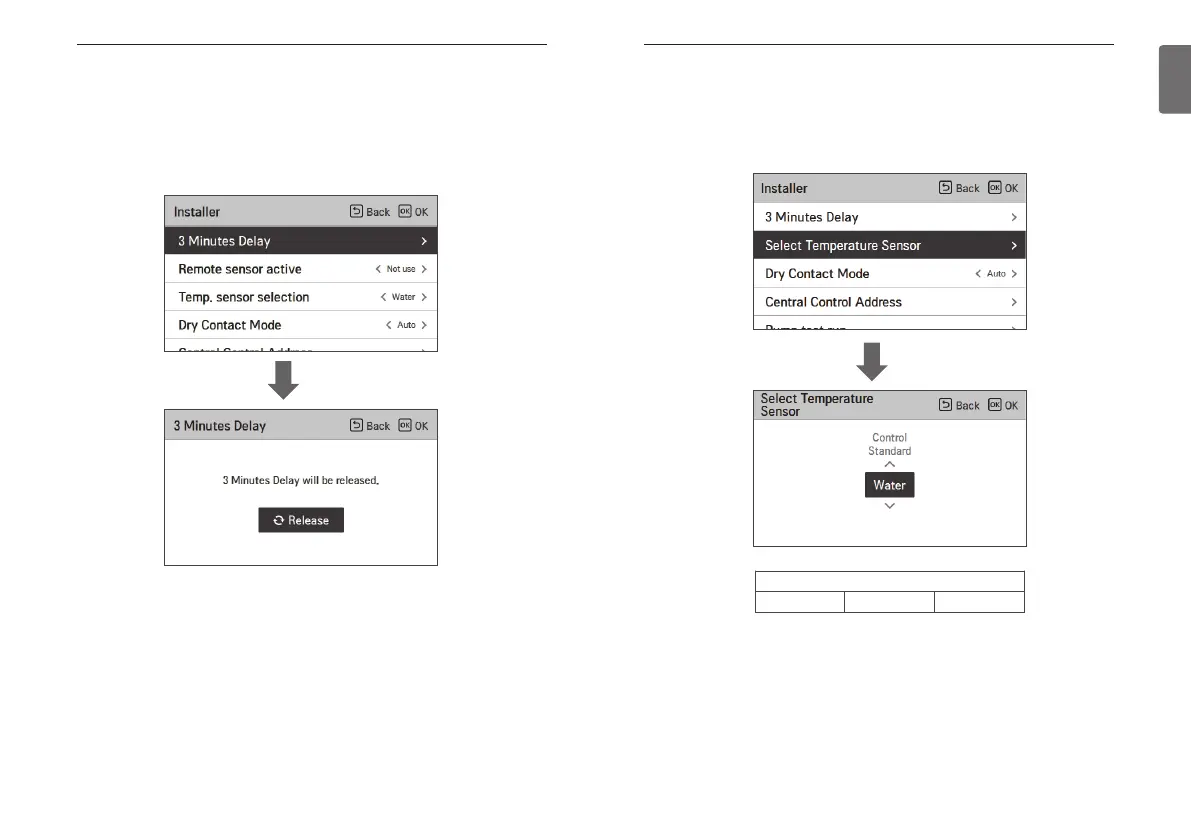
Select Temperature Sensor
The product can be operated according to air temperature or leaving water temperature. The
selection for setting temperature as air temperature or leaving water temperature is determined.
• In the installer setting list, Select Temperature Sensor category, and press [OK] button to move
to the detail screen.
Value
Water Air Air+Water
OK
64
INSTALLER SETTING
3 Minutes Delay
Temporarily eliminates the 3-minute delay function of the outdoor unit Comp
- Factory use only
• In the installer setting list, select 3 Minutes Delay category, and press [OK] button to move to
the detail screen.
OK



 To Next Page