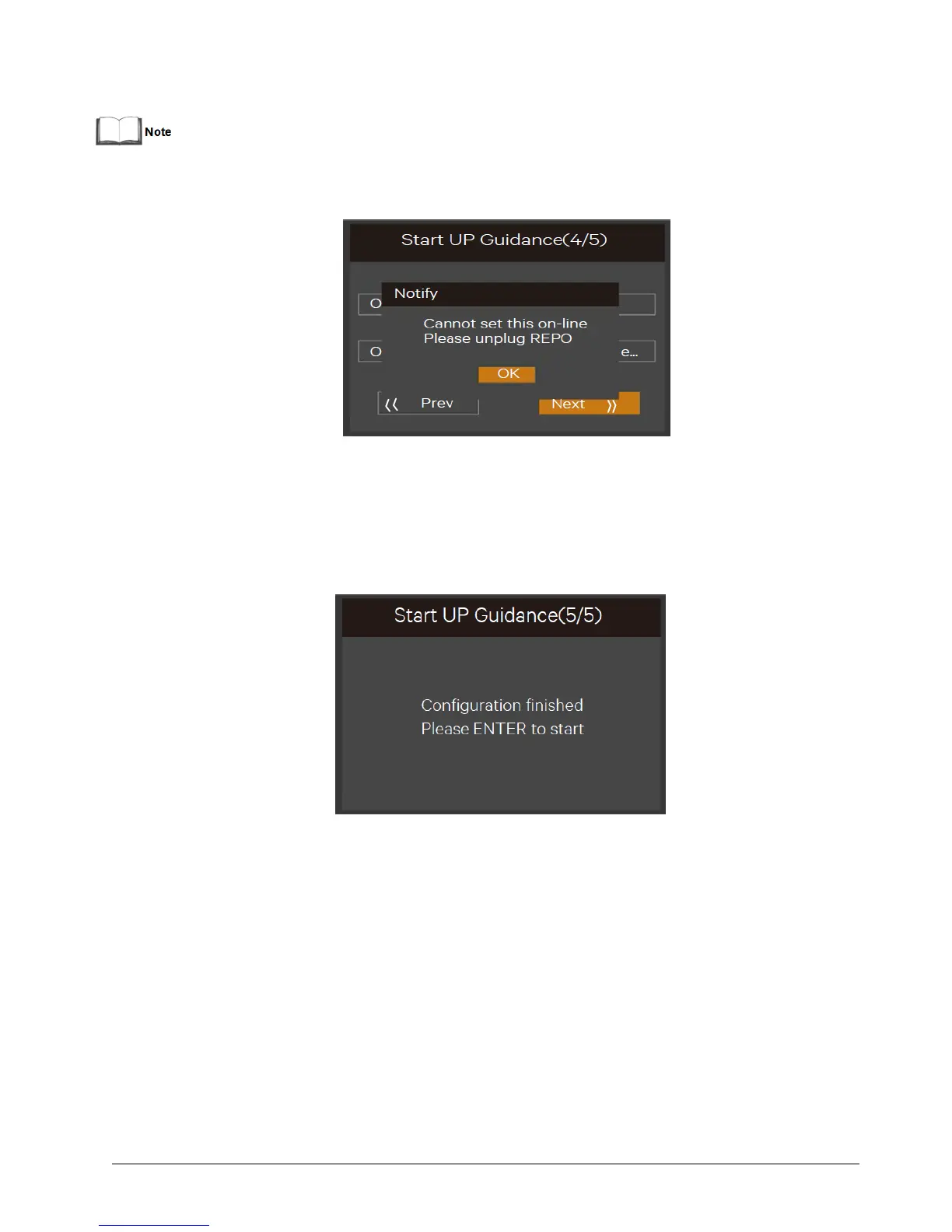
For output page, all the settings must unplug the REPO terminal (forcible output shutdown), otherwise the
interface shown in Figure 4-8 will appear
Figure 4-8 Prompt of removing REPO terminal
Finish page
For 10kVA model, the interface shown in Figure 4-9 will appear. Click Finish to enter the Flow page, then the user can
operate the UPS normally.
Figure 4-9 Initial start-up guidance (5)
For 20kVA model, the interface shown in Figure 4-10 will appear. It means that the functional keys and LCD are
invalid; the user cannot continue the operation. Please power off the UPS based on the prompt shown in Figure
4-10, confirm that the actual wiring method of the output terminal is the same as that of the setting method, then
power on the UPS again.
After the start-up, the user can operate the UPS normally,


 To Next Page