CHAPTER 2. DVR OPERATIONS
Most of the time, DVR is operated at the surveillance/live mode. In live monitoring mode, the
information of screen layout and symbols are described in this section.
SCREEN LAYOUT
5
①
Recording indicator
②
Date
③
Time
④
HDD recording percentage
⑤
Task bar
Chapter 2-1. Sequential Display
The DVR provides multiplexer feature displaying each camera in full screen sequentially in
specific time period. To perform sequential display, simply press SEQ button on the remote
controller or a keyboard. The sequence icon shows on the task bar for indicating the DVR is
in sequence status. To perform sequence using mouse, please click on Mouse Menu-
>Sequence.
Chapter 2-2. Freeze
In live monitoring and playback modes, the DVR provides screen-freezing feature in which
suspicious individuals can be determined. To freeze the screen, press Freeze button on the
remote controller. Press the button again to cancel this operation.
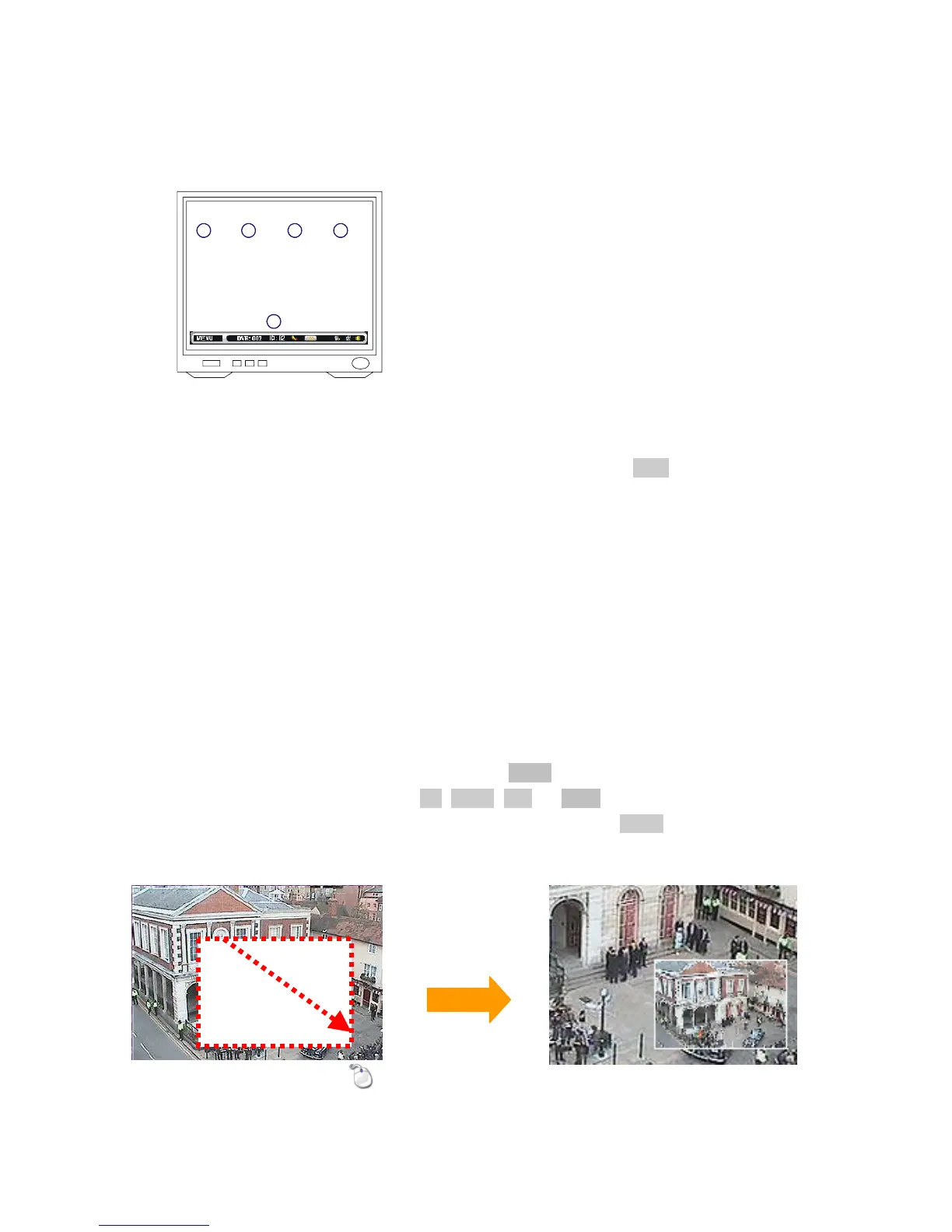
Chapter 2-3. ROI & PIP Mode
The DVR provides 5X and 9X digital zooming (ROI) capability live monitoring and video
playback modes. To perform this feature, press Zoom button on the remote controller. Once
the DVR is in zooming status, press Up, Down, Left, or Right buttons to move the zooming
window around to view other portion of the channel. Press the Zoom button. It can perform
5X digital zoom, 9X digital zoom, and normal view screen in sequence.



 To Next Page