Chapter 6-5-1. Alarm Input Type
The DVRs’ alarm inputs can be configured as normal open (N/O) or normal close (N/C). The
alarm input is one-to-one mapped to a camera respectively.
Chapter 6-5-2. Motion Enable
Motion Enable enables motion alarm activation, if the motion area has been set with proper
motion sensitivity. Press Left or Right button at Motion Enable menu item to change the setting.
Chapter 6-5-3. Sensitivity
There are eight levels of sensitivity adjustable for motion alarm triggering, range from Very
High to Very Low. Press Left or Right button to change the sensitivity setting.
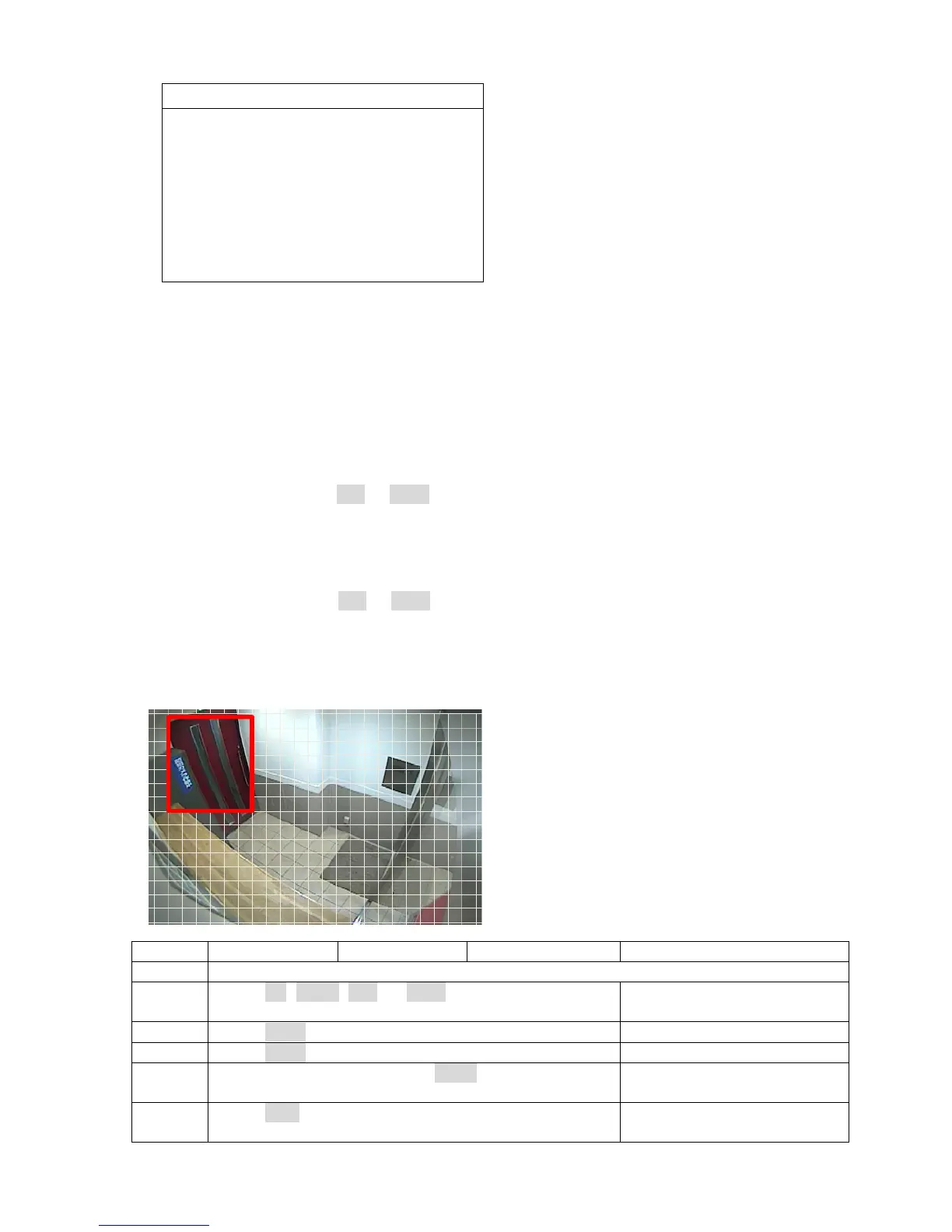
Chapter 6-5-4. Motion Area Set
There are few ways to setup motion area. The detail setup sequence is described as follows:
Keypad Keyboard Remote controller
Mouse
Step 1 Enter Motion Area Set menu item.
Step 2 Press Up, Down, Left, or Right to move cursor Move mouse for starting
position.
Step 3 Press Enter to define starting area.
Step 4 Press Enter again to finish a motion detection zone. Mouse-drag for an area.
Step 5 To clear motion zones press Menu button Double-click for clear
motion zones.
Step 6 Press ESC for exit the setting menu. Right-mouse click for exit
motion zone setting.
ALARM



 To Next Page