Chapter 6-3-2. Output Resolution
VGA output resolutions can be set at this option.
Chapter 6-3-3. Backlight Saving
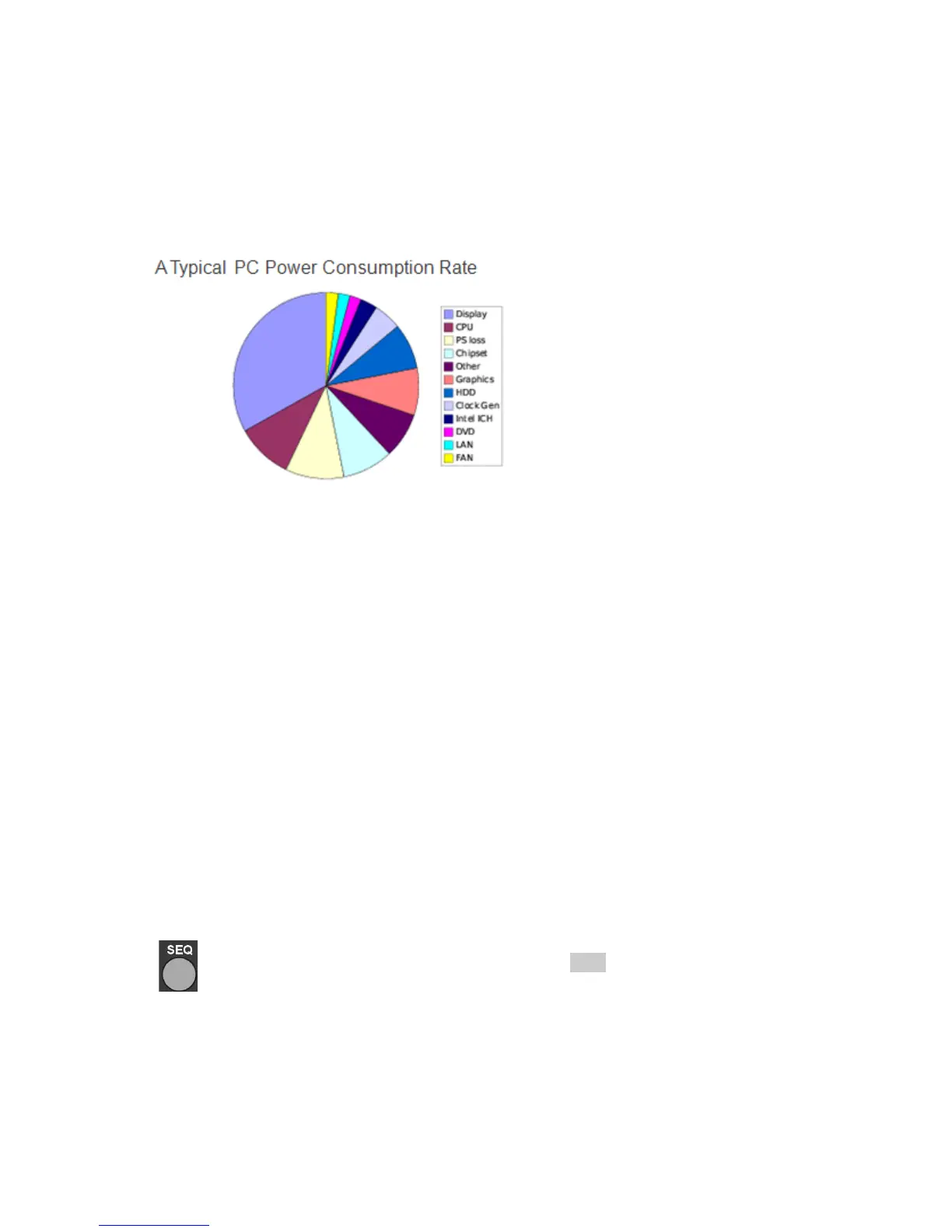
DVR/NVR is 24 hours non-stop running. LCD panel consumes the most energy to a typical
PC. The following figure shows LCD panel consumption rate.
Backlight saving mode is to turn the LCD backlight darker. Turn backlight of the LCD can
also save LCD power consumption.
Chapter 6-3-4. Monitor Standby Mode
After stand by time of the main monitor, LCD monitor is in sleep mode to save power
consumption. To reactivate the LCD monitor, please enable alarm/motion detection, move
DVR’s mouse, press any key on the front panel, or press any key on the remote control.
Chapter 6-3-5. Monitor Standby Time
To setup standby time, please change the time at this feature.
Chapter 6-3-6. Main Alarm Switching
The main monitor output can be configured in displaying camera’s full screen. To enable
this feature, please select the camera in camera selection box.
Chapter 6-3-7. Main Monitor SEQ Time
Sequence feature can multiplex each camera screen in full size in specific time
period. Once the sequence time is set, press SEQ button on the remote controller
or the keypad to activate the sequence feature.
Chapter 6-3-8. Spot Monitor Switching
The DVR has a spot output. To setup the sequence, please first assign spot or quad output.
Specify SEQ TIME in seconds. Once above has been setup, spot monitor starts to perform
sequence display.



 To Next Page