LinMot
Configuration Software
User Manual V1.01 5-2
5.2 Installation of the configuration software
This chapter describes the installation of the LinMot
®
Talk configuration software.
1. Start the Windows operating system and insert the diskette labeled “LinMot
®
Talk/
Disk 1/1” in the corresponding drive.
1. Run “Setup.exe” from the inserted disk.
1. Follow the instructions of the installation program.
1. After completing the installation a new program group appears, with the name
“LinMot
®
Talk”. The “README.TXT” file contains late breaking notes on the
respective version.
1. Open the file “LINTALK.INI” with a text editor.
1. Remove the semicolons before the serial interface that you plan to use for LinMot
®
Talk. You can also have both interfaces activated. The following example shows a
configuration file in which the COM1 interface is activated.
File “LINTALK.INI”:
[Devices]
Device01 = COM1
;Device02 = COM2
;Device03 = COM3
;Device04 = COM4
;Device05 = COM5
;Device06 = COM6
;Device07 = COM7
;Device08 = COM8
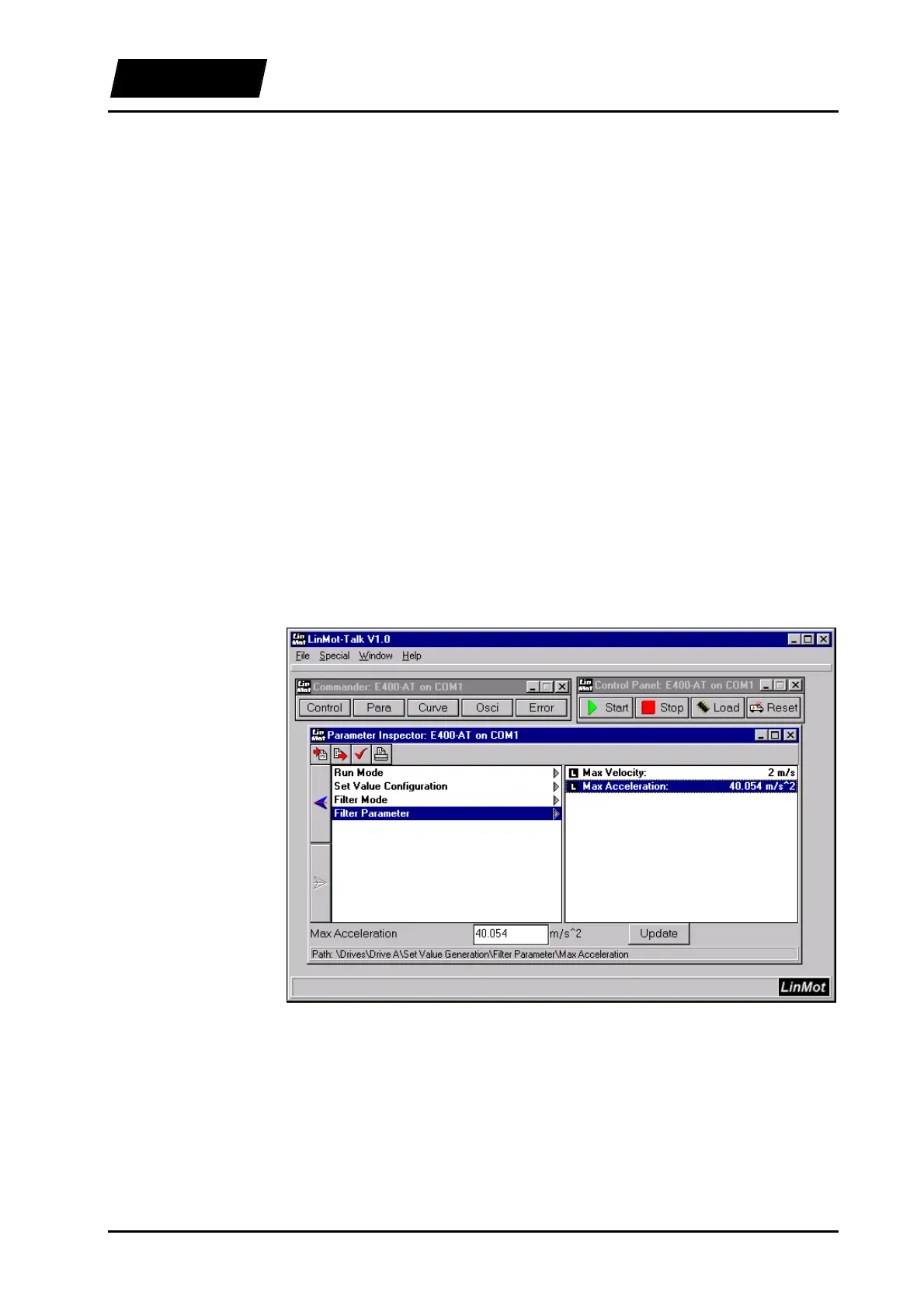
Figure 5-1: The LinMot
®
Talk software
Proceeding



 To Next Page