LinMot
Configuration Software
User Manual V1.01 5-5
5.7 Parameter Inspector
The parameters of the LinMot
®
electronic unit can be displayed and edited with the
Parameter Inspector:
• hierarchical display of the LinMot
®
electronic unit’s parameters
• Online and Offline modes
• Import and export of parameter configurations
• Copy and Paste of parameters and parameter sets
• Printing of parameter sets
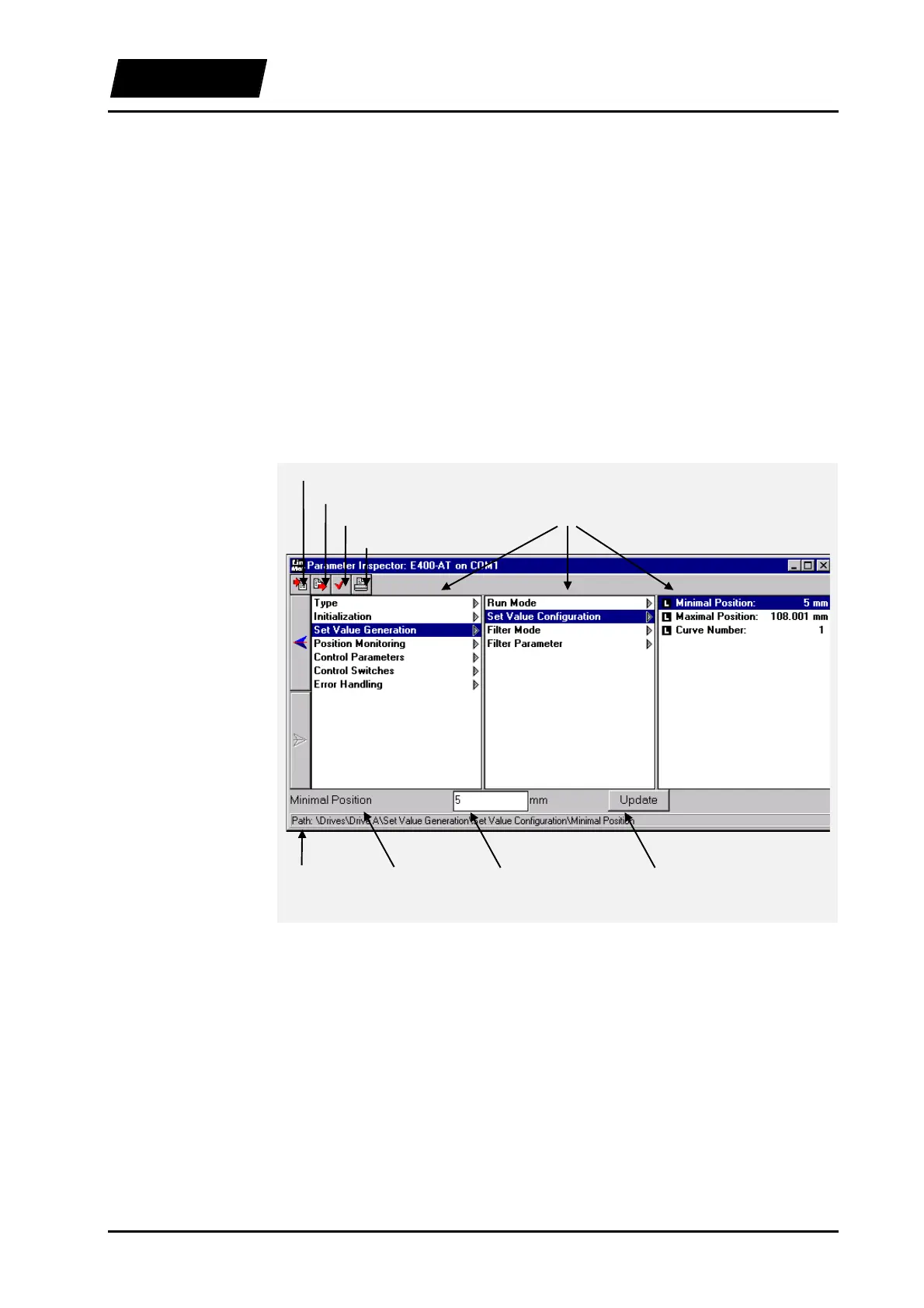
Figure 5-5 shows an operating window of the Parameter Inspector. The window can be
enlarged to make more levels visible. The user has also the possibility to navigate the
parameter tree with the cursor keys.
Figure 5-5: Parameter Inspector window
Import
Export
Check
Print
Levels
Path Actual
parameters
Parameter
value
Update
button



 To Next Page