LinMot
Configuration Software
User Manual V1.01 5-28
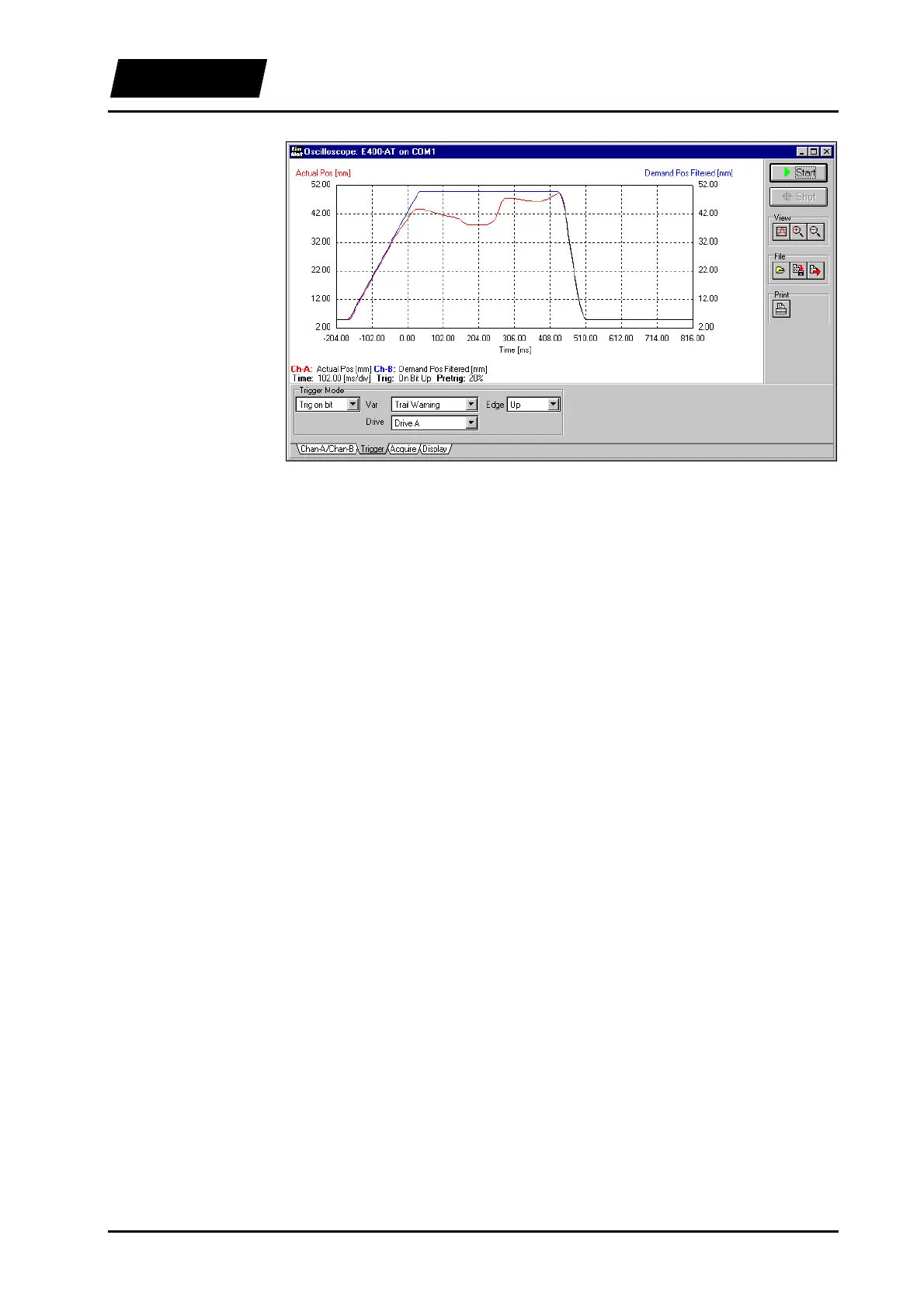
Figure 5-20: Following error recording
In this example the point where the slider was blocked is clearly visible. The moment
when the trigger is released is marked as zero. The prehistory of the following error can
be recorded easily by means of the pretrigger function.
If the trigger condition “Edge” is set to “Down”, the trigger is only released when the
following error disappears. You can record any variable, as for example “Current”. That
way you can gain information on the force of the motor.
5.12.5 Final remark
These two examples were intended to give you an introduction in the operation of the
Oscilloscope. In order to become even more accustomed with this tool, it is advisable to
test different settings (for example recording and defining other curves and motors, or
combinations with the other LinMot
®
Talk modules: Curve Inspector, Curve Creator
and Parameter Inspector).
The knowledge of the possibilities and operational modes of the Oscilloscope can save
you a good deal of time during testing and commissioning.



 To Next Page