LinMot
Configuration Software
User Manual V1.01 5-14
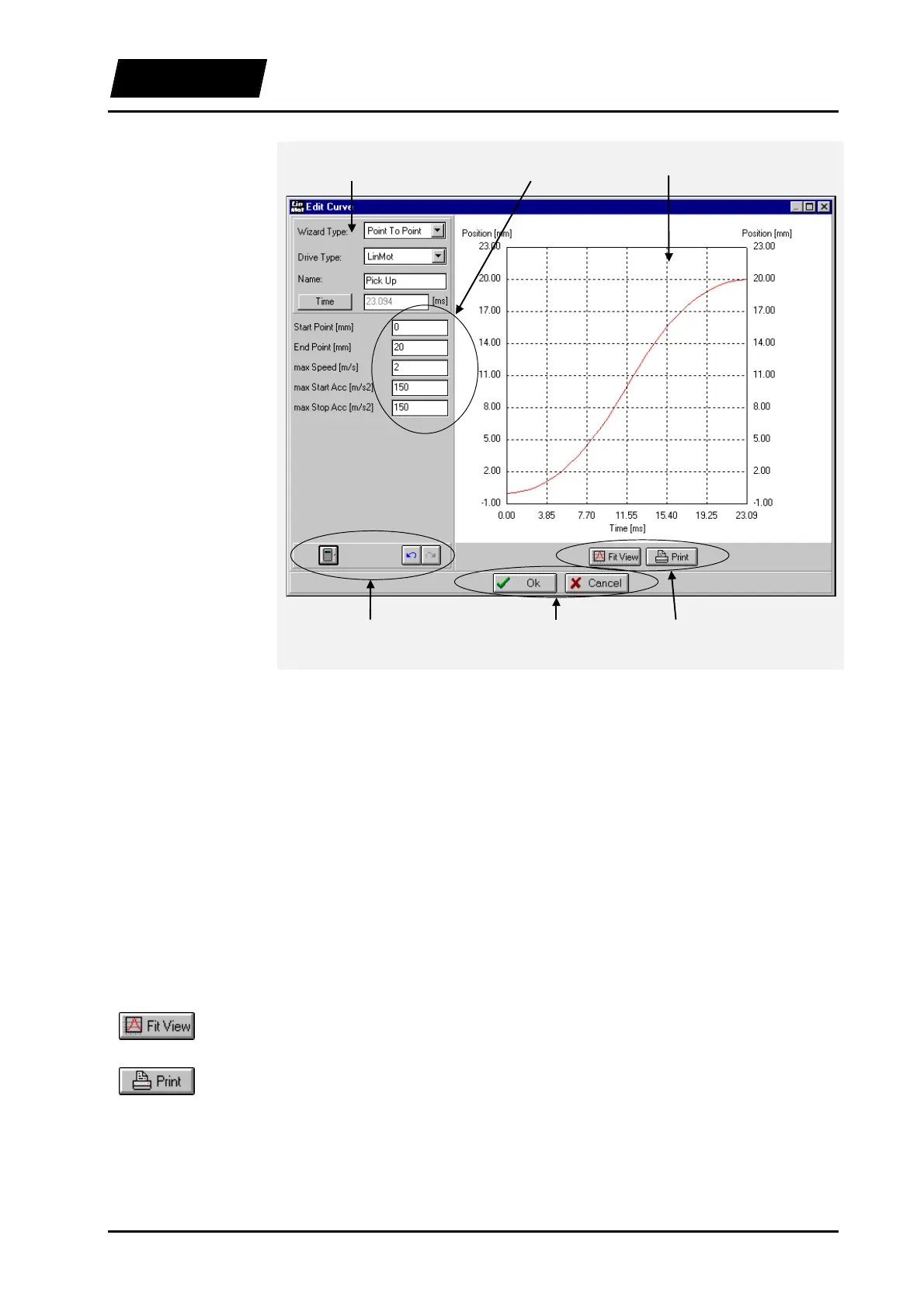
Figure 5-10: Curve Editor for calculated curves
The settings are edited in the left panel of the window, while the curve is displayed
graphically in the right panel.
5.8.4 Operational elements of the Curve Editors
The operational elements of the Curve Editor and their functions are explained in this
chapter. The elements that are always visible are described first.
The curve is displayed graphically in this window. Changes are displayed immediately
for manually edited curves (“Manual” wizard) or after a curve calculation for calculated
curves. The curve can be selected and moved with the mouse.
Fit View: The axis of the graph are scaled automatically to fit the whole curve in the
display.
Print: The curve graph is printed with the currently selected setting and scaling.
Graph
Graph buttons
Curve definitions Graph Curve parameters
Edit buttons Close buttons Graph buttons



 To Next Page