Operating manual and inspection booklet
Camping
3435216 149
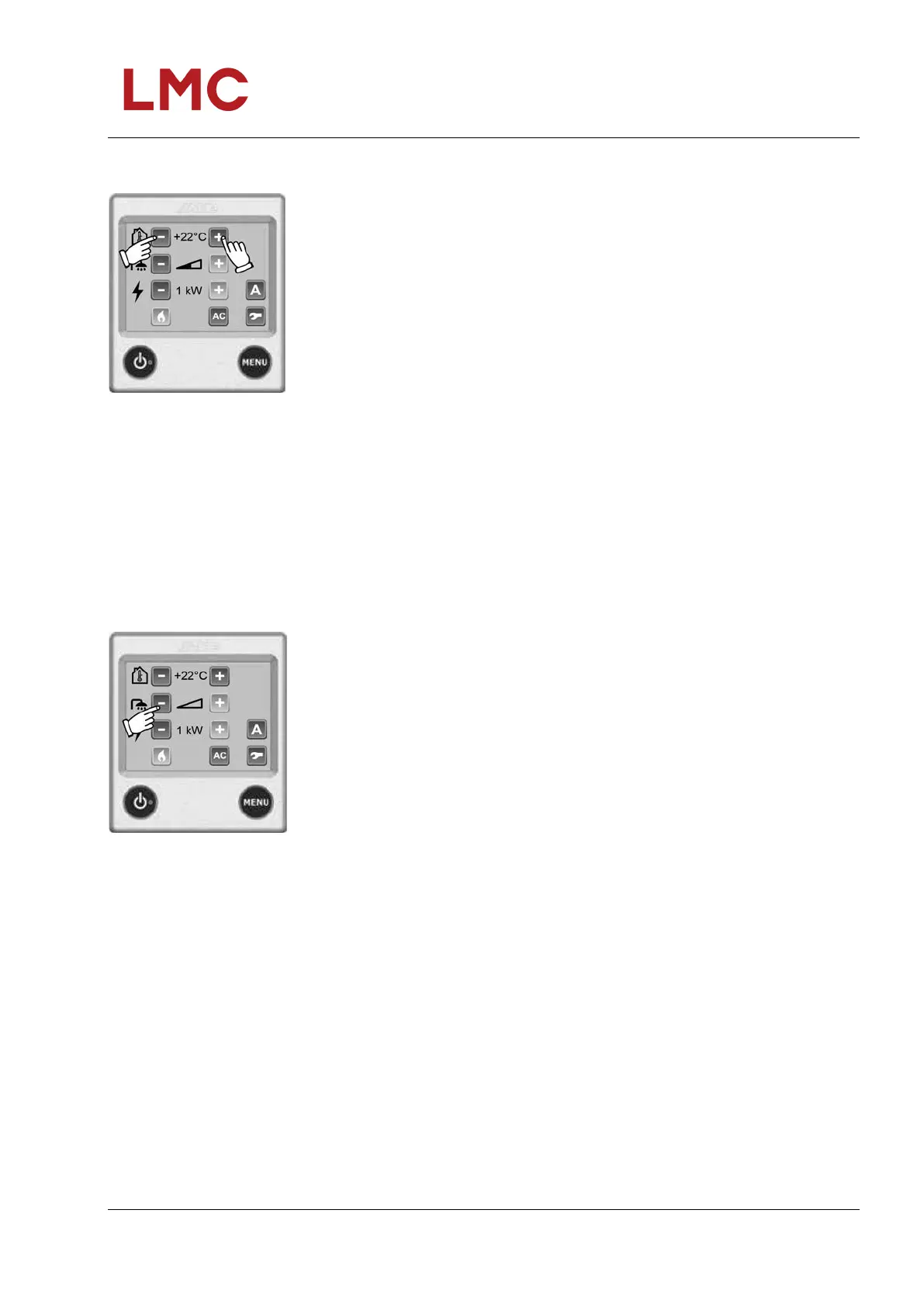
Setting the required temperature
Fig. 147: Temperature setting
You can set the temperature in increments of 0.5 °C between
+5 °C and +30 °C. You cannot adjust the temperature if the day
or night automatic are active. The plus and minus symbols are
displayed in grey.
1. The displayed temperature is the one set at this point.
2. Press "+" to raise the temperature. Press "-" to lower the
temperature.
3. The settings are completed and the heating system will
operate until the set temperature is reached.
Hot water
The heating system features a built-in hot water boiler with a
volume of approximately 8.5 litres. You can use the hot water
boiler even when you have no fresh water in the boiler. You haver
three options in the heater settings for setting the heater in
respect to hot water requirements: "No hot water", "Normal
mode" or "More hot water".
Fig. 148: No hot water
No hot water. If you don't need hot water, press "-" (the
symbol empties).
You cannot adjust the temperature if the day or night automatic is
active and hot water is switched off. The plus and minus symbols
are displayed in grey.



 To Next Page