70
5 Operation
5.1 Lock/unlock controller
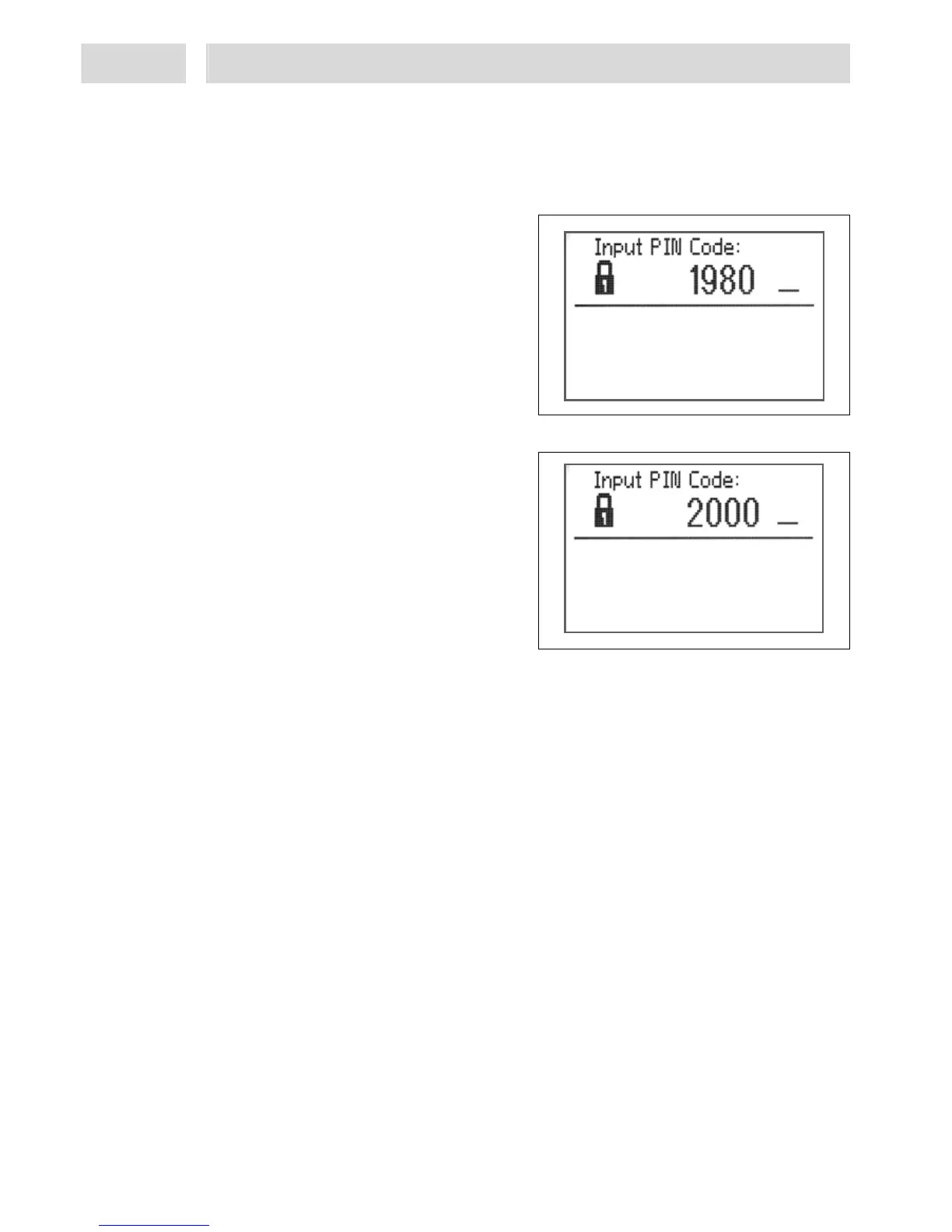
This function is a safety feature to safeguard the system against unauthorized manipulation, refer
also to section 2.4.
Lock
• Keep ESC/Lock key 11 depressed for more
than 3 s.
• Turn the button to select a number which is
not the number "2000".
• To store the setting, press key 10 Enter or
push the button.
The controller is locked.
Unlock
• Keep ESC/Lock key 11 depressed for more
than 3 s.
• Turn the button to select the number "2000".
• Press key 10 Enter to store the setting.
The controller is unlocked.
5.2 Programming procedure
The following steps describing how to proceed to program the controller for a dispensing
application are provided for guidance. However, you should clarify beforehand what the
application looks like and what peripherals are to be used or connected. Please contact Henkel
Technical Service in Munich for further assistance.
Adjust settings only where needed. To allow you to execute the individual steps, they are cross-
referenced to the relevant sections in the Operating Manual. The sequence of steps should be
followed. Each programming step must be confirmed and saved by pushing key 10 Enter.
5.2.1 System Setup
To allow you to execute these steps, the controller must be in unlocked condition. Section 5.1.2
describes how to unlock the controller.
• Press key 7 Setup and select menu option Language selection,
• Turn button to scroll to menu option
– Valves and channels, next select
– Factory settings, next select
– Dispense program preselection, next select
– Input/Output status.
For further procedure within the menu refer to section 5.3


 To Next Page