83
5 Operation
5.11.2 Setup of parameters for monitoring
• Push the key for the channel for which the monitoring function has been activated.
• Push key 6 Monitoring to go to the setup menu.
If no graph is indicated, this means that no dispense monitoring function has been activated for
this channel. To activate the monitoring function, see section 5.8.1.
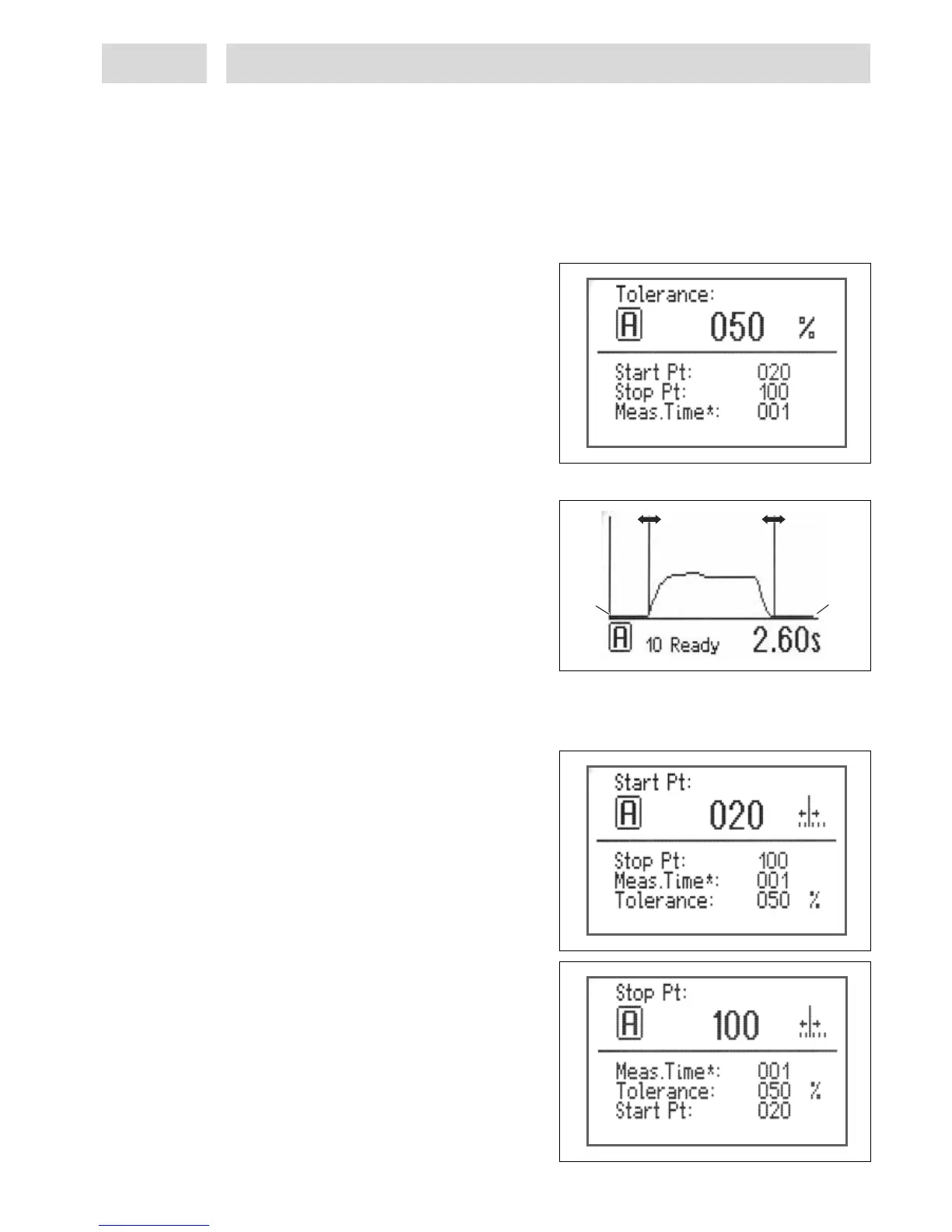
Setup of tolerance value
• Turn the button to select the desired
tolerance value
Adjustable range: 10-400 %
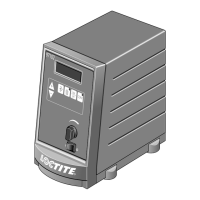
Setup of evaluation limits
Measurements will be evaluated within these
limits. The start point should be set to make
sure that measurement will not begin before
the dispense pressure is stable. The end points
can be adjusted to a setting which ensures that
any fluctuations at the end of the dispensing
process will be disregarded for the evaluation.
To increase the value, move the boundary line to the right, and vice versa. This applies for both
boundary lines.
To ensure optimum positioning of lines, a measurement should have been taken before making
this adjustment.
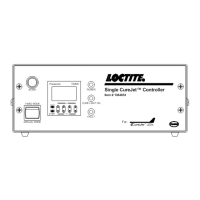
Start point (boundary line left)
Start of evaluation
• Press key 4 Channel A.
Adjustable range: 0-90 pts.
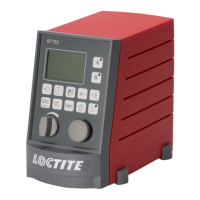
Stop point (boundary line right)
End of evaluation
• Press key 4 Channel A, or key 5 Channel B.
Adjustable range: 30-119 pts.
0 pt 120 pt


 To Next Page