62
2 Description
2.3 Start display - Overview
2.3.1 Display overview
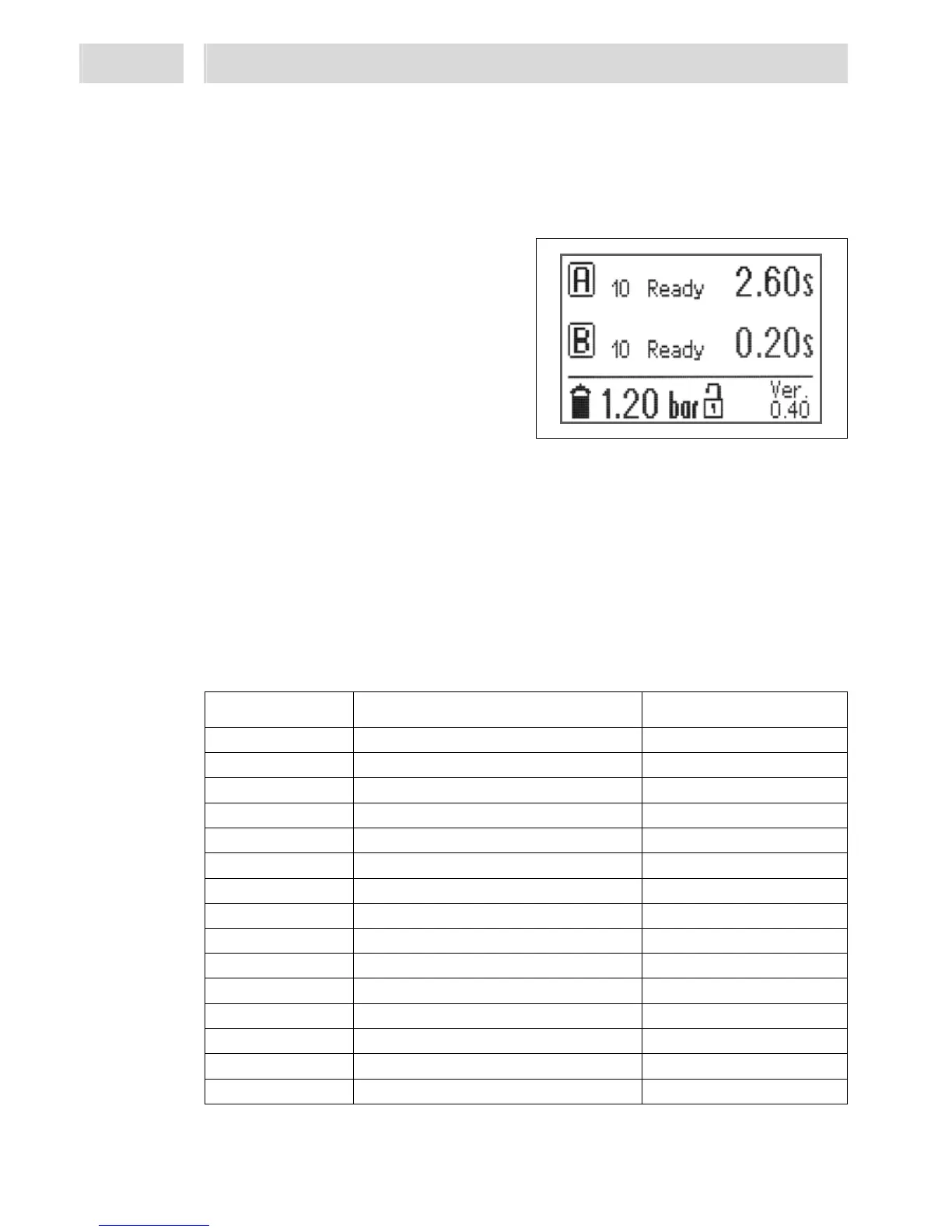
This display is an overview of the most important parameters of all active channels. The factory
default setting for Channel A is always in active mode. The display also shows the status of
product supply if a reservoir has been connected.
2 lines of information about the channels
(channel status) are displayed.
– The capital letter in the frame indicates the
dispense channel,
– Program step of the channel as a figure.
Used as reference for fault tracing in the
program sequence – see section 2.3.2,
– Status of the dispense channel as a memo
(plain text) for the most important program
steps, errors, etc.,
– Programmed dispense time in seconds.
Time runs down as dispense cycle proceeds. Time runs up in continuous mode.
The bottom line, from left to right, indicates
– reservoir fill level,
– product pressure in the reservoir,
– locked / unlocked status of controller,
– active dispense program (a-d), and
– the firmware version.
2.3.2 Status numbers of program steps
These program steps may also be used for error tracing and troubleshooting. In case of any
questions it is very helpful for Henkel Service engineers to have these numbers for reference.
Status Number Description of Program Step Display message
9 Check if start signal is gone
10 Wait for start signal Ready
12 Product supply not OK Supply?
14 Flush via the keyboard Flush
20 Started, set times
32 Wait for advancing slide
42 Wait for signal "Rotor speed o. k."
44 During pre-delay time Pre time
52 During dispense time Dispensing
62 During post-delay time Post time
64 Wait for rotor run down time
66 Wait for advancing slide in top position
70 Dispensing completed, peripheral OK Mess.
92 Emergency stop wait for reset STOP
98 Error: Wait for reset signal


 To Next Page