78
5 Operation
5.8 Setup of reservoir pressure, empty and refill signals
5.8.1 Reservoir pressure setup
• Turn the regulator knob 2 to adjust the dispense pressure within a range from 0.00 bar to
7.00 bar (0 to 100 PSI).
If error message “12 Supply?“ is displayed with a beep, the dispense pressure setting was
changed by more than ± 10 %.
Press key 10 Enter to store the indicated dispense pressure as new comparison value for
automatic pressure monitoring. If no new dispense pressure is to be set, the old dispense pressure
setting must be restored. In both cases the error message and the beep will disappear.
5.8.2 Empty and refill signals
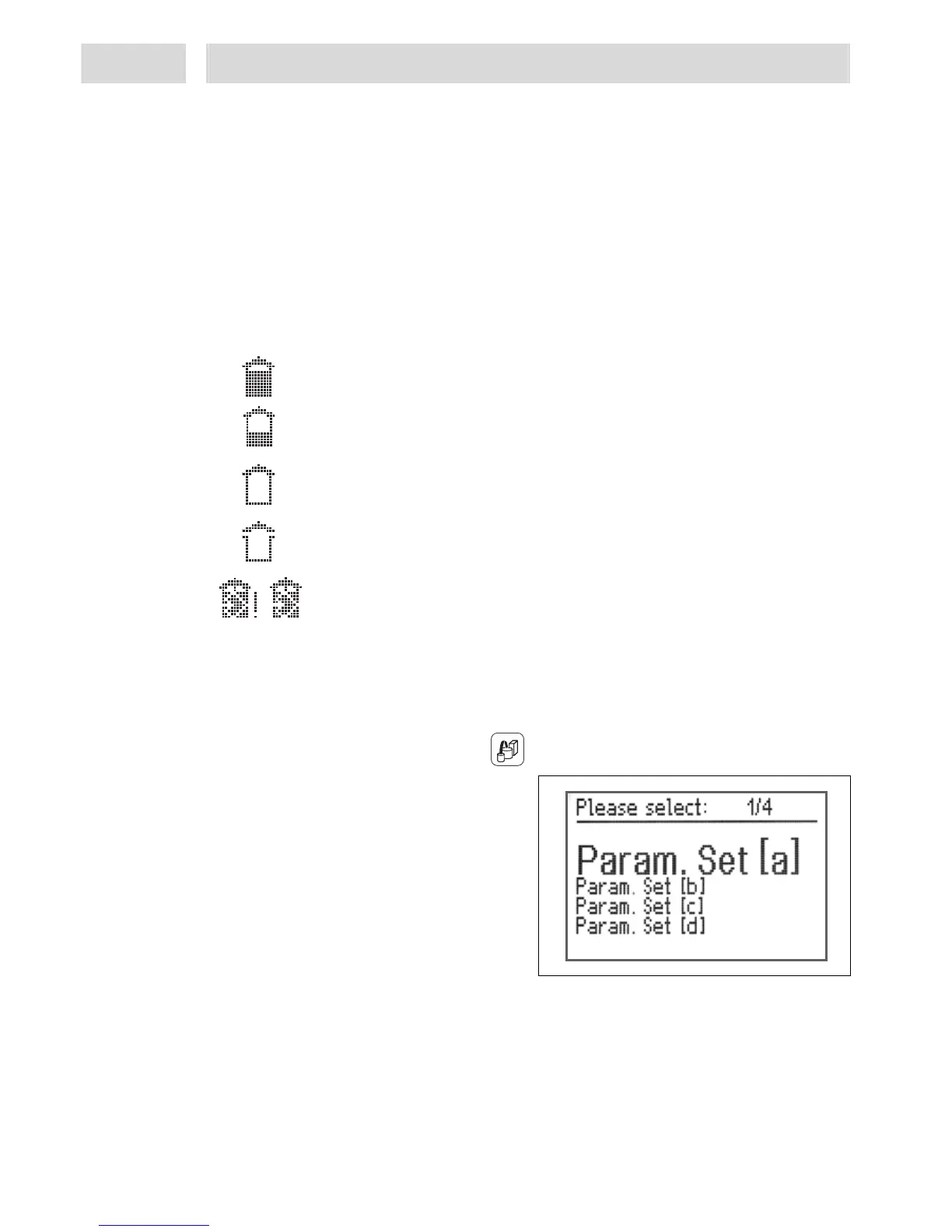
Product bottle in the reservoir is full.
Product bottle in the reservoir is almost empty. When this signal is displayed,
available product is sufficient for further dispensing shots. However, it would be
wise to get a new, full product bottle ready.
The product bottle is empty.
No further dispensing shots are possible as this signal prevents triggering of any
new dispense cycles.
This symbol in the display means that the reservoir is depressurized. The
reservoir can be opened to replace the product bottle.
The empty product bottle has been replaced by a full bottle, and the product
reservoir lid is clamped in place. The reservoir must be reactivated by pressing
the blinking key 15 Reservoir. Then, pressurize the reservoir to the pre-set
pressure and trigger the next dispense cycle.
The monitoring display indicates only error message “12 Supply ?“ with a beep. To check if the
reservoir is empty, press key 11 ESC/Lock to go to the System Display.
5.9 Menu "Preselection of stored dispense programs"
This menu is activated by pressing the key .
This menu is used for manual selection of
stored dispense programs, to execute and, if
necessary, change programs.
4 different dispense programs can be stored.
To store a dispense program, the relevant
parameter set must first be selected.
• Select the parameter set by turning the
button, store by pressing key 10 Enter.
Menus "Dispense, pre-delay and post-delay times, DC motor speed" and "Online Flow Monitor"
can now be accessed for setup. Whenever these settings are stored, the controller will assign them
to the selected parameter set. The reference measurement of the Online Flow Monitor will also be
transferred. Configuration settings made in the "System setup" and "Dispense channel setup"
menus will not be stored in the parameter set.
To allow you to use this function, selection of the parameter sets must be defined in the "System
setup" menu - see section 5.3.


 To Next Page