Start-up
Loudness
You can set an aurally compensated increase in higher and deeper sounds depend-
ing upon the volume. Set this option to On, if you operate the Mediacenter as a
standalone solution (page 15).
Call up Main Menu.
Select Settings option.
Confirm OK.
Select option Audio.
Confirm OK.
Select option Loudness.
Select option On / Off.
/
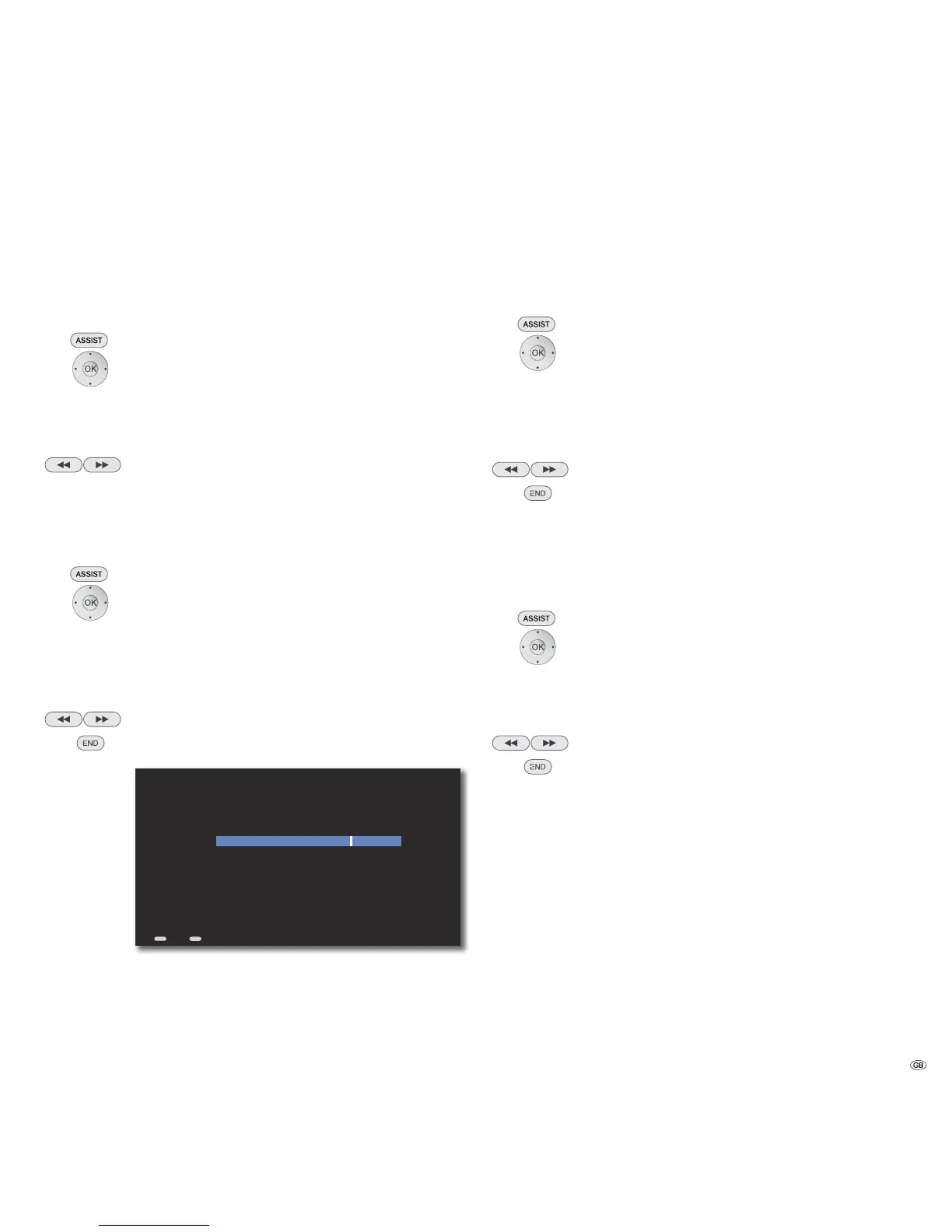
Max Volume
You can set the maximum adjustable volume. Use this option, if you operate the
Mediacenter as a standalone solution (page 15).
Call up Main Menu.
Select Settings option.
Confirm OK.
Select option Audio.
Confirm OK.
Select option Max Volume.
Confirm OK.
Set desired Maximum Output Volume.
/
Move Back in the menu.
ASSIST
S
S
S
S
END
75
099
Change Value
Volume
Adjust the Maximum Output Volume...
Back Home
Switch On Volume
You can specify here the volume to be set after the Mediacenter is started up. Use
this option, if you operate the Mediacenter as a standalone solution (page 15).
Call up Main Menu.
Select Settings option.
Confirm OK.
Select option Audio.
Confirm OK.
Select option Switch On Volume.
Confirm OK.
Set desired volume.
/
Move Back in the menu.
Night mode
With this setting you can limit the dynamics (this means the difference between
the loudest and the quietest sounds). You can thus also play back a movie with
smaller volume differences.
Call up Main Menu.
Select Settings option.
Confirm OK.
Select option Audio.
Confirm OK.
Select option Night mode .
Select option On / Off.
/
Move Back in the menu.
25 -


 To Next Page