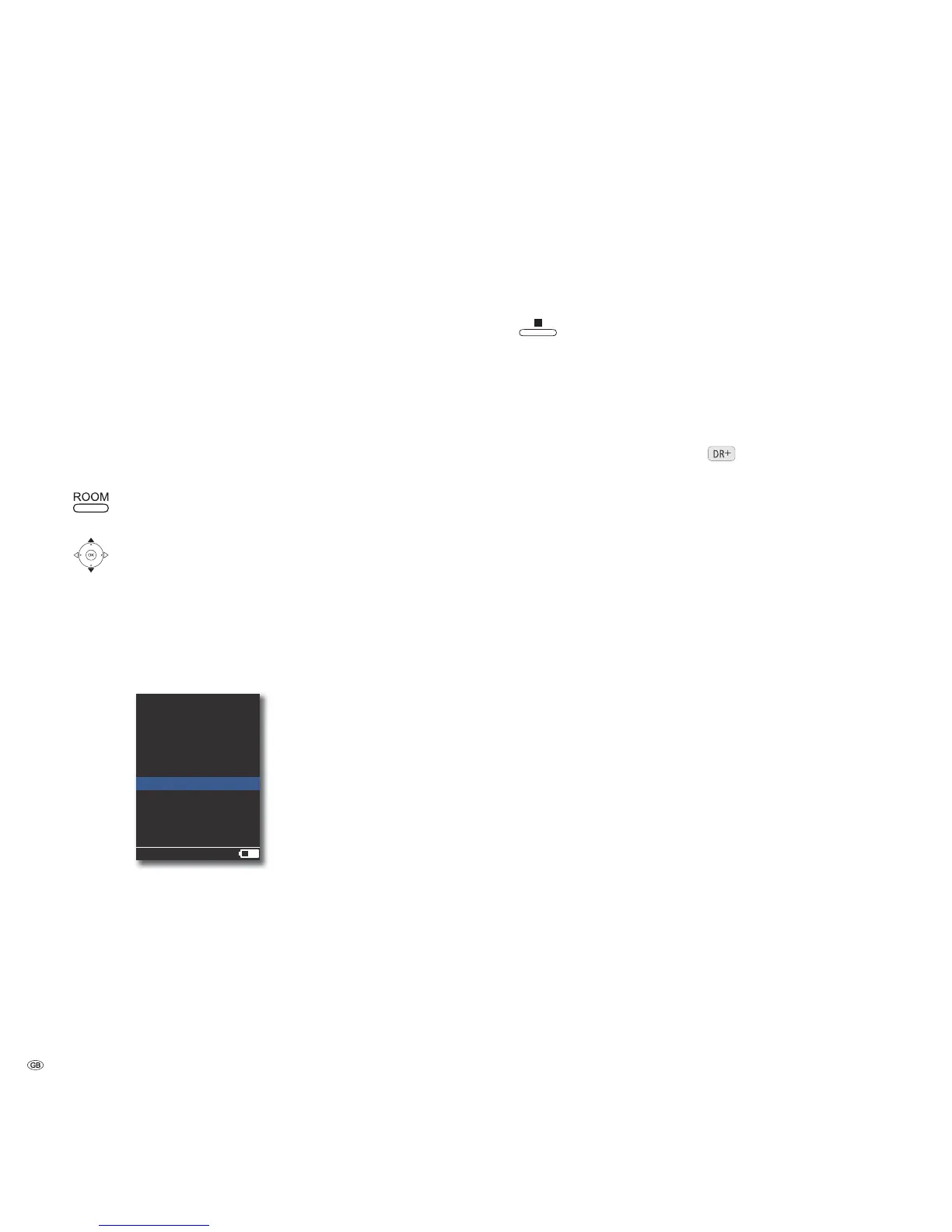
Music Server
Confirm OK.
Select required media sources.
Music Selection according to criteria, such as e.g. album, artist,
genre, etc.
Other Sources Mediacenter linked audio sources, such as e.g. CD drive, USB
stick, wired sources, FM radio, DVB radio and Party Mode.
iPod iPod docking station of Mediacenter.
Confirm OK.
Party Mode
You can stream music currently being played back by the Mediacenter to one or
more Loewe Multiroom Receivers in your home network.
➠ First set the desired music play on the Mediacenter .
Press the ROOM button.
Select Room .
Confirm OK.
Select Music Server.
Confirm OK.
Select your Mediacenter. The name corresponds to the
one set for Network name (page 22).
Select Other Sources.
Confirm OK.
|CD-Player
|DVB Radio
|FM Tuner
Line Input
Party Mode
Mediacenter
2:34
Room 1
Select Party Mode.
Confirm OK.
The music currently being played back by the Mediacenter
is now streamed simultaneously to the Multiroom Receiver.
If you have multiple Multiroom Receivers, repeat these settings
for other units also.
➠ Technically, during the playback in Party Mode runtime
differences between the devices crop up causing echo. In this
case, reduce the volume of the individual devices so that only
one source can be heard in the room.
Exit Party Mode.
➠ For further details regarding the operation of Loewe Multi-
room Receiver, please refer to the operating manual of the
device.
Copying Covers to Harddisk
You can change the Covers for your music. For this, simply copy the desired cover
file to the harddisk of your Mediacenter
.
• Ensure that your computer is connected to the same home network as your
Mediacenter and start the File Manager.
Under “Network environment“, you will find your Mediacenter under the
name specified by you in the Mediacenter network name option
(page 22). The name set per default is <Mediacenter>.
• Open the directory Covers on <Mediacenter>.
• With the File Manager, copy the desired Covers into the directory Covers on
<Mediacenter>.
• You can Select Local Cover in the menu Edit Music (page 36) and assign
the desired Covers to a title/album.
• File formats: jpg and png supported.
- 52



 To Next Page