Music Menu
The Music menu forms the central option to access various sources of music, such
as network, external or internal harddisks
, USB media or iPod. All available
titles are shown together. You can have your music displayed sorted according to
different criteria, such as e.g. according to artist, album, Covers etc.
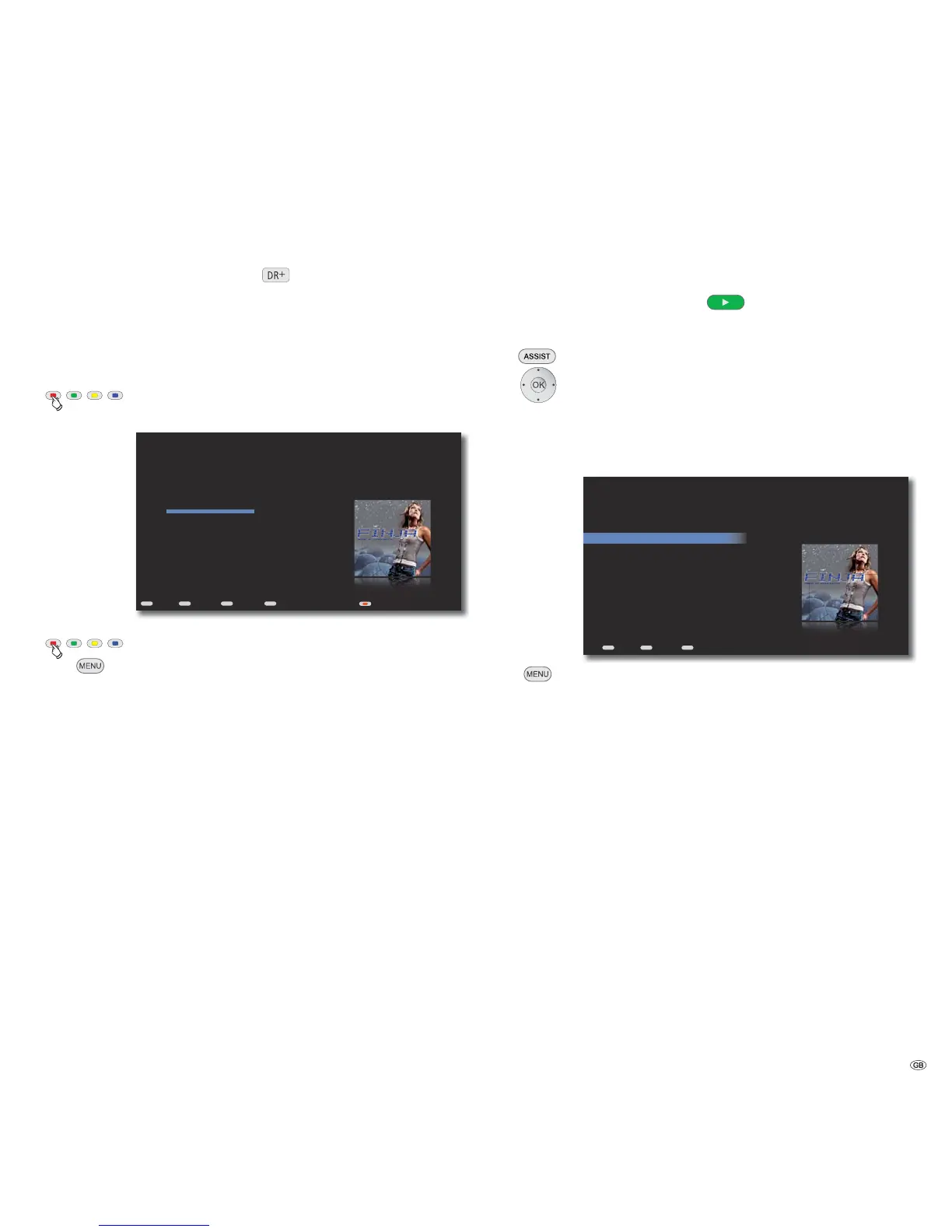
Now Playing
In the Now Playing menu, the currently played Track, album and other informa-
tion are displayed.
Call up Now Playing from any menu
(except with Screen Off/On option).
END
MENU
ASSIST
OK
X0:00 / 3:10
Auto-Play
Song 01/12
Peace
Album
Avenue
Artist
Finja
Next: Up to Heaven - Finja
Now Playing - Music
Back Options Home Screen Off/On
Screen off/on.
Call up Options menu.
Shuffle The selected titles are played in a random sequence
Repeat The selected title is repeated until the play is
manually interrupted
Display autom. playlist The content of Automatic playlist is displayed
Clear autom. playlist The playlist is cleared (no data is deleted)
Cancel Close menu
➠ The title information for audio CDs cannot be called up in the Music menu,
but rather in the DVD/CD Player menu under Show songs.
Playlists
Titles, albums, genres or any eclectic of up to 1000 titles are included in an auto-
matic playlist, if you press the button Play
or OK. With the Play button the
selected album is completely added into the playlist and the first title starts playing.
With the OK button, you can add a single title into the list and then sort the list.
Call up Main Menu
Select option Music.
Select option Playlists.
Confirm OK.
Select playlist.
Confirm OK.
END
MENU
ASSIST
Peace
Say it loud
If we were ...
Unborn
Top 25 Tracks
Back Options Home
Call up Options menu.
Play now The selected playlist is played back
Replace autom. The automatic playlist is replaced by the
playlist selected playlist
Play as next title The selected playlist is played in the end
Save playlist Save the created playlist
Edit playlist Edit the selected playlist
Rename playlist Change the name of the playlist
Delete playlist Delete the selected playlist
Add to the autom. The selected title is added
playlist at the end of the automatic playlist
Add to the existing The selected title is added at the end of an already
playlist existing playlist
37 -



 To Next Page