Radio Operation
DVB radio
With your Mediacenter you can play back digital radio (DVB radio). For this, your
Mediacenter must be connected to an appropriately equipped Loewe TV set, which
receives digital radio. The supplied cinch cable (digital audio cable: orange plug)
is to be connected with the AUDIO DIGITAL IN socket of the Mediacenter and
AUDIO DIGITAL OUT socket on your TV set. With this, the digital audio signal is
transmitted to the Mediacenter (page 13).
Listening to DVB Radio
You can use digital radio in your Mediacenter as follows:
• The station list for DVB radio is set up in the TV set. The radio stations from
the station list currently set in the TV set, e.g. favourites list, is played back
in the Mediacenter. The TV set transmits the station names and numbers
shown in the Mediacenter.
• For setting up the station list or favourites list, please refer to the operating
manual of your Loewe TV set in the chapter “Administering radio stations“.
Call up Main Menu.
Select option Radio.
Confirm OK.
Select option DVB radio.
Confirm OK.
END
ASSIST
Information
Radio Eins
Time
05:05 - 09:00
Station
1 - RADIO 1
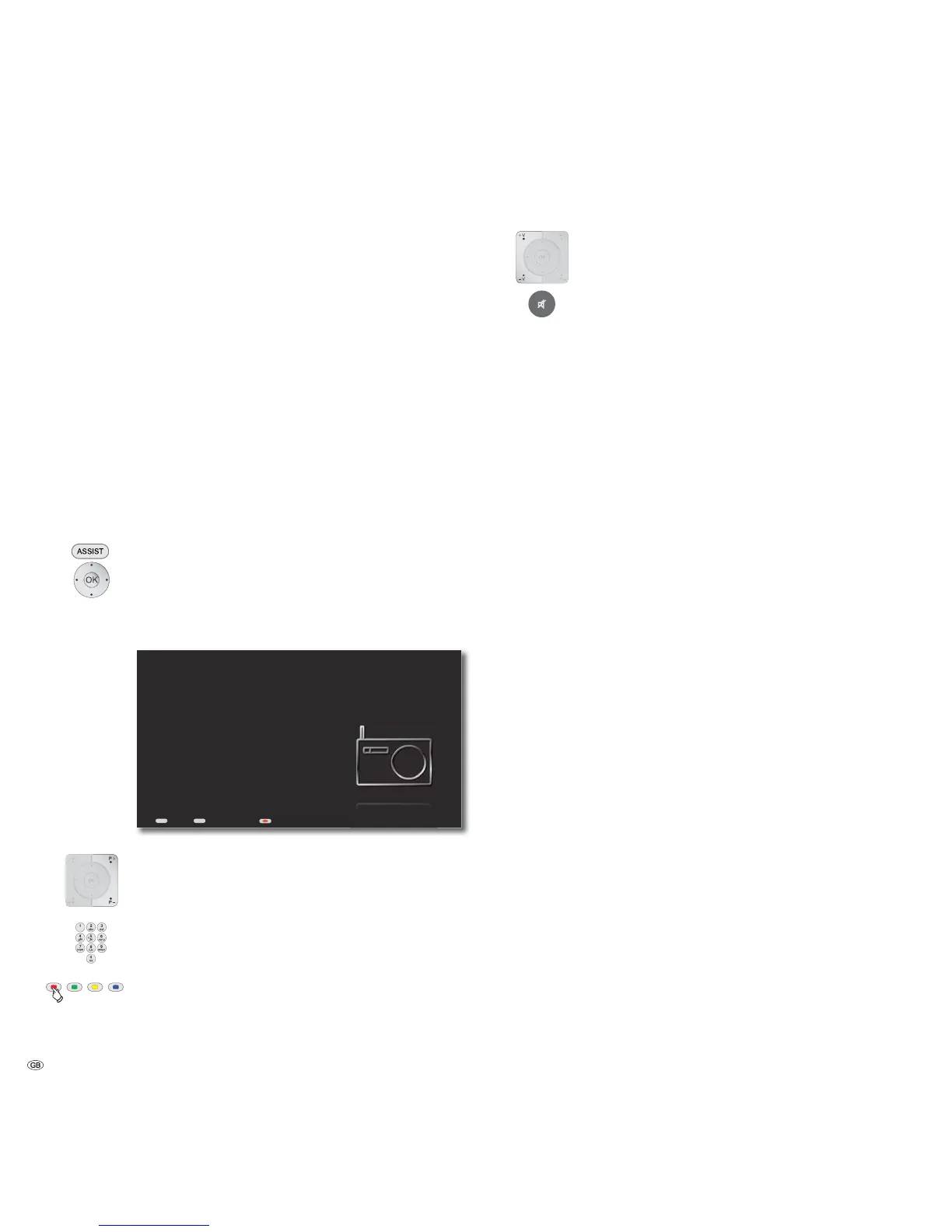
Now Playing - DVB Radio
Back Home Screen Off/On
P+ / P- Call up next/previous station.
Enter the number of the desired station as in the TV stations list.
Screen off/on.
V+ / V- Volume up / down.
Sound on / Mute.
- 48



 To Next Page