EasyManua.ls Logo

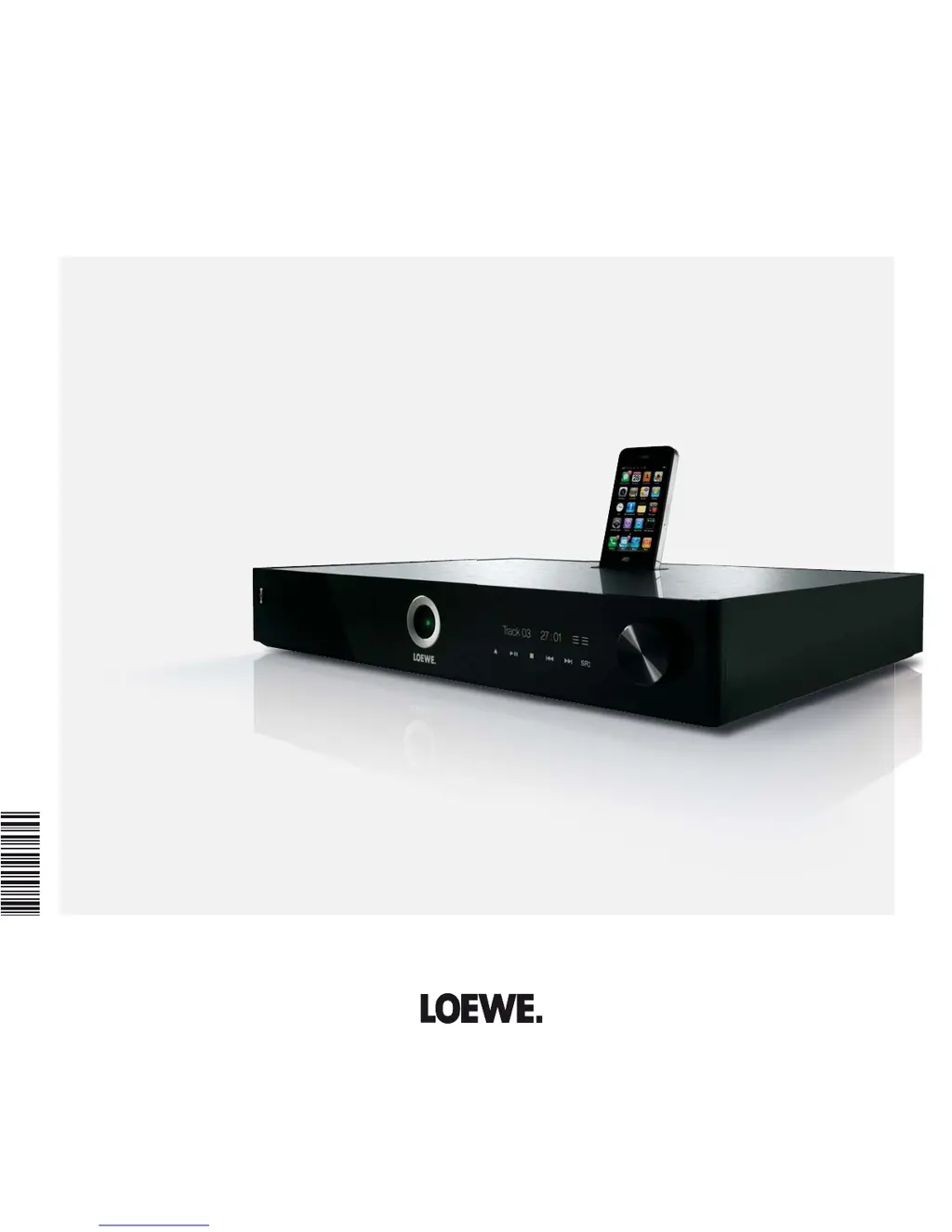
Loewe MediaVision 3D - User Manual

Loewe MediaVision 3D
48 pages
Print Icon
To Next Page IconTo Next Page
Loading...
Operating Manual
Audiodesign
Blu-ray Audio System
MediaVision 3D
34995022

Table of Contents

Questions and Answers

  • C
    Curtis WardAug 13, 2025
    What to do if my Loewe MediaVision 3D Stereo System has no picture?
    • K
      Kyle KimAug 13, 2025
      If there is no picture on your Loewe Stereo System, please check the following: * Ensure the device is correctly connected. * Confirm that the TV is set to receive video signals by selecting the correct AV program slot. * Check that the video cable plugs are firmly fitted in their sockets.
  • W
    William WelchAug 16, 2025
    How to fix Loewe Stereo System if it's not working at all?
    • W
      William JonesAug 16, 2025
      If your Loewe Stereo System isn't working, ensure the mains cable is correctly plugged into a 220-240 V 50/60 Hz socket.
  • B
    bmedinaAug 20, 2025
    Why is there no sound coming from my Loewe MediaVision 3D?
    • A
      Andrea CooleyAug 20, 2025
      If there is no sound from your Loewe Stereo System, check the following: * Ensure all input and output cables are properly connected. If the problem continues, the cables may be faulty. * Make sure the volume isn't set to the minimum; increase the volume. * Verify the sound isn't muted by pressing V+ on the remote control to reactivate the audio output and then set the volume level.
  • J
    Joseph DayAug 25, 2025
    How to fix Loewe MediaVision 3D remote control not working?
    • J
      Justin DukeAug 25, 2025
      If the remote control for your Loewe Stereo System isn't working properly, replace the batteries with new ones.
  • C
    Christina SmithAug 27, 2025
    What to do if Loewe MediaVision 3D Stereo System playback is not possible?
    • W
      wesley45Aug 27, 2025
      If playback isn't possible on your Loewe Stereo System, consider the following: 1. Ensure a disc is inserted. 2. Verify the inserted disc is playable, checking the disc type, color system, and regional code. 3. Clean the disc if it's dirty. 4. Make sure the disc is inserted with the playback side facing downwards. 5. Confirm the disc is correctly placed inside the guide in the disc compartment.
  • B
    Benjamin JonesAug 31, 2025
    Why is the BD-LIVE™ function not working on my Loewe MediaVision 3D?
    • G
      Guy ColemanAug 31, 2025
      If the BD-LIVE™ function on your Loewe Stereo System isn't working correctly: * Delete the internal memory or connect an external USB stick (>1 GB) if the internal memory is insufficient. * Ensure the Internet connection is properly set up and that you have a broadband connection. * Activate the BD-LIVE™ function.
  • M
    mitchell61Sep 4, 2025
    What to do if my Loewe MediaVision 3D unit is not working properly?
    • S
      Sara MeyerSep 4, 2025
      If your Loewe Stereo System unit is not working properly, unplug the mains plug from the mains socket, wait 30 seconds, and then plug it in again.
  • W
    Wendy BlackSep 7, 2025
    How to fix 'A displayed media file cannot be played' on Loewe MediaVision 3D Stereo System?
    • J
      Jonathan MilesSep 8, 2025
      If a displayed media file cannot be played on your Loewe Stereo System, convert the file to a supported format on a computer using a converter program.

Summary

Brief Instructions

Performance Features

Connection Options

Details on all available physical and wireless connection ports.

Welcome and Setup

Set-up Instructions

Guidelines for properly placing and connecting the device for optimal performance.

Safety Precautions

Intended Use and Ambient Conditions

Information on the proper environment and usage conditions for the device.

General Safety Warnings

Essential warnings regarding electrical shock, supervision, cleaning, and handling.

Connection Guide

MediaVision 3 D as Audio System

Configuration for using MediaVision 3D with Loewe TVs and subwoofers.

Audio System Chassis Variants

Specific connection details for SL155 and SL2xx chassis as audio systems.

MediaVision 3 D as a Player

Configuration for using MediaVision 3D as a player connected to a TV set.

Startup Procedures

Remote Control and Basic Setup

Instructions for setting up the Assist remote control and connecting to power.

Software Updating

Downloading and Installing Software

Steps for downloading new software from the Loewe Support Portal and installing it.

Playing Discs

Playing Media Files

Playback from iPod

FM Radio Operations

Importing Music

Importing Audio CDs

Steps for converting tracks from audio CDs to MP3 files.

Troubleshooting Guide

Loewe MediaVision 3D Specifications

General IconGeneral
3DYes
Width- mm
Weight3400 g
Device typeBlu-Ray player
Aspect ratio4:3, 16:9
HDMI version1.4
Product colorAluminium, Black
Audio decodersDolby Digital, Dolby Digital Plus, Dolby TrueHD, DTS, DTS-HD Master Audio
Cables includedAC, HDMI
Internal memory1024 MB
AC input voltage220 - 240 V
AC input frequency50 - 60 Hz
Disc types supportedBD, BD-R, BD-RE, BD-ROM, CD, CD-R, CD-RW, DVD, DVD+R, DVD+RW, DVD-R, DVD-RAM, DVD-RW
Dynamic range (1kHz)95 dB
Supported video modes1080p
Card reader integratedNo
USB 2.0 ports quantity2
Audio formats supportedAAC, MP3, WMA
Video formats supportedDIVX, MPEG1, MPEG2
Digital audio optical out-
Analog signal format systemPAL
Operating temperature (T-T)5 - 35 °C
Power consumption (standby)0.5 W
Power consumption (typical)40 W
Signal-to-Noise Ratio (SNR)100 dB
Component video (YPbPr/YCbCr) out1
Audio output channels- channels

Related product manuals