Playing discs
Subtitles
BD DVD-V DivX
Call up Title Menu.
Select Subtitle .
Select Subtitle language - if available.
Angle
BD DVD-V
If the disc contains scenes that have been recorded at different camera angles,
you can change to another camera angle during play.
Call up Title Menu.
Select Angle .
Select the desired camera angle - if available. The number
of the current camera angle is shown.
➠ A camera symbol is shown on the screen for scenes that have
been recorded in different camera angles.
TV Aspect Ratio
BD DVD-V DivX
Call up Title Menu.
Select TV Aspect Ratio .
Select picture format - if available.
Picture Mode
BD DVD-V DivX
Call up Title Menu.
Select Picture Mode .
Select Picture Mode (page 32) - if available.
Movie information
BD DVD-V DivX
Call up Title Menu.
Select Movie Information . Confirm with OK.
If you are connected to the Internet, databases will now be
queried in the Internet (e.g. Gracenote). If the query is successful,
an album graphic along with possible supplementary information
on the title will be shown.
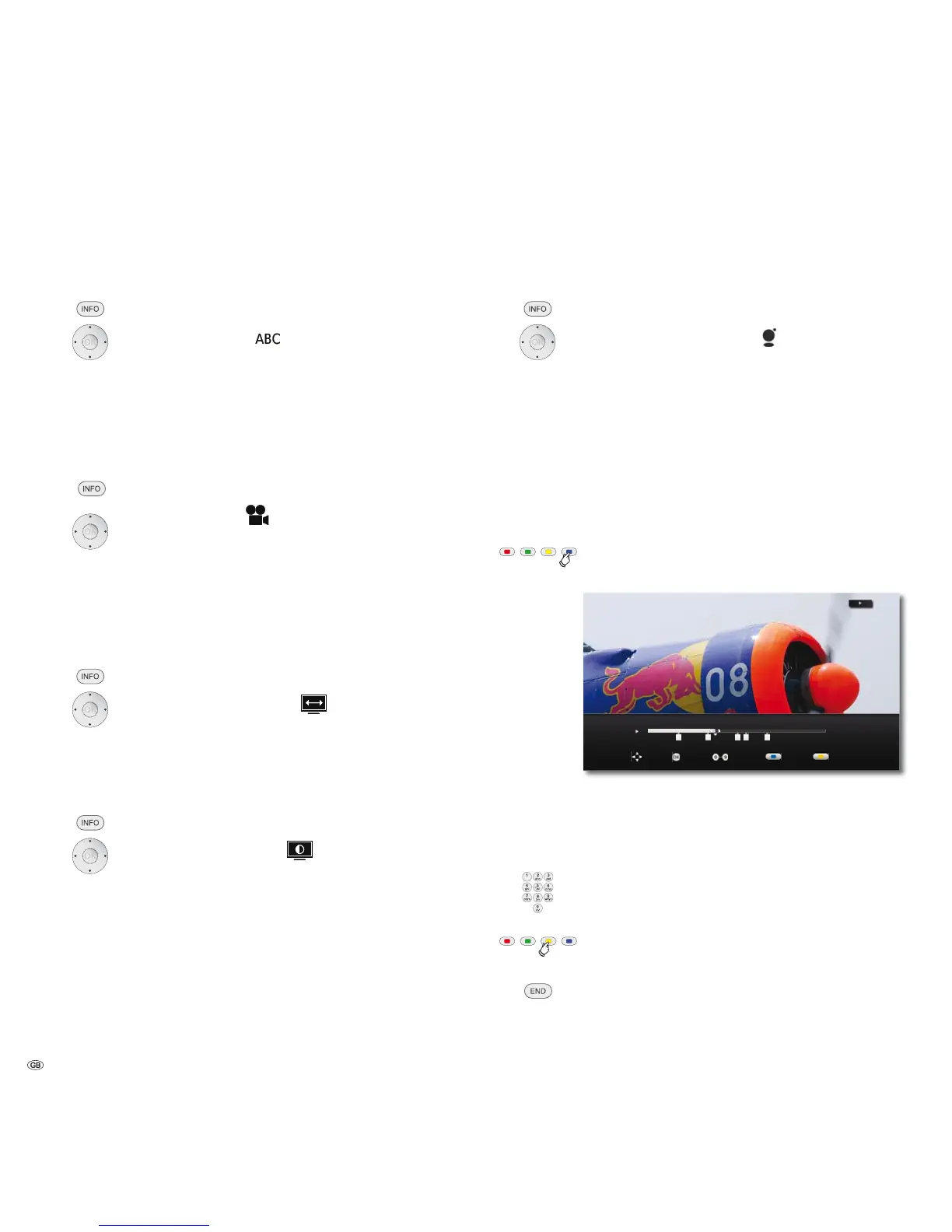
Flagging
BD DVD-V DivX
You can start the playback from a saved flag. A maximum of nine
flags can be saved.
➠ The flags only remain saved while playing the current medium.
Blue button Press briefly during play: Set flag
Press longer: Open Flags display.
0DUNHU
,QSXW 'HOHWH6HOHFW0RYH
Rewind / Fast forwards
,Select desired flag.
OK Start playback from selected flag
or
Start playback from desired flag.
Yellow button Delete selected flag.
Close Flags display.
- 30



 To Next Page