Playing media files
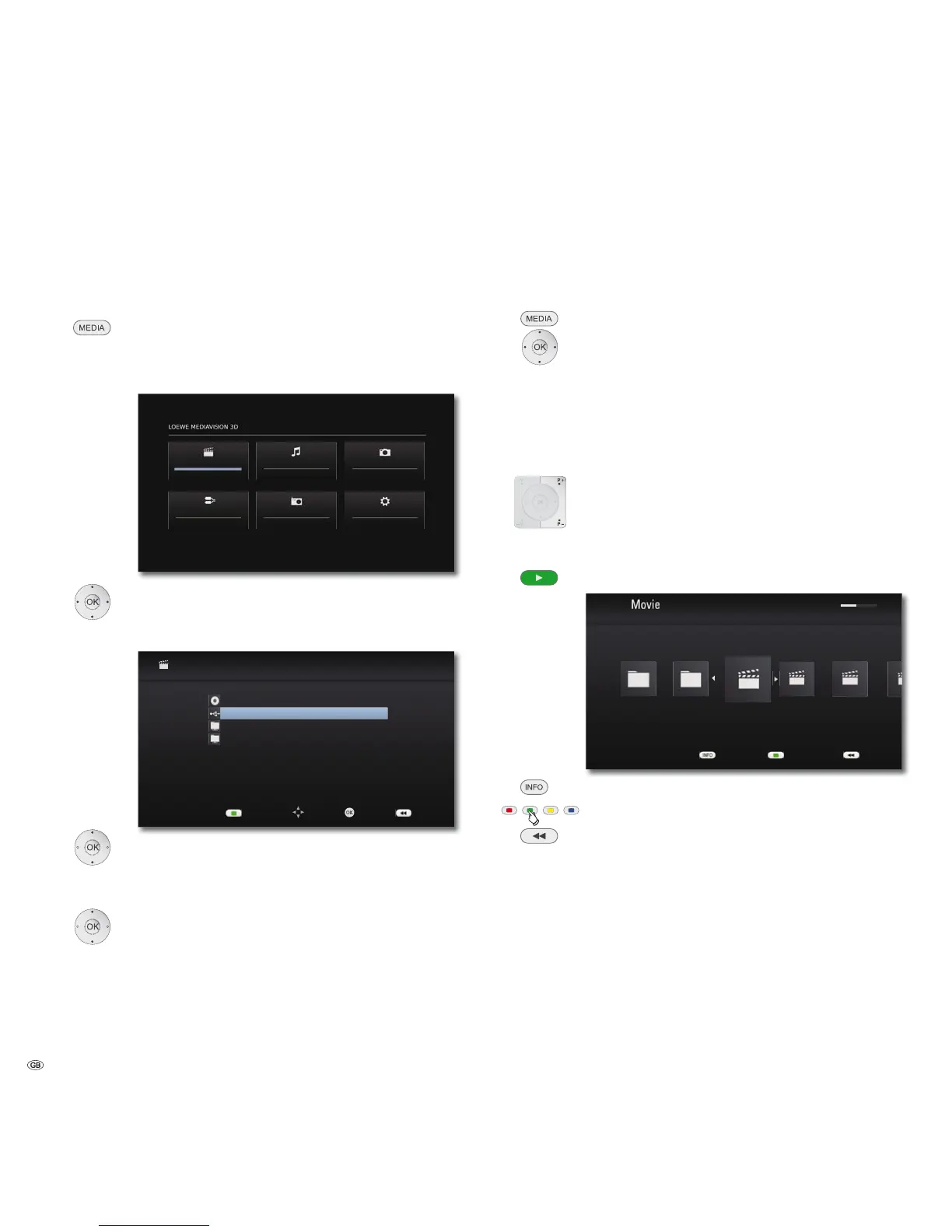
You can use your MediaVision 3D to play digital media services that are saved
on discs, USB storage media or on your home network.
Main Menu
Call up the Main Menu.
In the Main Menu you can select the desired operating mode
Movie, Music, or Photo (page 17).
Movie
FM Radio
Photo
Setup
Music
Input
Select desired operating mode.
Press OK to confirm.
A selection menu showing the various media sources appears.
0RYLH
OK
'LVF
86%
6HUYHU
6HUYHU
5HIUHVK/LVW
%DFN6HOHFW0RYH
Select required medium.
Press OK to confirm.
If several storage media are available when selecting USB, a
further selection menu will appear.
Select required storage medium.
Confirm with OK.
Video files
Playing video files
Call up the Main Menu.
Select the Movie option in the Main Menu.
Press OK to confirm.
A selection menu showing the various media sources appears.
Select required medium.
Press OK to confirm.
Select file or folder.
P+ or P- browse forwards/backwards.
OK Start play or change to folder.
Play Start / Continue.
86%
0%0%
0RYLHDYL
0XVLF([DPSOHV
0RYLHDYL
9LGHR&OLSV
0RYLHDYL
0RYL
%DFN
,QIRUPDWLRQ 'HYLFH&KDQJH
Display detailed information.
Call up the Main Menu.
In the menu: One level back.
➠ For controlling the play of media files see the chapter "Playback
in general" (page 28).
- 34



 To Next Page