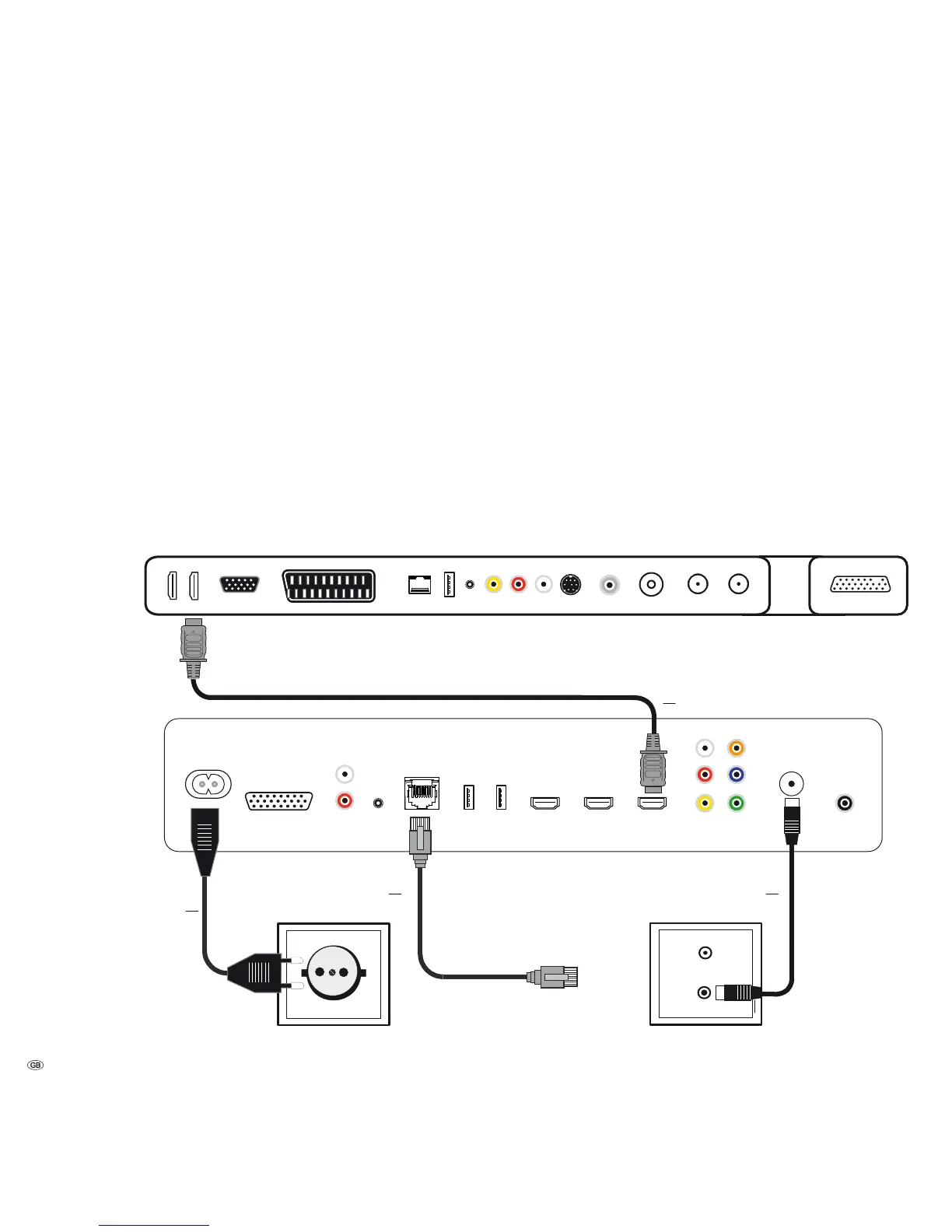
Connection
MediaVision 3D as a Player
The audio signals are processed via your TV set in this configuration. MediaVision
serves as an audio and video source *.
Connect the HDMI OUT socket of the MediaVision 3D to an HDMI IN socket on
your TV set using the HDMI cable provided.
Go to the Audio menu and set the option Preamplifier to off (page 21)
Use an RJ-45 network cable (available from your dealer) to connect MediaVision
3D to a network connection (e.g. Switch or DSL router) with a connection to the
Internet/Homenetwork.
Connect the ANTENNA FM socket via an FM antenna cable (available from your
dealer) to an antenna socket, or use the antenna provided at this socket.
Plug the small plug of the mains cable into the rear of the unit (page 7) and
then plug the large plug of the mains cable into a 220-240V 50/60 Hz socket.
- 14
TV set
MediaVision 3D
Network cable
Mains cable
HDMI cable
FM Radio Antenna
* Only PCM Stereo or PCM multi-channel



 To Next Page