Playing media files
Music files
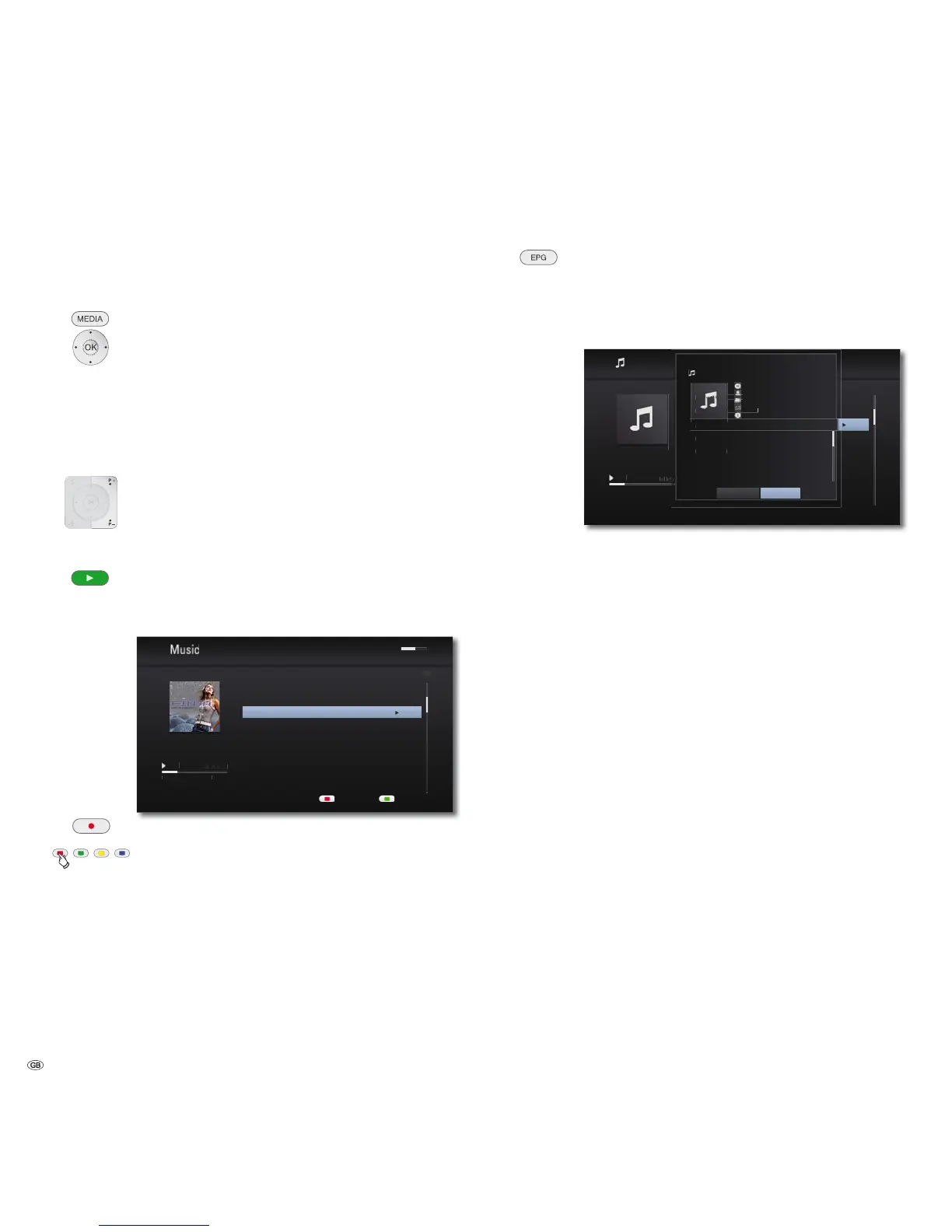
Playing music files
Call up the Main Menu.
Select the Music option in the Main Menu.
Press OK to confirm.
A selection menu showing the various media sources appears.
Select required medium.
Press OK to confirm.
Select file or folder.
P+ or P- browse forwards/backwards.
OK Start play or change to folder.
Play Start / Continue.
➠ For controlling the play of media files see the chapter "Play-
back in general" (page 28).
2QHPRUHWLPH
86%03)LQMD
8SWR+HDYHQ
2QHPRUHWLPH
3HDFH
6D\LWORXG
<HV
0%0%
6FUHHQRꊞRQ 'HYLFH&KDQJH
Select type of repeat (page 28).
Red button 6FUHHQ2))21 IURPFKDVVLV/[VRIWZDUH
V9.2 - a software update might be necessary for the TV set).
Title recognition.
If you are connected to the Internet, databases will now be
queried in the Internet (e.g. Gracenote). If the query is successful,
an album graphic along with possible supplementary information
on the title will be shown.
'DV/LHGYRP6FUROOEDU
'HU3URJUHVV
'LH'HIDXOWELOGHU
'HUEODXH%DONHQ
'DV3DNHW
'HU3URJUHVV
$OEXPQDPH
$UWLVW
6RQJQDPH
$OEXP
$UWLVW
*HQUH
<HDU
,QIRUPDWLRQ
1R
6RQJQDPH $UWLVW
$UWLVW
$UWLVW
$UWLVW
$UWLVW
$UWLVW
$UWLVW
6RQJQDPH
6RQJQDPH
6RQJQDPH
6RQJQDPH
6RQJQDPH
6RQJQDPH
7UDFN1DPH $UWLVW1DPH
&ORVH5HWU\
Prerequisites for music files
• Scanning frequency: MP3: 16 - 48 kHz, WMA: 32 - 48 kHz.
• Bit rates: MP3: 32 - 320 kbps, WMA: 20 - 320 kbps.
• 7KHPD[LPXP QXPEHURIILOHVDQGIROGHUVLV7KHVHDUFKFDQWDNH
longer than 1 minute.
• File extensions: ".mp3" / ".wma" / ".wav" / ".m4a" (without DRM).
• CD/DVD/Blu-ray Disc™ format: ISO9660 / JOLIET / UDF (Bridge).
- 36



 To Next Page