Playing discs
Disc playback
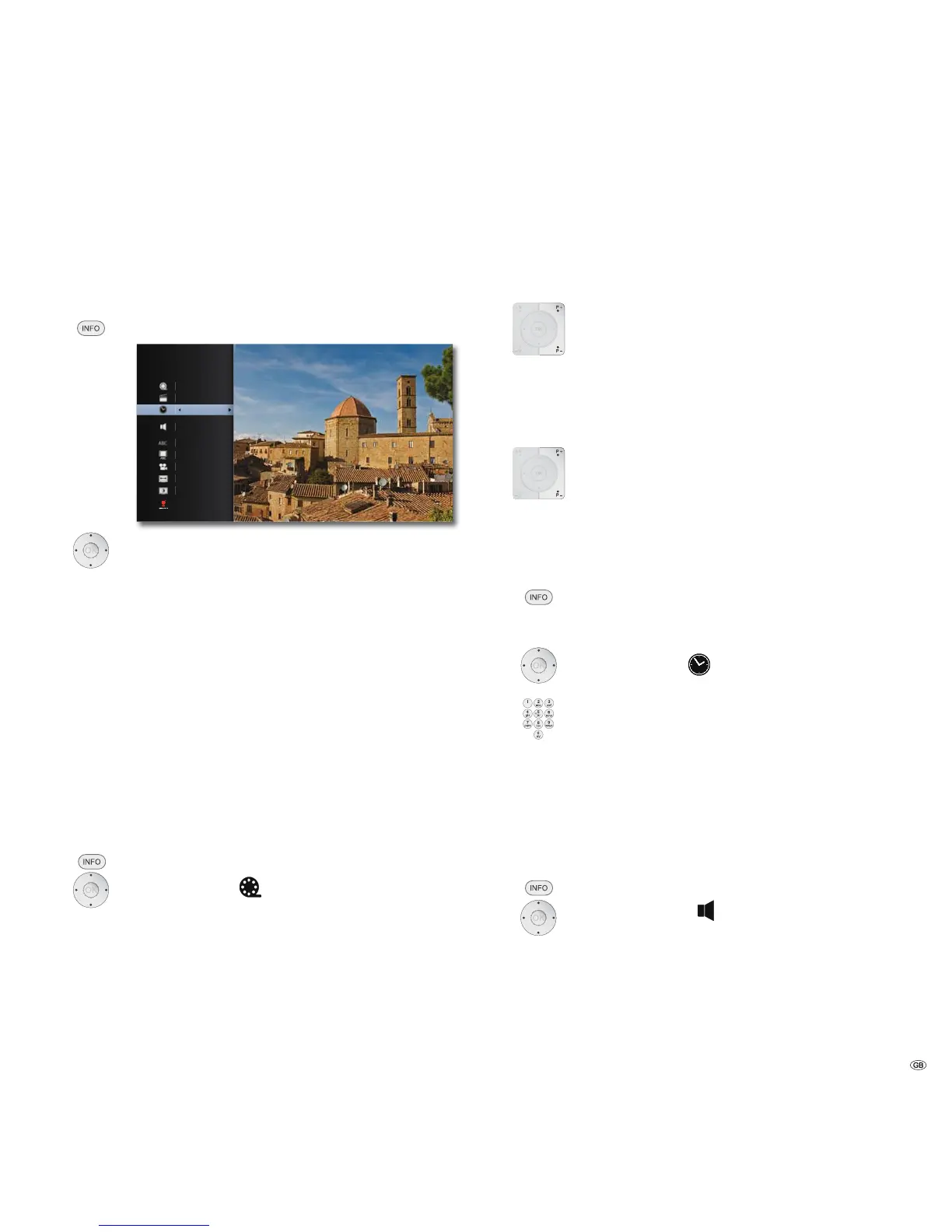
You can display various information on the inserted disc on the screen and set
options for the playback.
Call up Title Menu during play.
03
&+
2ULJLQDO
6WDQGDUG
7LPH
(QJOLVK
0RYLH,QIRUPDWLRQ
Select the desired function.
Title Current title (or track number)/total number of titles
Chapter Current chapter number/total number of chapters
Time Elapsed play time, go to time with OK
Audio Selected sound
formats, Movie language and audio
channels
Subtitle Selected subtitles
Code Page Code table for subtitles (page 35)
Angle Selected camera angle / Total number of camera
angles
TV Aspect Ratio Selected picture format (e.g. aspect ratio 16:9)
Picture Mode Selected Picture Mode (e.g. optional colour setting -
page 32)
Movie Information
Title recognition
by querying databases in the Internet
Title selection
BD DVD-V DivX
Call up Title Menu.
Select Title .
Select title number.
OK Start playing the selected title.
Title selection
CD DivX MP3 JPEG
P+ during play, in order to select the next title/the next photo
or return with P- to the start of the current title.
Press P- briefly twice to return to the previous title.
Chapter / Track selection
BD DVD-V CD
If a title has several chapters/tracks, you can select another
chapter/another track as follows:
P+ or P- during play, in order to select the next chapter/the next
track or return with P- to the start of the current chapter/track.
Press P- briefly twice to return to the previous chapter/track.
Time (Play from ...)
BD DVD-V DivX
The Time function allows you to begin playing a disc from whichever point you like.
Call up Title Menu.
The elapsed play time for the current disc is shown in the Time
field.
Select Time
.
Enter time in the format hh:mm:ss.
OK Start play from entered time point.
or
Skip by minutes.
Digital sound formats, Movie language and audio channels
BD DVD-V DivX
Here you can select the digital sound format in conjunction with the Movie language.
Call up Title Menu.
Select Audio .
Select another Movie language or sound format (BD,
DVD-V, DivX) - if available.
29 -



 To Next Page