Importing Music
Importing Audio CDs
You can convert the titles (tracks) on your audio CDs to digital music files and then
access them easily with MediaVision. The music files are saved on a connected
USB memory stick.
Connect a USB memory stick with enough free memory space to
MediaVision (page 7).
Insert the audio CD in the drive (page 27).
Start playing the disc (page 28).
Show menu.
Select CD Recording option.
Press OK to confirm.
0XVLFIROGHU
&ORVH
83)ROGHU
,WHPV
0XVLFIROGHU
)ROGHU
'LVF
86%
0XVLF)LOH
0XVLF2ꊞ
6WDUW
'HVHOHFW$OO
2SWLRQV
&'5HFRUGLQJ
OK
0XVLFIROGHU
&ORVH
83)ROGHU
,WHPV
0XVLFIROGHU
)ROGHU
'LVF
86%
0XVLF)LOH
0XVLF2ꊞ
6WDUW
6HOHFW$OO
2SWLRQV
&'5HFRUGLQJ
%DFN6HOHFW0RYH
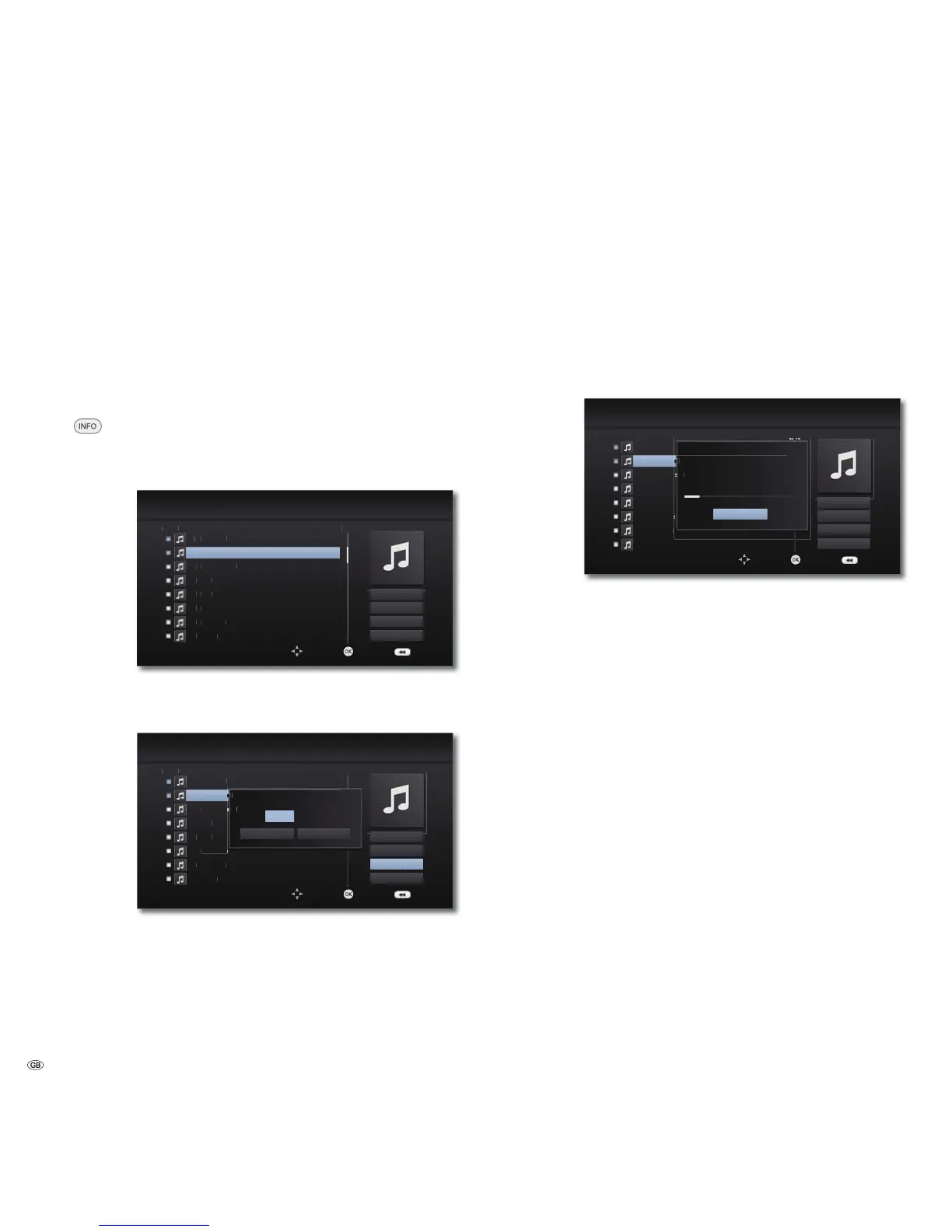
Select desired tracks.
Highlight selected tracks with OK.
0XVLFIROGHU
&ORVH
83)ROGHU
,WHPV
0XVLFIROGHU
)ROGHU
'LVF
86%
0XVLF)LOH
0XVLF2ꊞ
6WDUW
'HVHOHFW$OO
2SWLRQV
&'5HFRUGLQJ
OK
0XVLFIROGHU
&ORVH
83)ROGHU
,WHPV
0XVLFIROGHU
)ROGHU
'LVF
86%
0XVLF)LOH
0XVLF2ꊞ
6WDUW
6HOHFW$OO
2SWLRQ
&'5HFRUGLQJ
%DFN6HOHFW0RYH
NESVNESVNESV
2.
(QFRGLQJRSWLRQ
/RVVOHVV
&DQFHO
Select the right menu.
If necessary, select the bit rate in the Options Menu.
Start Selected tracks are converted
Select All Al tracks of the CD are selected
Option You can set the bit rate and hence the sound quality
Close Cancel
Select Start.
Press OK to confirm.
Select a storage medium and a potential destination
folder on this or create a new folder with New Folder. You can
name the new folder using the keypad that is shown.
Select the right menu.
Press OK to confirm.
0XVLFIROGHU
&ORVH
6WDUW
'HVHOHFW$OO
2SWLRQV
OK
0XVLFIROGHU
&ORVH
83)ROGHU
,WHPV
0XVLFIROGHU
)ROGHU
'LVF
86%
0XVLF)LOH
0XVLF2ꊞ
6WDUW
'HVHOHFW$OO
2SWLRQV
&'5HFRUGLQJ
%DFN6HOHFW0RYH
5HFRUGLQJ&'
&DQFHO
The conversion of the selected tracks now starts. The process
lasts several minutes. The progress is displayed during this time.
A message is displayed after the process is completed.
Press OK to confirm.
The finished music files are located in a new folder on the USB
memory stick, which has the name of the CD album.
➠ Do not disconnect the USB memory stick from MediaVision until it is no
longer being accessed.
➠ The music titles must be minimum 20 seconds long.
- 40



 To Next Page