Startup
Using the Assist remote control
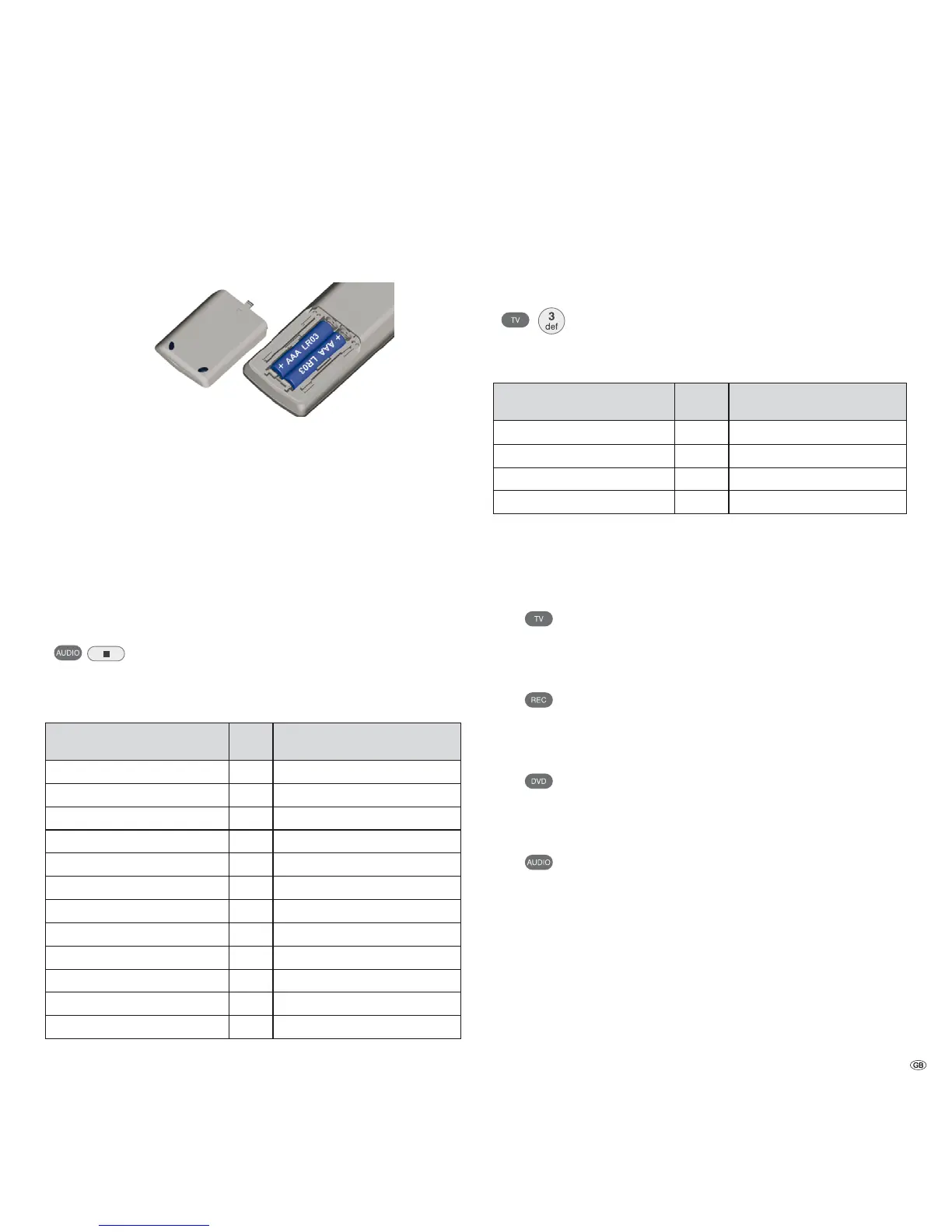
To insert or change the batteries, press where the arrow is embossed on the cas-
ing. While doing so, simply slide the battery compartment lid down and remove it.
Insert alkaline manganese batteries LR 03 (AAA) and ensure the correct position
of + and –. Slide the cover on again from the bottom.
➠ Do not insert rechargeable batteries in the battery compartment of the remote.
➠ The batteries used must not be exposed to excessive heat such as sunlight,
fire or similar!
Setting up the Assist remote control
Other devices
You can operate various Loewe devices using the Assist remote control. The unit
buttons REC - DVD - AUDIO can be set for this.
Press the required unit button and the Stop button simultane-
ously for 5 sec. until the corresponding LED indicator light
flashes twice.
Then select the two-digit unit code from the table:
Device Code Factory setting
Loewe ViewVision DR+ DVB-T 13 REC
Loewe BluTechVision 15
Loewe TV Radio digital 19
Loewe Mediacenter 20
Loewe BluTechVision 3D 21 DVD
HDMI CEC Modus 22
Loewe Sound Projector SL 25
SoundBox 28
SoundVision 29
Air Speaker 30
Loewe MediaVision 3D 35 AUDIO
Restore defaults 99
The corresponding LED indicator light flashes twice.
Sound functions
It is possible to set the devices with which the buttons with the sound functions
(V+/-, Mute and sound mode) should work.
Press the device button TV and, at the same time, the button
with the single digit function code from the list, for 5 sec. until
the LED Display flashes twice.
Function Code Figure
Loewe MediaVision ¾
3 page 11, 12,13
Loewe Mediacenter 4
Loewe TV 5 page 14
Loewe Soundprojector 6
¾ Default setting
Operating Loewe Equipment
Using the remote control for a Loewe TV set
Press TV button; the LED Display above it
lights up for approx. 5 seconds
Using the remote control for a Loewe recorder
Press the REC button; the LED Display above
it lights up for approx. 5 seconds
Using the remote control for BluTechVision 3D
Press the DVD button; the LED Display above
it lights up for approx. 5 seconds
Using the remote control for MediaVision 3D
Press the AUDIO button; the LED Display above
it lights up for approx. 5 seconds
Every time a button is pressed, the LED indicator lights up for the selected operating
mode to allow you to check (TV – REC – DVD – AUDIO).
Please refer to the respective operating instructions on how to operate the indi-
vidual devices.
15 -



 To Next Page