Delete User Methods (Polynomial or Concentration)
In principle a valid user method can be overwritten.
An existing user method (Polynomial or Concentration) can be totally deleted as well and is
removed out of the method selection list:
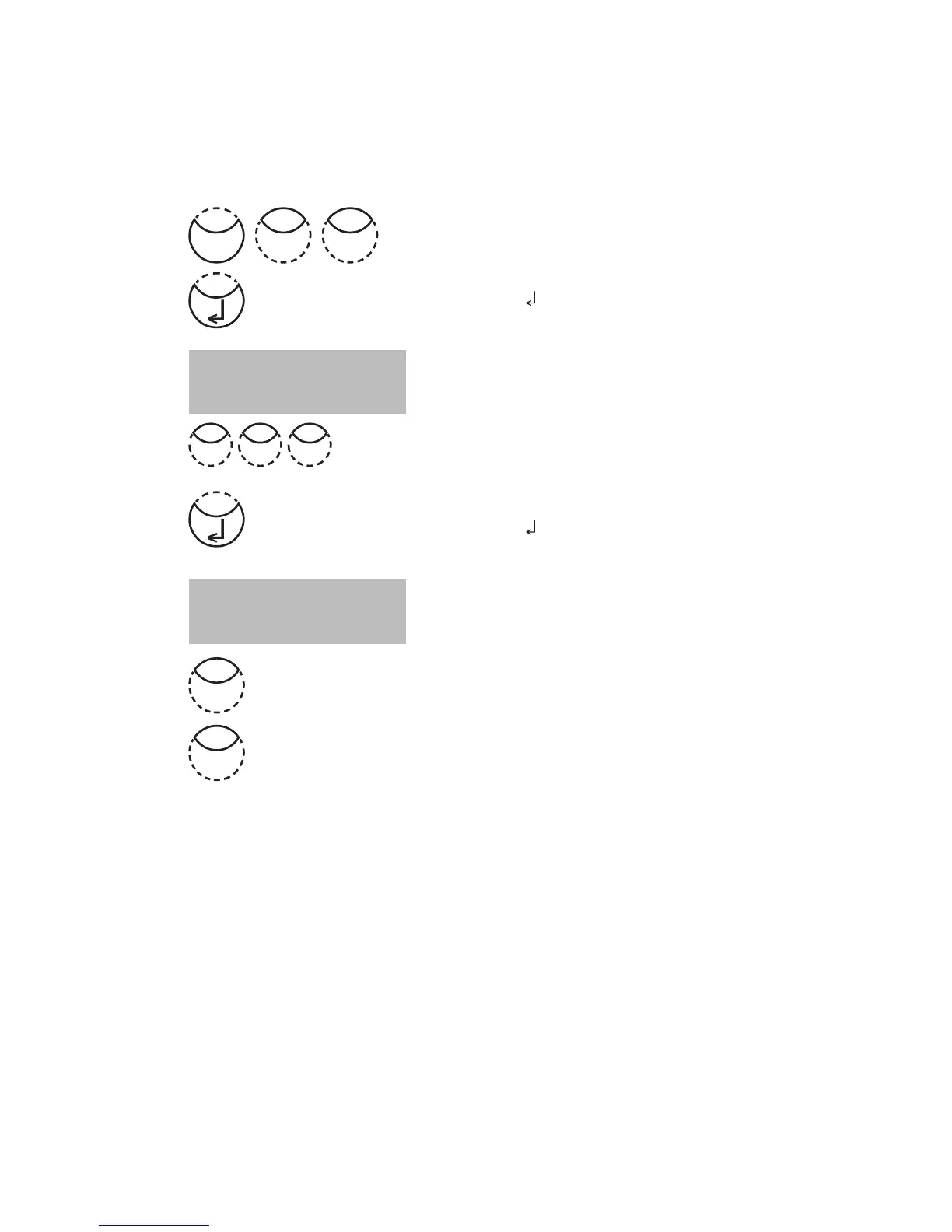
Press [MODE], [Shift] + [6][6] keys.
Confirm with [
] key.
The display shows:
Enter the number of the User Method you want to delete
(in the range from 800 to 824 or 850 to 859),
e.g.: [Shift] + [8][0][0]
Confirm with [
] key.
The query is displayed:
• Press [Shift] + [1] keys to delete the selected
User Method.
• Press [Shift] + [0] keys to keep the valid User Method.
The instrument goes back to mode menu automatically.
<User m. clear>
choose no.: _______
(800-824), (850-859)
M800
delete?
YES: 1, NO: 0
0
Mode
66
1
8 00











 To Next Page