Service Manual – 13 / 63
XE_ABS_MT_AN_200224
8. DISASSEMBLING THE UNIT TO REPLACE DEFECTIVE SPARE PARTS
8.1. Removing the back cover
Before any intervention on the ABSOLU device:
Turn off the device. The main switch has to be toggled to the “0” position.
Unplug the mains cord located at the back of the unit and remove all connections.
To remove the main cover:
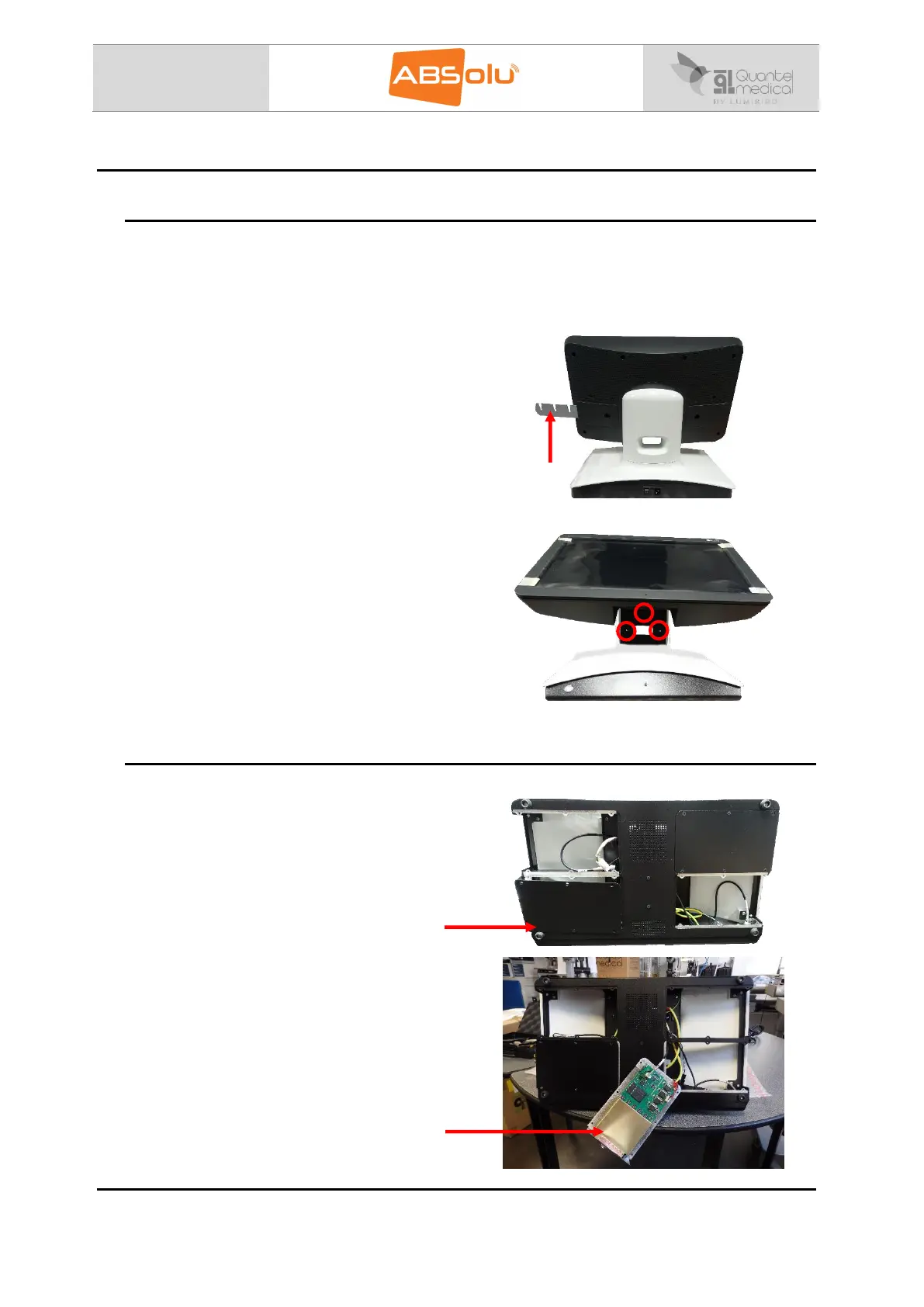
1/ Unscrew the probe holders and remove them.
2/ Lean the screen and unscrew the back shell
before removing it (3 screws).
8.2. Accessing subsystem boards
1/ Unscrew all 24 screws located at the bottom of
the unit.
Then, you have access the ERM boards of the
device.
2/ On the bottom right, you will find the 20MHz
ERM board
A-15-50MHz or S-15-50 MHz Board



 To Next Page