Service Manual – 36 / 63
XE_ABS_MT_AN_200224
11.3.1. Procedure to install the database factory
1. Close the ABSolu software, by using: Alt + F4.
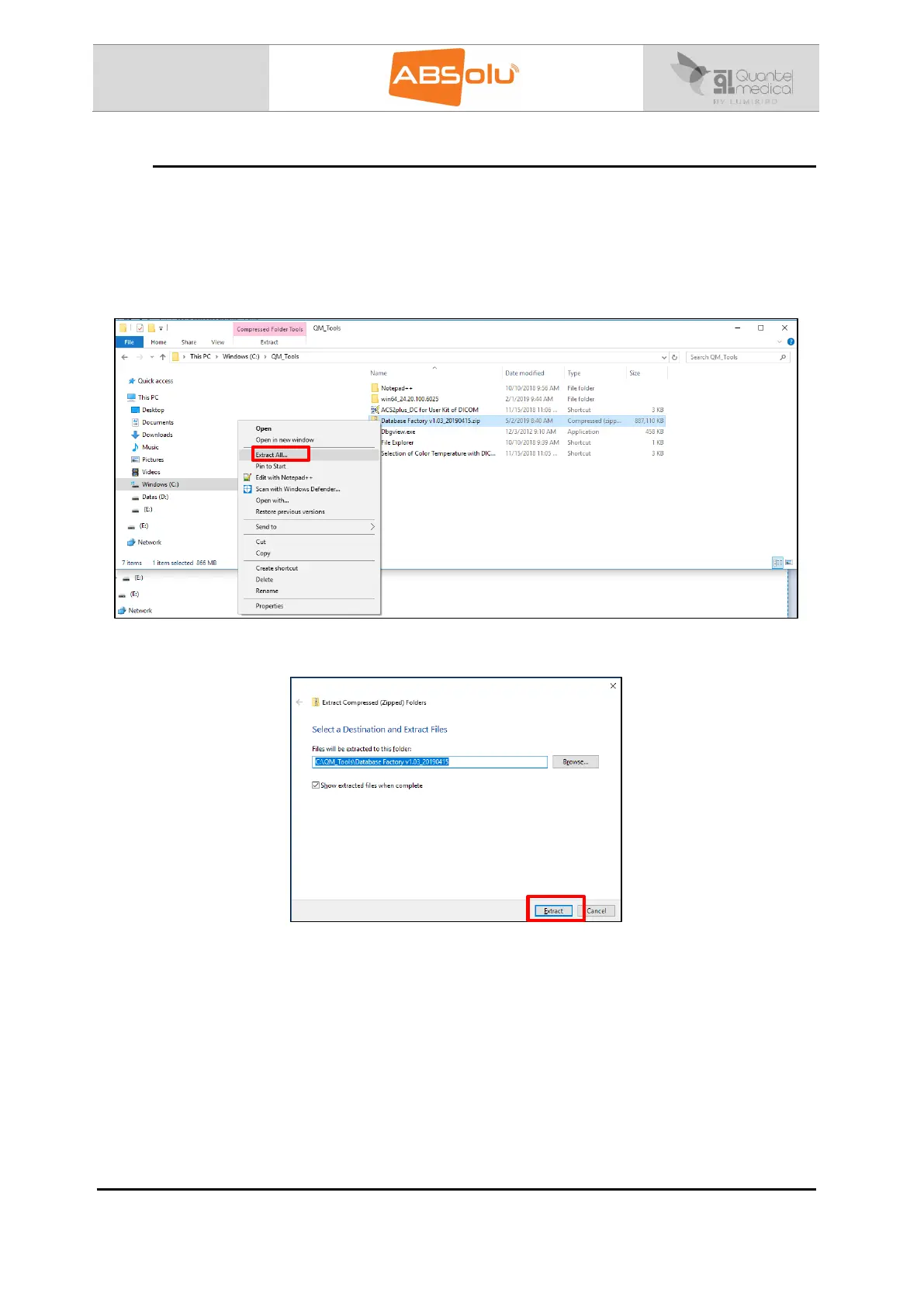
2. Copy the file called “Database Factory V1.03_20190415.zip”, in the “C:\QM Tools”
directory, if necessary.
3. Unzip the file called “Database Factory V1.03_20190415” by clicking on “Extract All…”:
4. The following window displays, click on “Extract”:



 To Next Page