Service Manual – 21 / 63
XE_ABS_MT_AN_200224
- The serial numbers of the listed probes should correspond (and only
correspond) to the serial numbers of the probes actually connected or used
on the unit!
- Two probes of the same type cannot be displayed in the list. The probe not
currently in use on the unit has to be removed from the list.
10.1.3. Tissue sensitivity determination for A-Std type of probe (only when S
mode is activated)
The Tissue Sensitivity has to be determined for the whole system: ABSOLU unit
and A-Standardized probe (using the tissue model). Another probe with the same
ABSOLU unit may have a different T Gain.
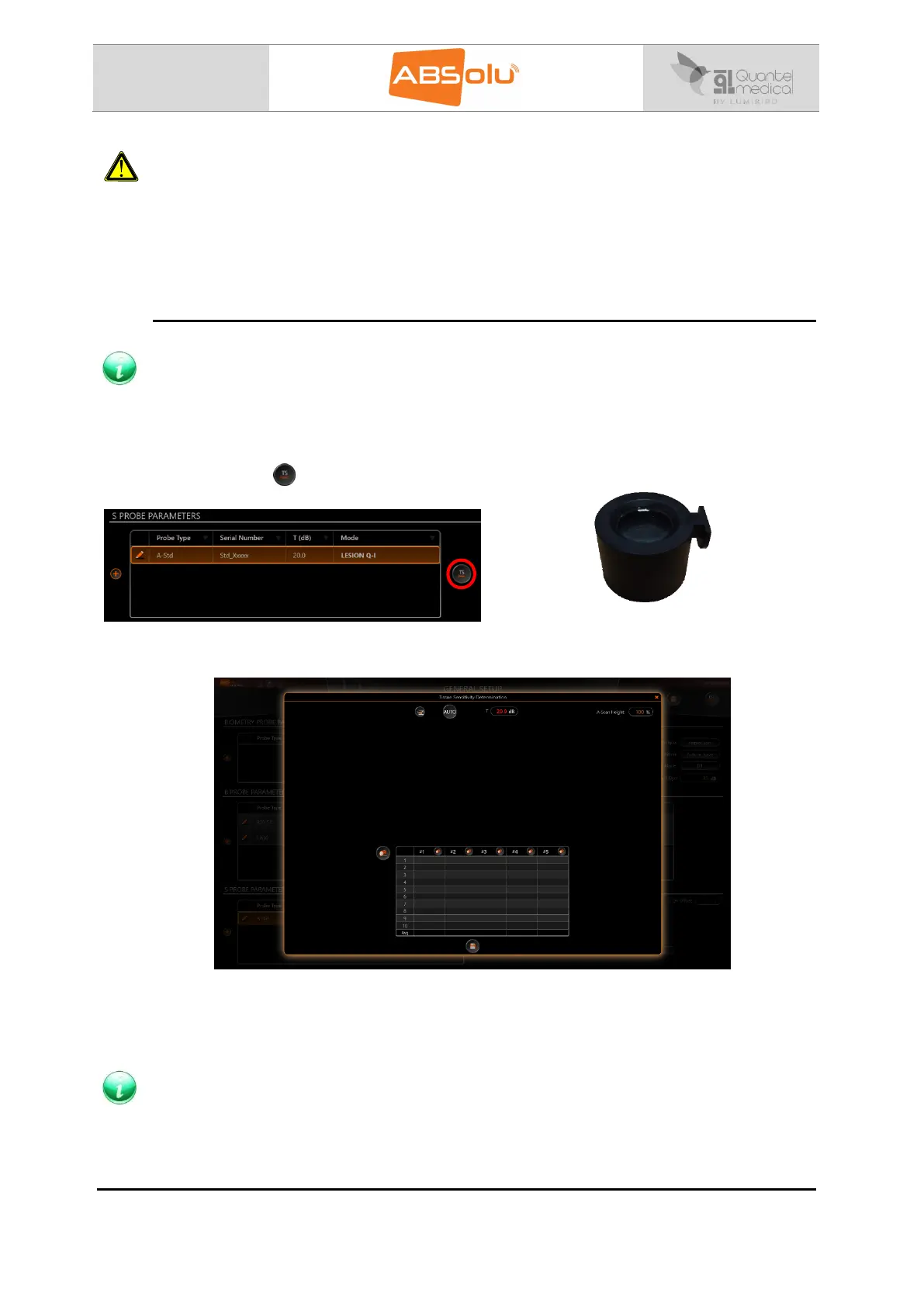
Select the A-Std probe for which the tissue sensitivity determination has to be performed
and then select “ ”:
Place the A-Std probe on the tissue model
to proceed to the calculation.
The following screen is then displayed:
Press the footswitch and press the space bar or select the “AUTO” icon to start the automatic
calculation. The Tissue Sensitivity is then calculated in the “Avg” (average) case. Save the
values at the end of the calculation.
The average value has to be comprised between 75 dB and 100 dB.



 To Next Page