EasyManua.ls Logo

Lumibird Quantel ABSOLU - Removing the Screen from the Base

Lumibird Quantel ABSOLU
70 pages
Print Icon
To Next Page IconTo Next Page
To Previous Page IconTo Previous Page
Loading...
Service manual
Service Manual 15 / 63
XE_ABS_MT_AN_200224
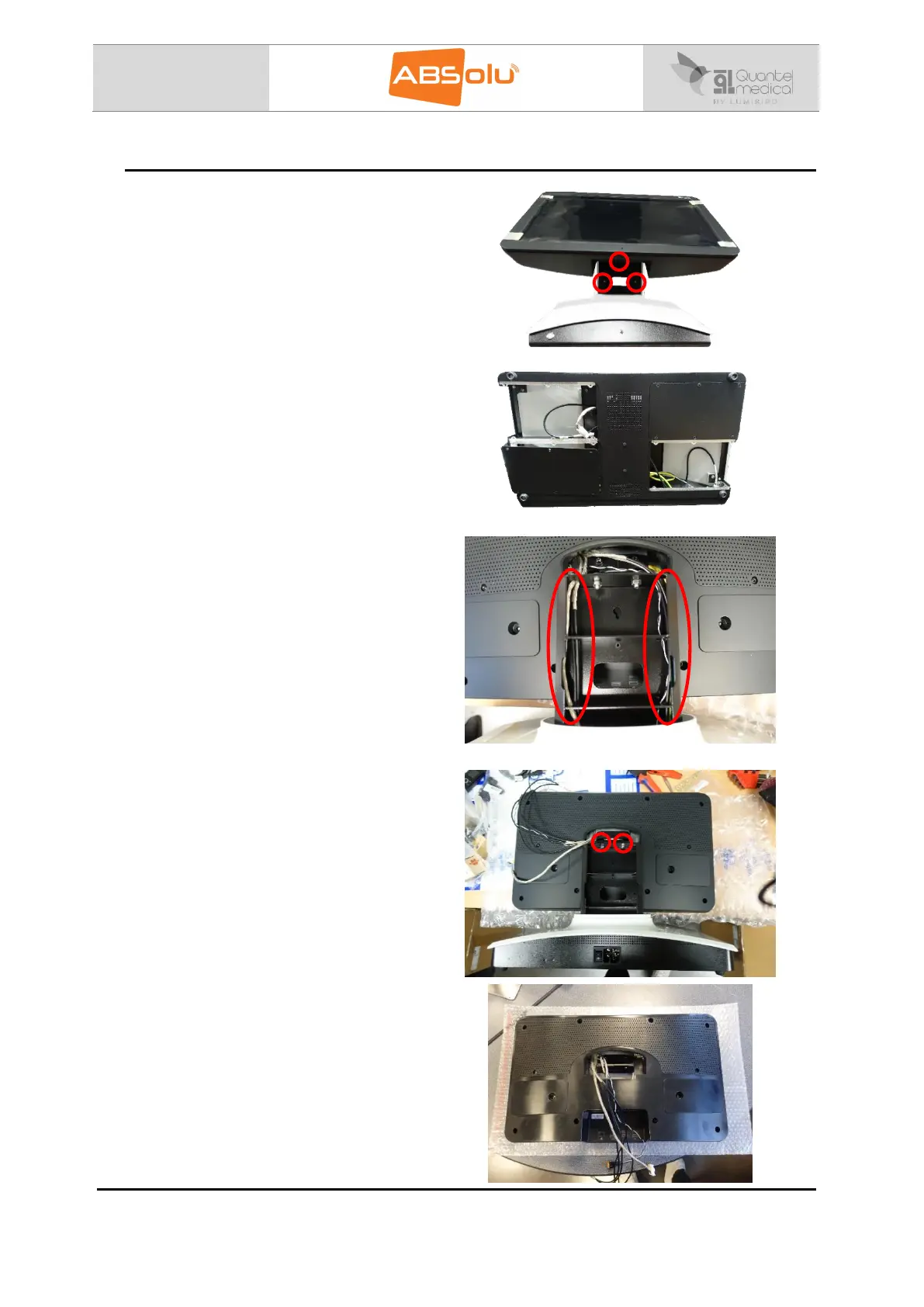
8.3. Remove the screen from the base of the device
1/ Remove all the back and bottom cover of
the unit.
2/ Unplug all the cables that connect the
screen to the base of the device.
It concerns the following cables: CN24, CN25,
CN26, power supply cable, ground cable and
orange/green switch cable.
Unplug the cable:
CN24 from the USB board;
CN25 from the 20-5A ERM board;
CN26 from the 15-50 ERM board.
Then, take the cables out of the base.

3/ Unscrew the 2 screws at the back of the
screen.
4/ Take the screen out of the base.

Table of Contents