Service Manual – 52 / 63
XE_ABS_MT_AN_200224
13.3. Suspend automatic update
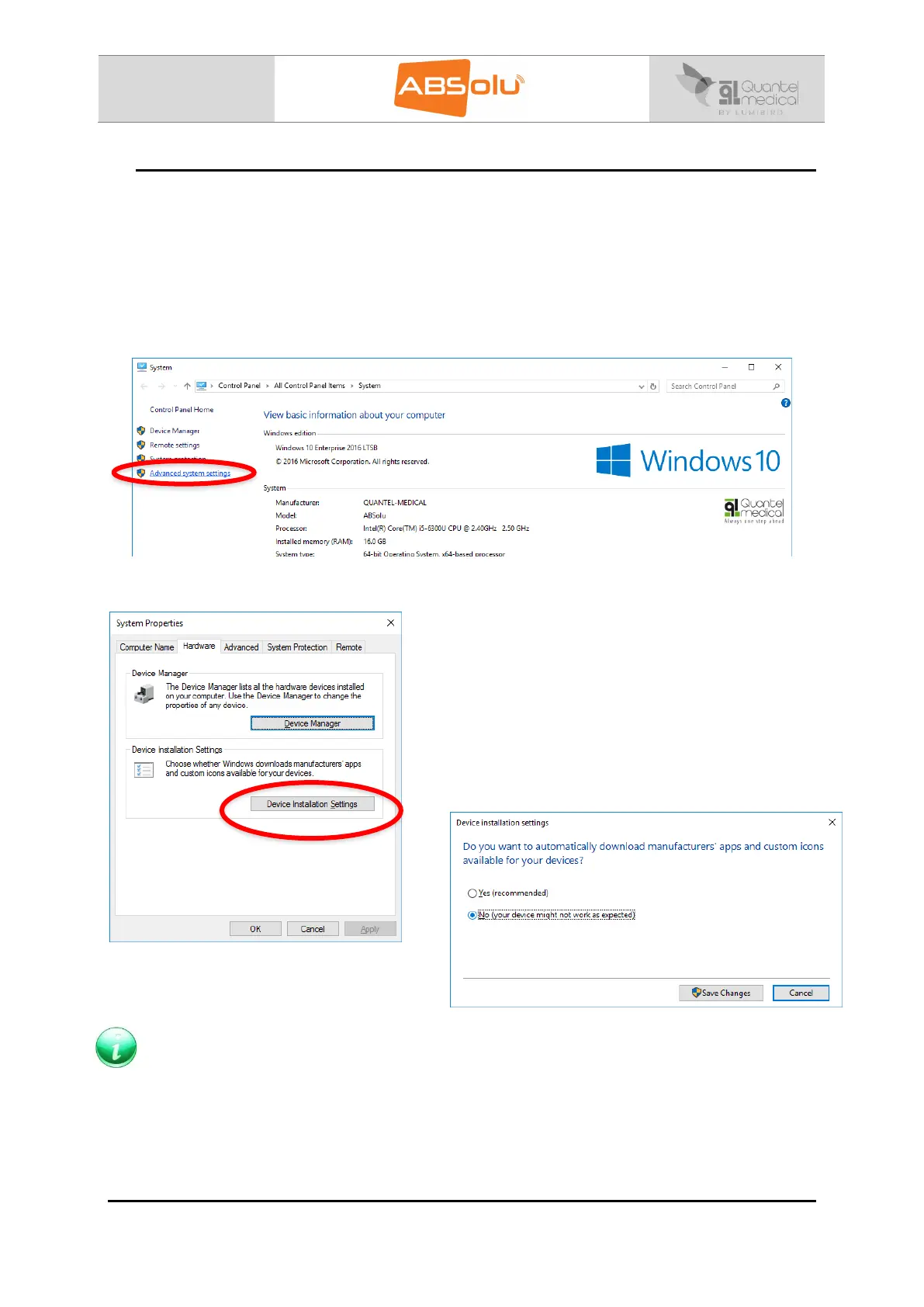
Follow the below procedure to avoid that the unit installs new Windows drivers, if this
procedure is not followed, you risk that the last “Intel ® HD Graphics 520” driver will be
automatically installed (25.20.100.6323).
1. Select the “Control Panel” Window.
2. Click on “System”.
3. Click on “Advanced system settings”:
4. Select “Hardware” menu and click on “Device Installation Settings”:
5. Select “No” check box:
6. Click on “Save Changes”.
Note: If the previous procedure does not block the automatic update, complete the following
procedure which is more advanced:
1. Select “Windows + R” on the keyboard to run the window.
2. Follow this link: Gpedit.msc\Computer configuration\Administratives
Templates\Windows components\Windows update\ConfigureAutomaticsUpdates
3. Select “Disabled”.



 To Next Page